

Your product listing is no longer just a page shoppers read. It's now a paid media asset that spends your ad budget whether you optimize it or not.
With Sponsored Products Prompts now officially available to U.S. sellers, Amazon PPC has entered a new phase. Keywords still matter, but they are no longer the only signals shaping ad visibility.
Amazon reports that nearly 20% of shoppers who engage with a prompt continue the conversation about that brand, and that adding prompts to a Sponsored Brands ad can increase conversions by 6%.
That makes prompts more than a new ad feature. They are becoming a measurable part of the customer journey, one that can influence brand consideration, paid clicks, and conversion efficiency before a shopper ever lands on the product detail page.
Amazon generates these Sponsored Product Prompts from first-party signals, including product detail pages, Brand Stores, campaign data, and other inputs.
That means listing quality, brand content, and campaign structure now influence not only organic discovery and conversion, but also how Amazon’s AI represents your products inside paid ad experiences.
To stay ahead, sellers must treat Sponsored Products Prompts as a managed PPC variable: understand how they work, optimize the content signals behind them, and use prompt-level data to protect margin while the format is still early.
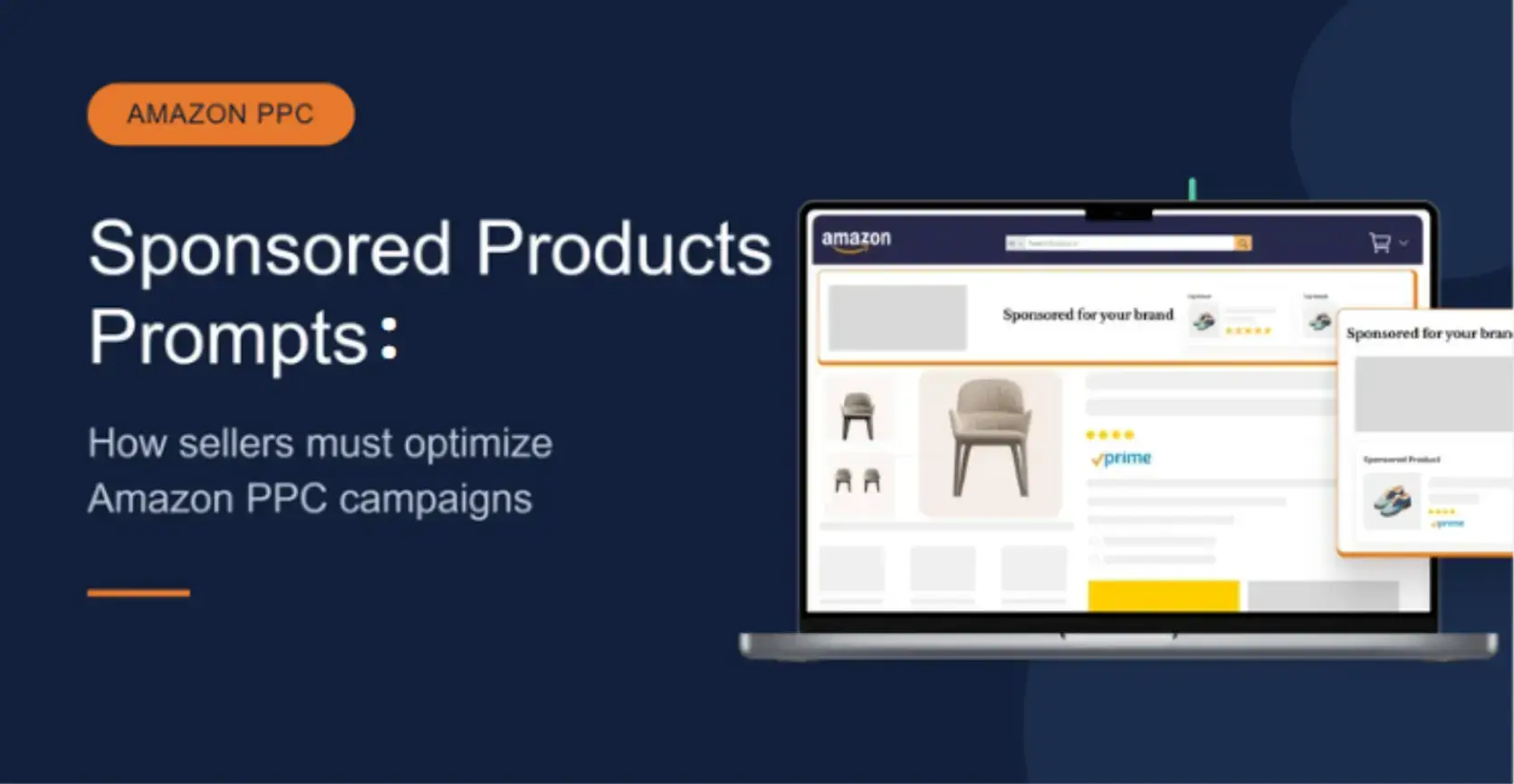
How Sponsored Products Prompts Work for Amazon PPC Campaigns
Sponsored Products Prompts act as a 24/7 virtual product expert.
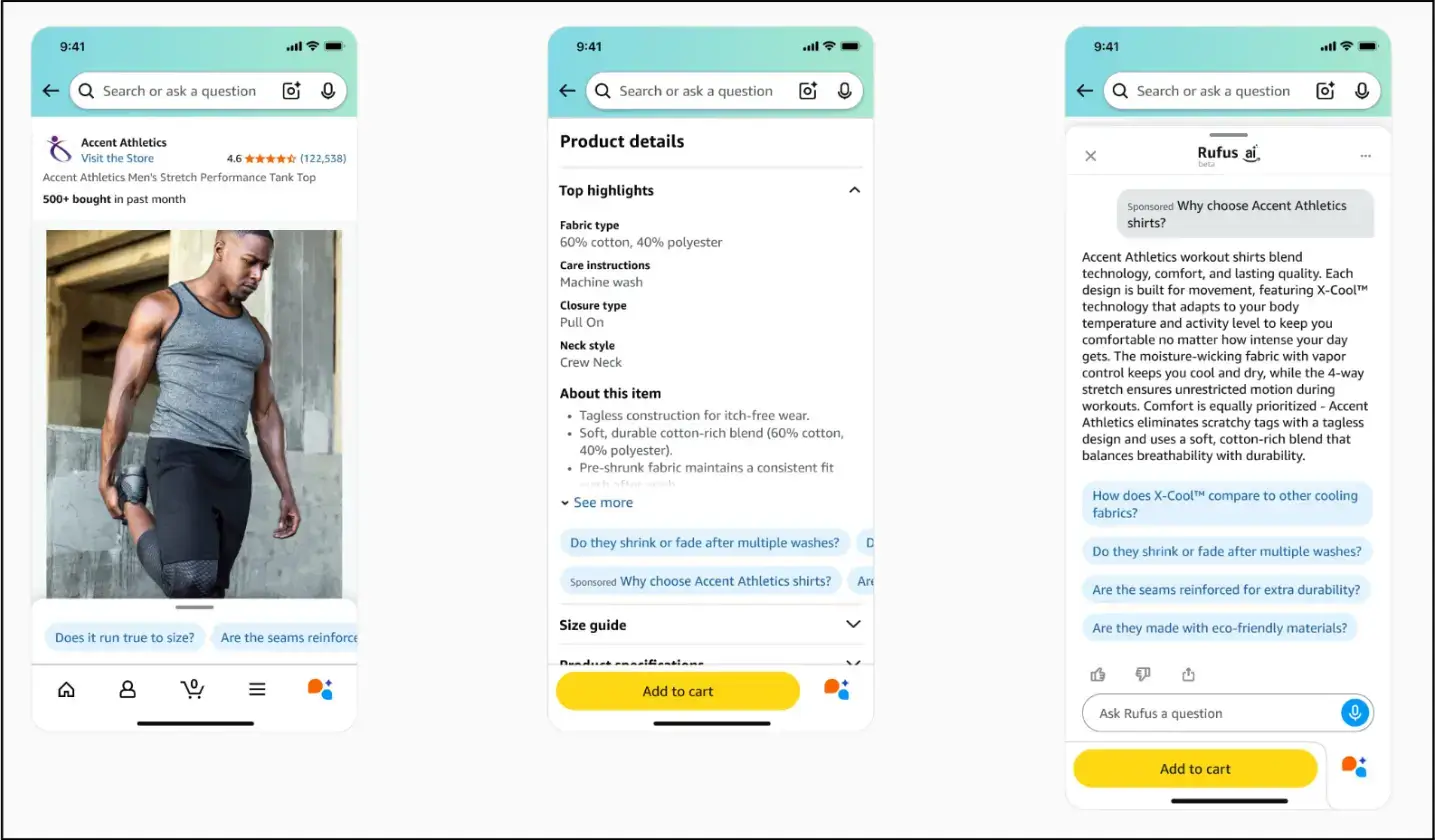
The AI generates clickable, question-based prompts that appear in Amazon shopping results and on product detail pages.
When a shopper clicks one, it either opens a dialog in Alexa for Shopping or responds directly on the page, recommending your product.
For example, a shopper on a portable espresso maker listing might tap "Will this work for camping?" The AI responds: "Yes. It's fully cordless and uses a manual hand pump, so no power or batteries are needed. The compact build fits easily in a backpack."
Source: Amazon
How Sponsored Products Prompts Work, and What Changes for Advertisers
Zero-setup enrollment
The existing Sponsored Products campaigns are enrolled automatically. Therefore, it requires no additional configuration from advertisers.
Billed under your existing CPC
Prompts run on your existing campaign budgets and bids, with no separate rate card. Since general availability, each prompt click is charged like other CPC ad interactions, which means prompts draw from the same spend pool as your core Sponsored Products and Sponsored Brands ads.
Built-in control in the Ads Console
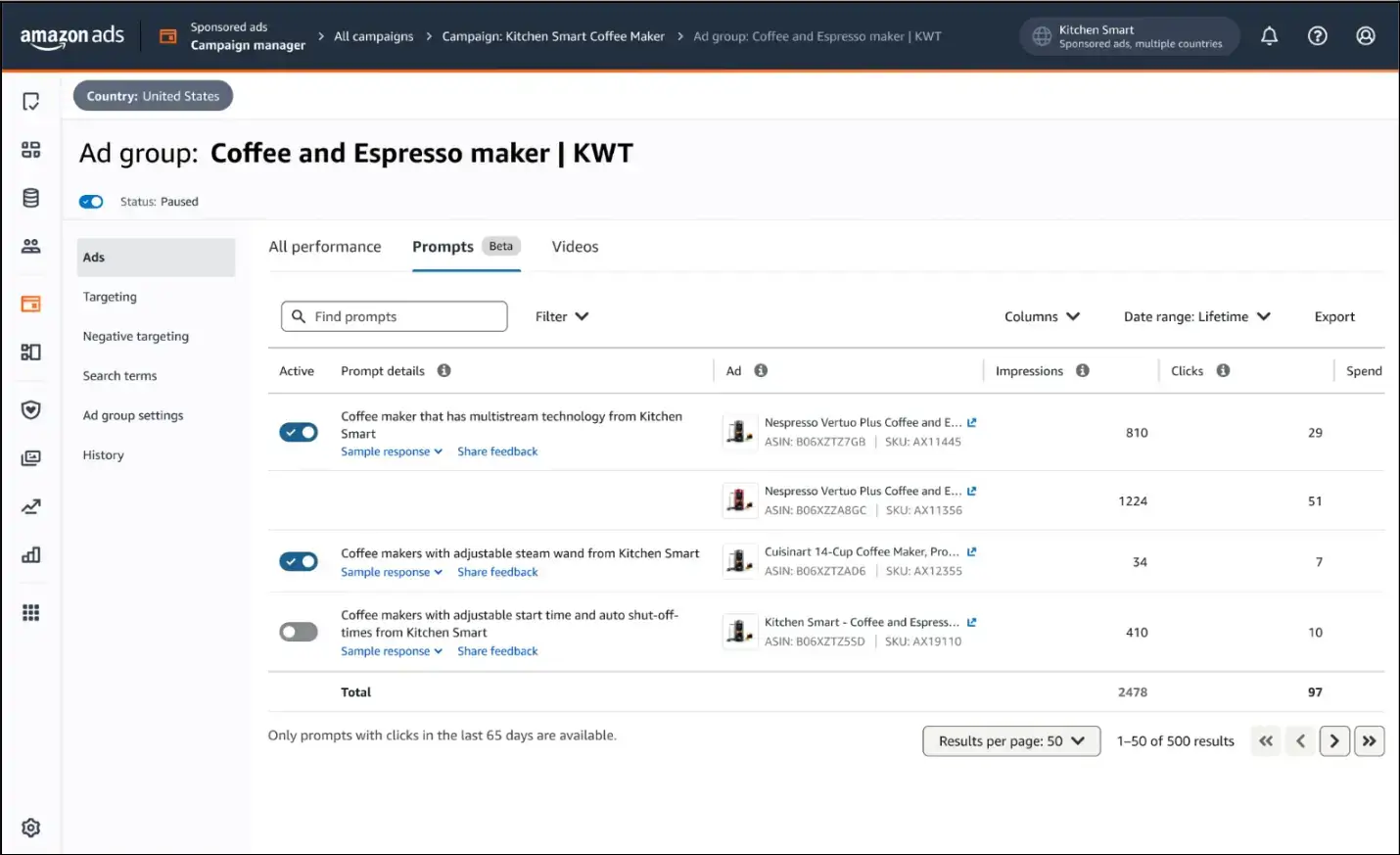
Prompts go live by default, but advertisers can review and manage them in the Amazon Ads Console. To access them, navigate to Campaigns (select your campaign) > Ad Groups (select your ad group) > Ads > Prompts. From there, you can review prompt text, see the associated ad, monitor performance metrics, and pause individual prompts.
Prompt-level reporting
Amazon also provides Prompt-Level reports. To access them, go to Reports → Create report → Sponsored Products → Prompts. These reports include prompt text, associated ad, impressions, clicks, click-through rate, cost per click, spend, sales, ACOS, ROAS, and 7-day orders and units.
Source: Amazon
Prompts Pull from Different Signals than Keywords Do
Where Prompts Still Fall Short
1. Automatic enrollment starts billing before you review
Since campaigns are enrolled by default, prompts can begin accruing CPC spend before advertisers actively review prompt-level performance.
2. No independent bid control
Prompts are billed through your existing CPC bidding and billing parameters. You can pause a prompt, but you cannot bid on it independently, which limits granular cost control.
3. AI can misrepresent your product before you catch it
Prompts run by default, and Amazon generates both the question and the answer. You cannot preview or approve the copy before it serves, so a prompt can misstate a feature on your budget before you catch it.
The fix is reactive, not preventive: keep Brand Registry data and attributes accurate, then pause any prompt that gets it wrong in the Ads Console.
4. Unclicked prompts stay invisible in reporting
A Sponsored Products prompt appears in your dashboard only after its first click, which means advertisers may not see unclicked prompts before they become active cost drivers.
5. Attribution is still early-stage
Since prompt reporting is still a relatively new layer in Amazon PPC, advertisers should avoid reallocating budget based on prompt metrics alone, as prompt metrics may over- or under-credit conversions at this stage.
Compare prompt-attributed results against your baseline, search term performance, ACOS, ROAS, and total sales before reallocating the budget.
How to Optimize for Sponsored Products Prompts
Optimize product detail pages for conversational discovery
The AI retrieves answers from product detail pages, so structure the page to respond to questions, not just list features.
- FAQ-Style Bullets: Pair a question with a concise answer, for example, "Looking for a travel coffee maker? Lightweight, TSA-approved, with a 12-hour battery."
- A+ Content: Use modules to cover dimensions, materials, compatibility, and specific use cases for AI to extract the product information.
- Product Q&A: Populate the listing's question section with common buyer questions and clear, authoritative answers.
- Backend Search Terms: Fill the search-term field with synonyms, relevant search terms, and misspelled variants to expand the range of conversational queries your product can surface.
Build campaigns for intent-based queries
Sponsored Products Prompts answer conversational, long-tail queries, so your campaigns need to feed that intent rather than rigid short-tail keywords.
Optimize your campaigns for intent-based queries or phrases, such as "best portable espresso for camping," to extend your reach into conversational searches.
Read query signals and refine the listing
The Prompt report shows which AI-generated prompts shoppers clicked, signaling which questions and specifications drive engagement.
Act on the Content Gaps: If a recurring prompt reflects a shopper’s query that your listing content does not address, add that detail to your bullets, A+ Content, or Q&A.
Monitor live prompts and pause the ones that miss
Sponsored Products Campaigns are auto-enrolled, and prompts draw from your existing budget, so active oversight protects both spend and brand accuracy.
- Monitor Performance: Track impressions, clicks, and ROAS by prompt in the Ads Console. Note that the tab shows only prompts clicked in the last 65 days.
- Review Prompts: Pause any prompt that misrepresents your product or spends without converting, since each click bills at your standard CPC.
Your Listing Content is Now Part of the Ad System
Sponsored Products Prompts are already live, billable, and enrolled across eligible campaigns.
The sellers who treat them as a managed variable rather than a background feature will protect their margins and capture conversational demand early.
Three points anchor the strategy:
- Your listing content is now part of the Amazon ad system. Prompts are generated from your detail pages, attributes, and Q&A, so content accuracy directly controls prompt quality and ad spend waste.
- Control is reactive, not preventive. You cannot pre-approve a prompt; you can only pause it. This constraint makes regular review of the Prompts report a core part of Amazon PPC management.
- The data is your roadmap. Clicked prompts show which questions drive engagement, helping you determine where your listings may need clearer, more persuasive answers.
Sponsored Products Prompts mark a structural shift in Amazon retail media: discovery is expanding beyond keywords into conversation, and paid placement now depends more heavily on the quality of your content.
The competitive edge goes to sellers who make listing content a deliberate PPC asset, feeding Amazon’s AI accurate, question-led product details while competitors still treat their listings as static pages.

Author Bio
Jessica Campbell is an eCommerce consultant and content strategist at Data4Amazon, where she focuses on Amazon marketplace strategy. Her well-researched and valuable write-ups have helped thousands of businesses uncover rich insights, strengthen their business processes, and stay afloat amidst the rising competition.