

Widgets are easy to add. That’s why most pages end up with too many.
Live chat, social proof pop-ups, calculators, maps, reviews, and signup forms all promise to help users move faster. And individually, they often do.
But once you’ve worked on a few real sites, you start seeing the pattern. Each widget solves a small problem. Together, they start creating new ones.
Good website widgets make a page feel useful. Someone lands, finds what they need quickly, and maybe interacts with something that answers a question immediately. That’s when they work.
Poorly implemented website widgets just sit there, slowing things down, hurting page speed, and competing for attention.
The difference is rarely the widget itself. It’s how and when it’s used.
Understanding the SEO Impact of Website Widgets
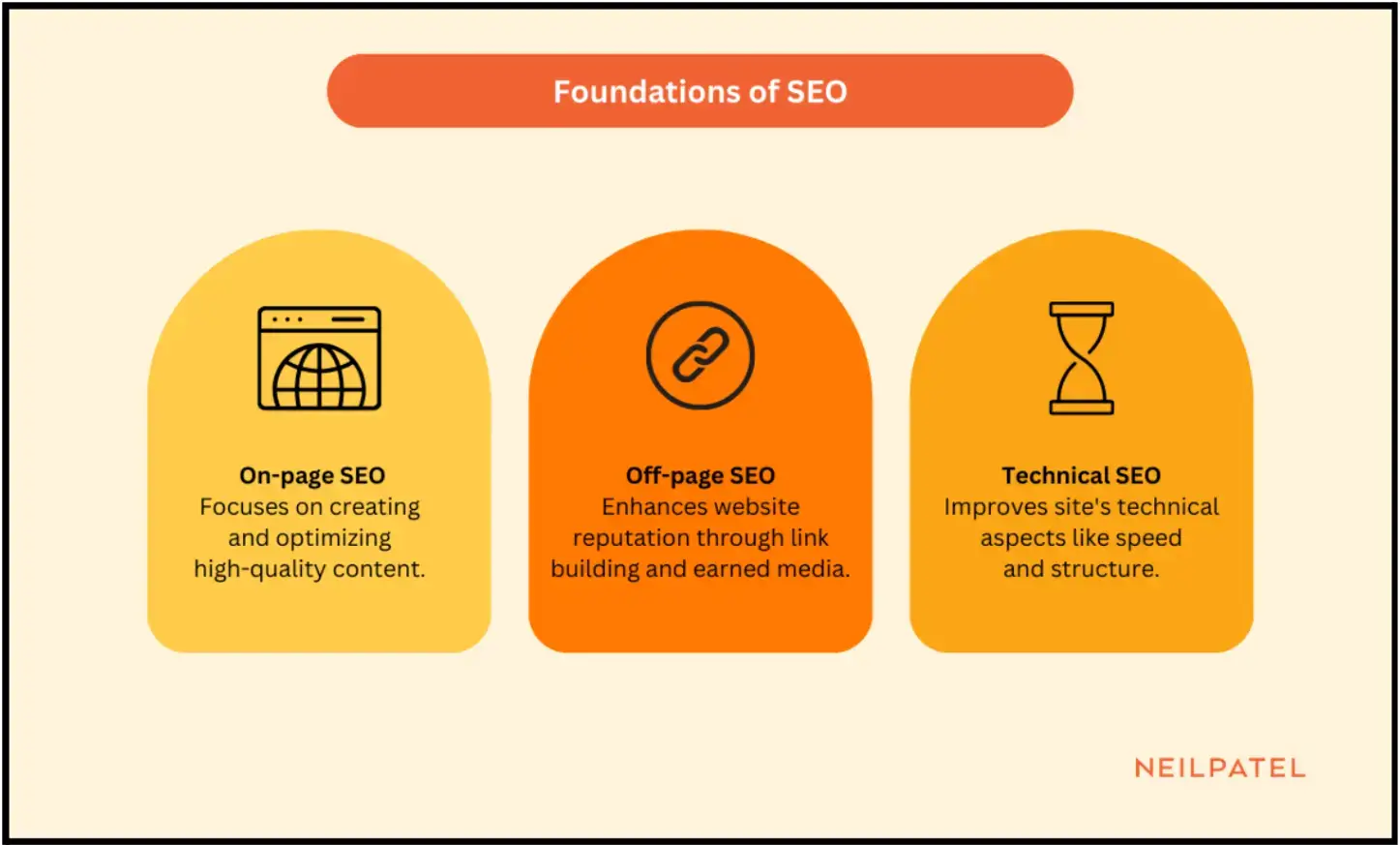
SEO isn’t complicated in theory. You’re making content easier to find and easier to understand, so the right people land on it.
Source: Neil Patel
In practice, it’s a lot of small decisions stacking up.
Content structure, internal links, and on-page metadata form the visible layer. Links and mentions build trust over time.
Then there’s everything under the surface: how fast the page loads, whether it can be crawled properly, and how clean the code is.
These don’t operate separately. You feel the impact when they don’t line up.
A page can rank well and still fail if the experience doesn’t hold up once someone lands.
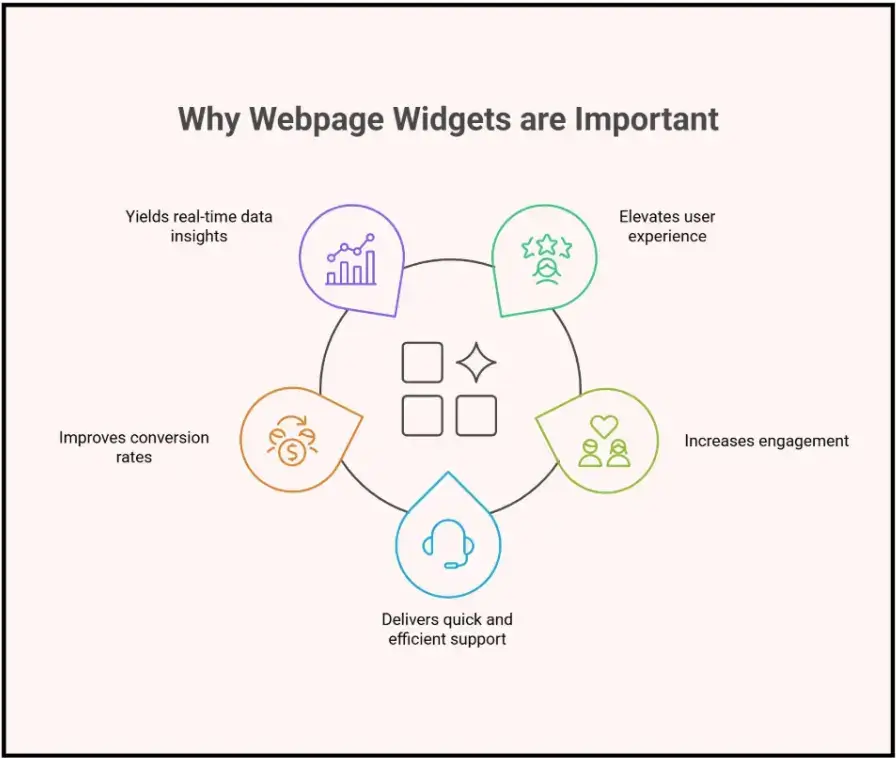
Why Website Widgets Can Improve User Experience
When widgets work, they feel like shortcuts.
A calculator removes guesswork. A store locator answers a location question immediately. A comparison slider helps someone decide without scanning multiple sections.
Source: BoldDesk
You see the impact on behavior.
Samuel Charmetant, Founder of ArtMajeur, works with a global marketplace where users compare hundreds of artworks before making a decision, often across multiple tabs and sessions.
People stay longer. They interact. They move deeper into the page instead of bouncing. That’s where tracking widget engagement in GA4 becomes useful: you can see whether a calculator, form, chat tool, or comparison feature is actually changing behavior.
But this only holds if the widget matches intent. A pricing calculator on a blog post? Ignored. A chat pop-up that appears instantly before someone reads anything? Closed.
Timing matters more than the widget itself.
When Website Widgets Hurt SEO Performance
This is where most pages run into trouble.
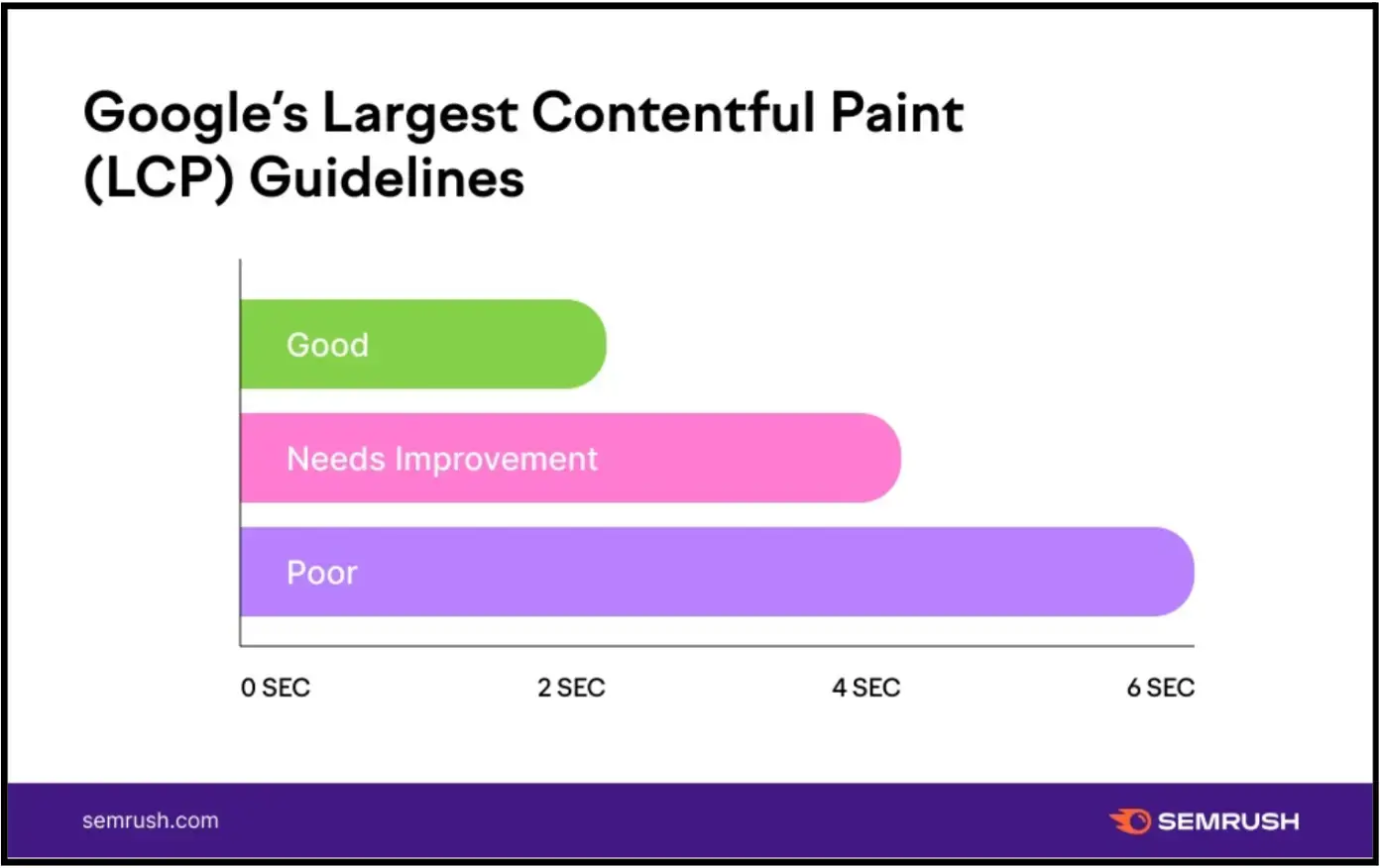
Every website widget adds weight. Add a few JavaScript widgets, stylesheets, fonts, and external requests together, and you’ll see the widget impact on SEO performance almost immediately.
LCP stretches out. Interaction delays increase. Layout shifts become noticeable. This is usually where third-party widgets and Core Web Vitals start clashing.
Source: Semrush
Jeff Zhou, CEO of Fig Loans, operates in a category where users are making time-sensitive financial decisions and tend to drop off quickly if the page feels slow or unclear.
You don’t need tools to catch the worst cases. Just load the page on a mid-range phone on 4G. If it feels slow, it is.
Then there’s mobile layout.
Mobile-friendly chat widgets matter because chat bubbles, sticky bars, and pop-ups all take space.
Together, they start blocking content. Buttons move. Text gets pushed. Users stop engaging.
And since Google indexes mobile-first, this feeds directly into how your page is evaluated.
Too many moving parts also break focus. If someone came for the content, anything that competes with it is working against you.
Technical SEO Best Practices for Website Widgets
Search engines can process JavaScript now, so that’s not the issue anymore. The issue is sequencing.
Andrew Bates, COO of Bates Electric, deals with high-intent local traffic where users are often looking for immediate service and primarily browsing on mobile devices.
If your main content depends on render-blocking widget scripts loading first, you’ve created a delay where it matters most. That’s where pages lose performance.
The safer approach is consistent:
- Let critical content load first
- Use deferring third-party JavaScript patterns where possible
- Lazy load anything below the fold
- Preconnect to external domains where needed
- Use structured data where it actually adds clarity (reviews, FAQs, events)
Load third-party scripts asynchronously or defer them. In practice, this is where things start to drift. Tools get added over time, and no one is really tracking what’s loading when.
On smaller teams, that coordination work often falls through, which is why some end up trying to hire executive assistants just to keep tools, vendors, and updates from piling up.
And when possible, don’t rely on JavaScript widgets to deliver essential content. Have a fallback or server-rendered version.
How to Optimize Website Widgets for SEO
Most of the work here isn’t about adding widgets. It’s about limiting them.
Start with the basics:
- Use lightweight widgets with audited scripts
- Check accessibility (keyboard navigation, contrast, ARIA roles)
- Test on real mobile devices, not just responsive mode
Then performance:
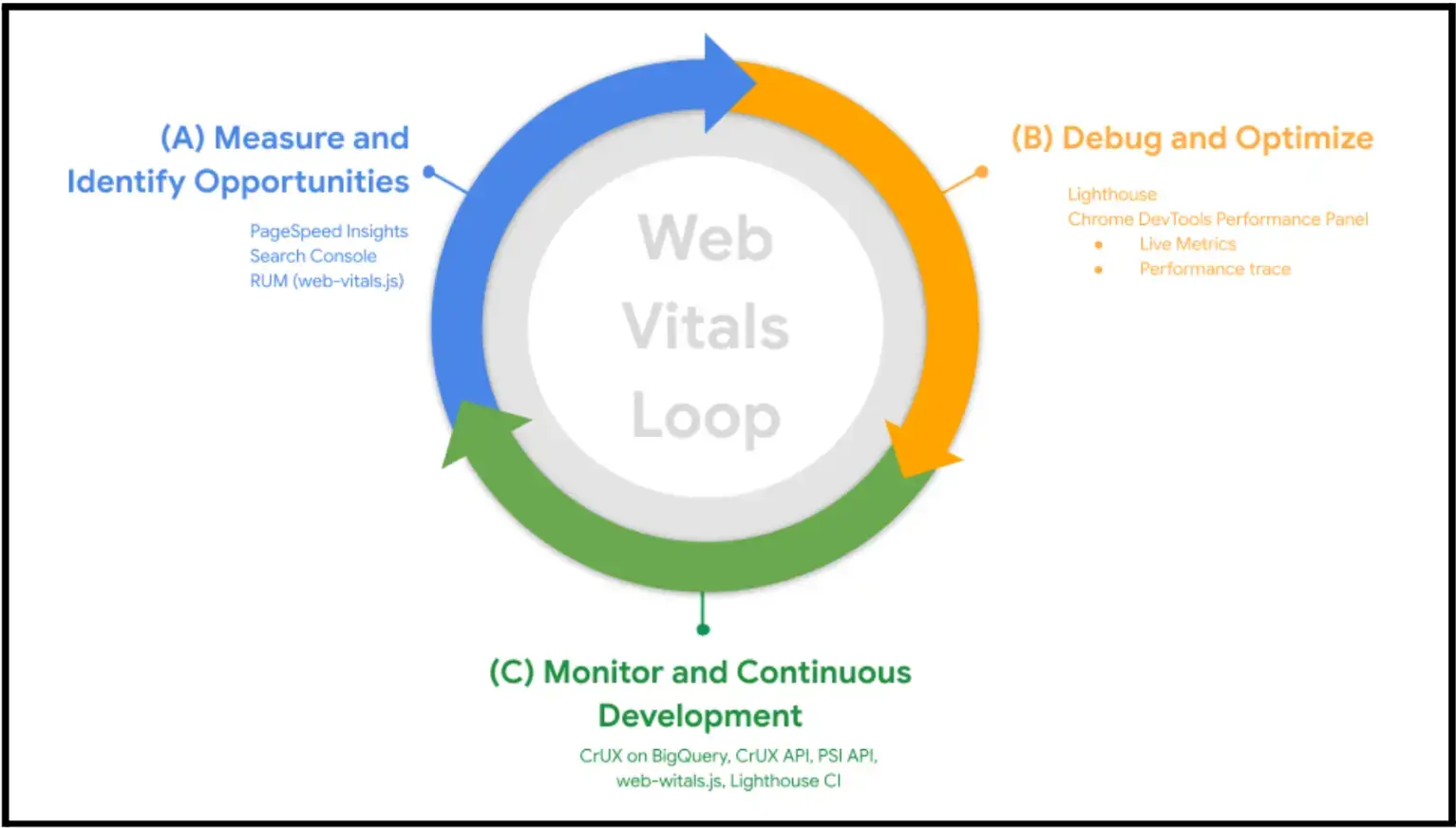
- Monitor Core Web Vitals over time, not once
- Use PageSpeed Insights for field and lab data
- Use Lighthouse for diagnostics
- Use WebPageTest when you need to inspect page speed and embedded widgets in the loading waterfall. This is especially useful for businesses that buy proxies to test website performance, geo-targeted content, and loading behavior across different locations and networks.
Source: web.dev
You’ll usually find something unnecessary.
- A widget script loading too early.
- A widget firing before it’s needed.
- A third-party widget request that doesn’t justify its performance cost.
Ryan Beattie, Director of Business Development at UK SARMs, works in a category where users spend time comparing products, reading details, and evaluating claims before making a purchase.
Moving a widget down the page or delaying it until interaction can change engagement without touching the feature itself. That’s where most gains come from.
A/B testing helps here only if you’re careful not to break indexing or introduce inconsistent content signals.
What Actually Matters Most for Widget SEO Performance
Website widgets don’t hurt SEO by default. The problem is usually how they are loaded, where they appear, and whether they compete with the main content.
Before adding another widget, check three things:
- What loads before the main content?
- Which widgets are actually being used?
- Which scripts can be delayed, removed, or moved behind interaction?
That is where the SEO impact usually shows up. Not in the idea of using a widget, but in the accumulated weight of JavaScript, third-party requests, layout shifts, and mobile clutter.
Most pages don’t need more website widgets. They need fewer, lighter, and better-timed ones.
If you’re adding forms, pop-ups, or calculators, the tool matters less than how it behaves on your page. POWR.io can be one option for building those elements without heavy development, but it still needs to be tested like any other third-party widget.
Check how it loads, when it appears, and whether users actually interact with it.
Frequently Asked Questions
1. Do widgets directly impact SEO rankings?
Not directly. A chat widget or calculator won’t help or hurt rankings on its own. The impact comes from what it does to the page, load time, layout stability, and how people interact with it. If a widget slows the page or gets in the way, that’s where it starts affecting SEO.
2. How many website widgets are too many?
There’s no fixed number, but most pages only need one primary widget tied to the main goal. Once you start adding multiple tools, you’ll usually see diminishing returns and performance issues.
3. Do widgets affect page speed?
They can. Most website widgets bring JavaScript, external requests, and styling with them. One lightweight widget may be fine. A few together can affect page speed, Core Web Vitals, and mobile usability.
4. Should widgets load immediately or after interaction?
Not everything should load upfront. If a widget isn’t needed right away, it’s better to delay it, either after the main content loads or after a user interacts. That keeps the page responsive and avoids blocking critical content.
5. How can you measure widget SEO impact?
Start with behavior and performance. Check engagement metrics, click patterns, session recordings, Core Web Vitals, and page speed reports. If people are not interacting with the widget, or it is slowing the page, it is probably not helping SEO performance.

Author Bio
Jesse is a professional writer whose aim is to make complex concepts easy to understand. He strives to provide quality content that assists people in everyday life.