
Imagine landing on two websites that sell the exact same product: same price, same design, same features.
But one of them shows dozens of five-star reviews, real customer photos, a few tweets from happy users, and mentions in trusted media outlets.
The other? A product page with zero feedback, no mentions, and total silence. Which one would you buy from?
Top Takeaways
- Trust wins: shoppers follow reviews, ratings, and real users, not marketing.
- Proof works: reviews can lift conversions by up to 270%.
- Six quick moves: testimonials, ratings, badges, case studies, live pop-ups, social feeds.
- Start small: even one fresh review boosts credibility fast.

That first one likely earned your trust before you even started reading the product description. And that’s the power of social proof.
Social proof is a psychological shortcut. When people are unsure about what to do, they often look to others for guidance. If others are buying, commenting, reviewing, or engaging, we assume there’s value—and we feel safer joining in.
This isn’t a new concept. It's hardwired into how we make decisions. But it matters more than ever today. With dozens of options in every niche, trust is the only differentiator.
Since you can’t physically meet your customers online, your site has to do the talking. And social proof is one of the loudest, clearest signals that says: “You can trust us. Others already do.”
In this guide, we’ll walk through what social proof means, why it works so well, and six simple ways to use it on your site—without fluff, gimmicks, or fake hype.
What is Social Proof?
Social proof means showing evidence that other people like, use, or recommend your product or service. It gives potential customers a reason to trust you, especially if they’re new to your brand.
(Source: DAAS Suite)
Think of it this way: if you’re walking down a street looking for a coffee shop, and you see one with a long line and another that’s empty, you’re probably going to trust the one with the line. That’s social proof in action.
It works the same online. When visitors land on your site, they’re scanning for signs that say, “People like me trust this.” This can come in many forms: a testimonial, a five-star review, a badge that says “500,000 customers served,” or even a simple statement like “Most popular choice.”
Social proof isn’t about tricking people. It’s about making them feel comfortable by showing them what others are doing. That reassurance can turn hesitation into action.
There are many types of social proof, and we’ll break down the best ones to use. But first, it helps to understand why we respond so strongly to it in the first place.
The Psychology Behind Social Proof
Social Validation
Humans are wired to follow the group. This is known as the bandwagon effect. We assume that if lots of people are doing something, it must be the right thing to do. It’s not always logical—but it is powerful.
This instinct shows up in small ways. Ever noticed how we glance at reviews before trying a new restaurant? Or how seeing “10,000 people have downloaded this app” makes us more likely to try it too? These are quick mental shortcuts that help us decide faster.
In online shopping, where we can’t touch or test the product, social validation becomes even more important. It tells us what’s safe, what’s popular, and what’s trustworthy. Without it, we're left with doubt—and doubt kills conversions.
When visitors land on a page that’s backed by proof of others’ approval, their guard goes down. They feel less like a test subject and more like part of a trusted crowd. And that shift is what moves people from browsing to buying.
Trust Through Peer Influence
People trust people—more than they trust brands. That’s why peer reviews, user testimonials, and even casual comments on social media carry weight.
This kind of influence works because it reduces uncertainty. When someone just like you says, “This worked for me,” you’re more likely to believe it will work for you too.
That’s why websites that include honest customer voices tend to convert better. Real feedback feels authentic. It adds clarity. It removes that “too good to be true” feeling that polished marketing copy can sometimes create.
Humanizer AI can also support this effort by refining peer reviews to feel more natural and aligned with real customer voices, ensuring your social proof communicates authenticity without sounding artificial.
Even small touches help. A quote from a happy customer. A user photo. A reply to a tweet. All of it signals that real people are involved—and satisfied. And that’s what builds trust.
Conversion Data
Still not convinced? Let’s talk numbers.
According to a report by BrightLocal, 87% of people read online reviews for local businesses in 2023. And 79% of people trust online reviews as much as personal recommendations from friends or family.
Another study from Spiegel Research Center found that displaying reviews can increase conversion rates by 270%. That’s not a typo. By simply sharing honest customer opinions, you can almost triple the likelihood that a visitor becomes a customer.
There’s also evidence that the presence of even a few negative reviews can boost trust. It shows transparency and makes the positive reviews feel more believable. Perfect scores across the board? That can look fake.
The takeaway: social proof doesn’t just make your site look good—it makes it perform better. Honest feedback, real stories, and real data lead to real results.
How to Add Social Proof to Your Website
1. Customer Testimonials
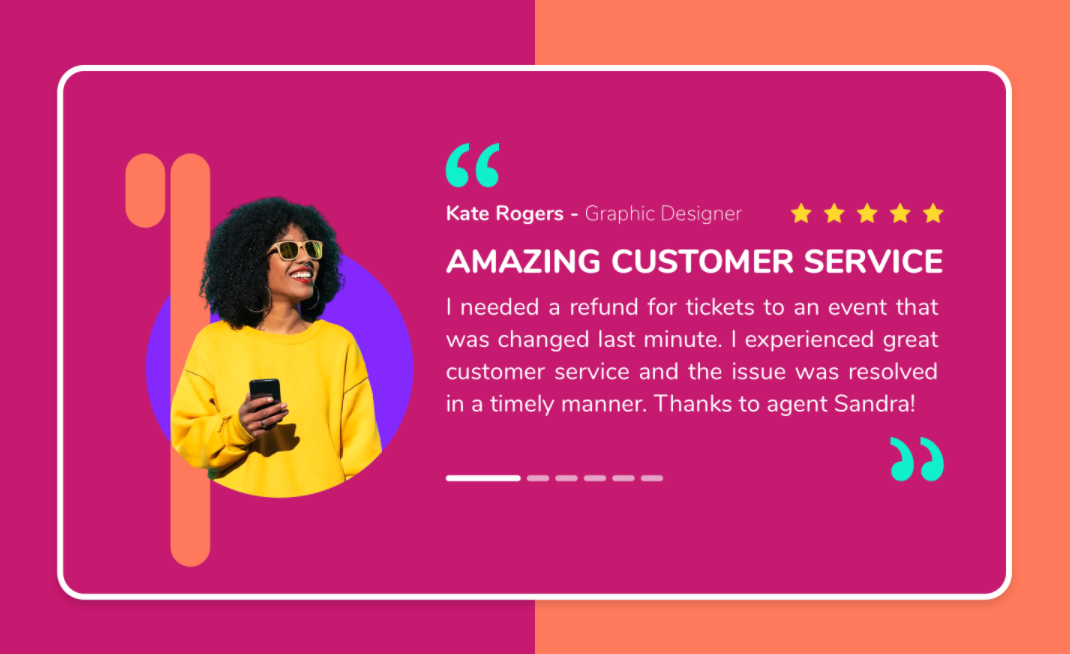
Customer reviews and testimonials are one of the most straightforward types of social proof—and one of the most effective. They’re short quotes from real customers describing their experience with your product or service.
When used right, they serve as personal endorsements that help potential customers feel confident in their decision.
(Source: MockPlus)
To get the most out of testimonials, they need to look and feel real. That means including the customer’s name, photo, and role if applicable.
For example, a quote from “John D.” doesn’t hold the same weight as one from “John Davis, Operations Manager at Workrite.” And a plain text quote is less convincing than one that includes a friendly headshot or company logo.
You don’t need hundreds of testimonials. A handful of strong, detailed ones can go a long way. Focus on those that speak to common objections or concerns. For example, if price is a sticking point for your customers, a testimonial that says “It paid for itself in two weeks” can be more persuasive than a glowing but generic statement.
You can also structure testimonials to work harder for you. Instead of placing them in a random sidebar, align them with your key selling points. If you claim fast customer support, place a testimonial nearby that confirms it. If you highlight ease of use, let a real user back that up in their own words.
Some businesses go a step further with short video testimonials. These add voice and personality, which builds even more trust. But even plain-text testimonials, if done well, are powerful.
“Testimonials are one of the most effective tools to grow your brand. They build trust, showcase real customer experiences, and help convert potential clients.” — WomenConquerBiz
2. User Reviews and Ratings
Reviews and ratings play a different role than testimonials. While testimonials are curated and often highlight best-case scenarios, reviews are broader. They let users rate your product or service, usually on a scale (like 1 to 5 stars), and leave open-ended comments.
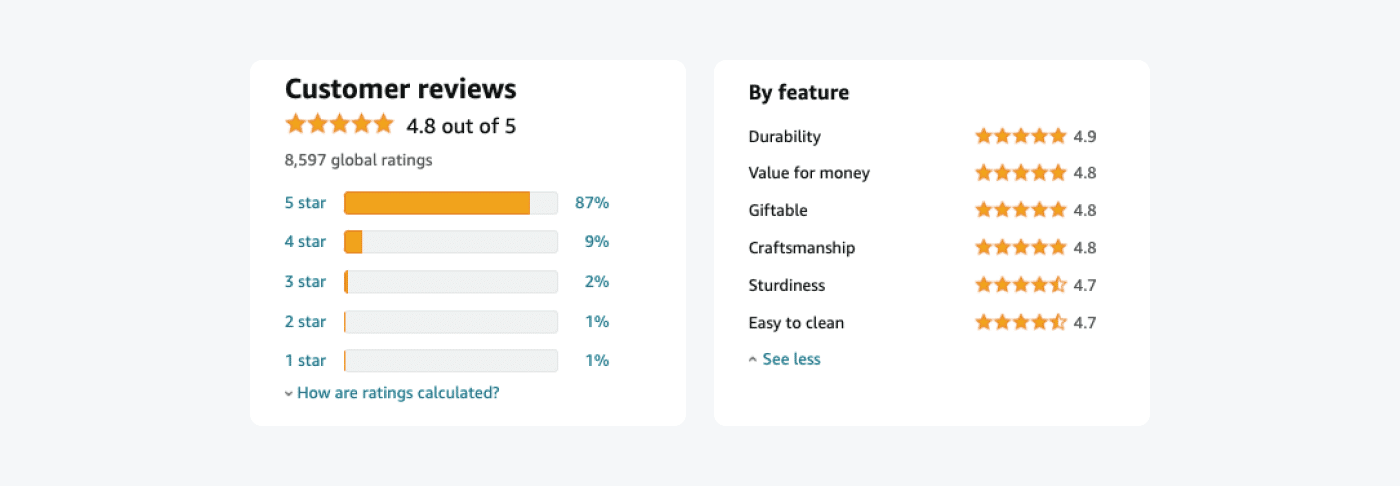
This kind of feedback helps potential buyers see the whole picture—what people liked, what they didn’t, and what to expect. It makes your product feel real. And even if a review isn’t perfect, it contributes to credibility.
Star ratings have an outsized effect on how people perceive your business. Just one extra star on a product or business listing can boost sales significantly. A product with a 4.5-star average will consistently outperform one with a 3.9—even if the written reviews say similar things.
Embedding review systems on your site is easier than ever. You can use third-party tools like:
- Trustpilot
- Google Reviews
- Yelp
- Capterra (for B2B tools)
- Product Hunt (for startups and digital products)
Most of these platforms offer widgets that display real-time reviews directly on your site. This adds a layer of transparency and gives users the option to dig deeper if they want more information.
One thing to keep in mind: don’t censor your reviews. It’s okay to moderate for profanity or spam, but filtering out every negative comment can backfire. Today’s users are savvy. If they only see five-star ratings and perfect praise, they’ll get suspicious.
Instead, respond to less-than-perfect reviews. Show that you care, you listen, and you’re actively improving. That builds trust faster than trying to pretend every customer was thrilled.
Reviews are powerful because they speak the truth—good or bad. And when visitors see that other real people have already taken the plunge and shared their experience, they’re more likely to follow through.
“Reviews are the new marketing. They're the key to building trust and credibility with potential customers.” — Andrew Davis, Social Review
3. Trust Badges and Certifications
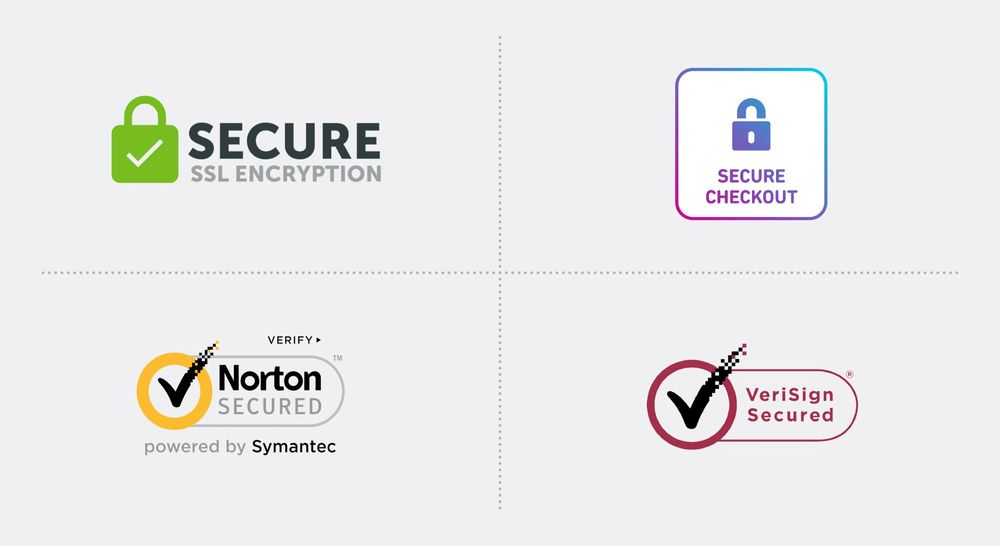
Trust badges are small icons or labels that signal your business meets a certain standard. They may not be as flashy as reviews or testimonials, but they send a clear message: “We’re legit.”
There are a few different types:
- Security seals (e.g., SSL, Norton Secured, McAfee Secure)
- Payment trust symbols (e.g., Visa, Mastercard, PayPal)
- Industry certifications (e.g., Better Business Bureau, ISO, Google Partner)
- Press features (“As Seen In” badges from reputable media outlets)
Each one adds a layer of reassurance. When users see a lock icon or a known logo, it helps them feel safer submitting information or making a purchase.
(Source: GetMason)
The placement of these badges matters. You want them visible—but not distracting. The checkout page, product detail sections, and site footer are all good spots. You’re not trying to overwhelm users with logos, but rather show that you're credible, secure, and trustworthy.
Don’t forget about mobile users. Make sure your badges look clear and clean on small screens. A cluttered or blurry image doesn’t send the message you want.
Some businesses create custom badges—for example, “Trusted by 5,000+ customers” or “20 years in business.” Although these aren’t third-party verified, presenting them honestly still helps establish authority.
“Boost online store credibility with trust badges. … These symbols enhance customer trust and increase conversions.” — Mailchimp
4. Case Studies and Success Stories
Case studies go deeper than testimonials. They show the full journey of a real customer: what problem they faced, how your product or service helped, and what happened afterward.
These stories are powerful because they show—not just tell—what you can do.
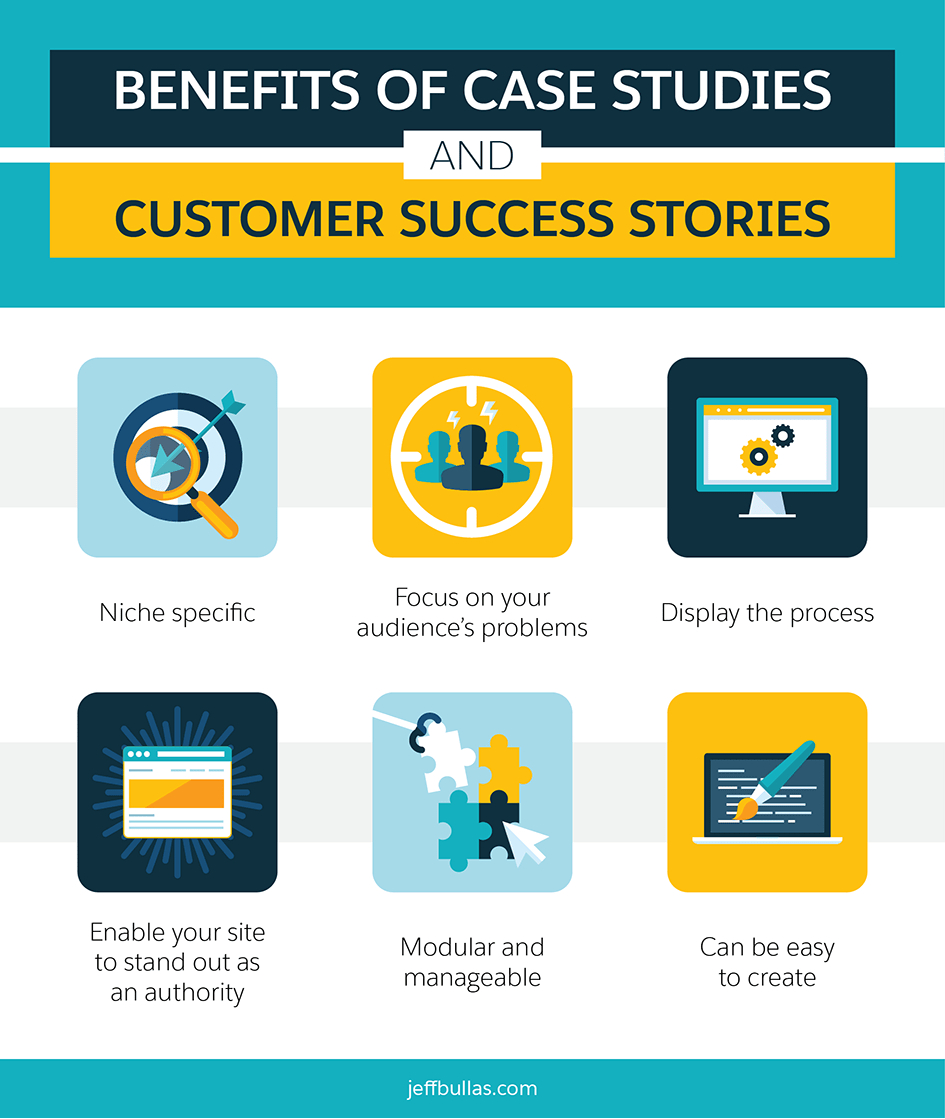
(Source: Salesforce)
A good case study follows a simple structure:
- The problem: What challenge was the customer facing?
- The solution: How did they use your product or service?
- The result: What changed? Include complex numbers when possible.
This format gives potential customers a clear idea of what to expect. They see themselves in the story, and that builds trust.
For instance, if you’re a CRM provider or offer contact center solutions, a case study demonstrating how a sales team increased its close rate by 30% using your platform will be more effective in selling your product than any marketing copy.
Add in quotes, screenshots, timelines, or before-and-after comparisons. Make it easy to skim—use headings, callouts, and data highlights. Don’t bury the win in a wall of text.
You can publish case studies as blog posts, downloadable PDFs, or even slide decks. The key is to keep them honest and practical. Use real names when you can. Avoid overly promotional language. And most importantly, focus on the customer, not just your product.
Success stories don’t have to be massive transformations. Even a small win, like reducing onboarding time or improving email response rates, is valuable. The goal is to demonstrate that your solution is practical in real-world applications.
“Case studies are powerful tools that benefit your customer's journey by providing real-world examples of your products or services in action.” — WaypointMC blog
5. Real-Time Activity Notifications
You’ve probably seen them before: a little pop-up at the corner of a screen that says something like “Anna from Berlin just purchased this item” or “12 people are viewing this page right now.”
These notifications might seem minor—but they work.
They create a sense of urgency (“others are buying—better act now”) and popularity (“this is a hot item”). That mix of urgency and validation helps push people toward making a decision, especially if they’re on the fence.
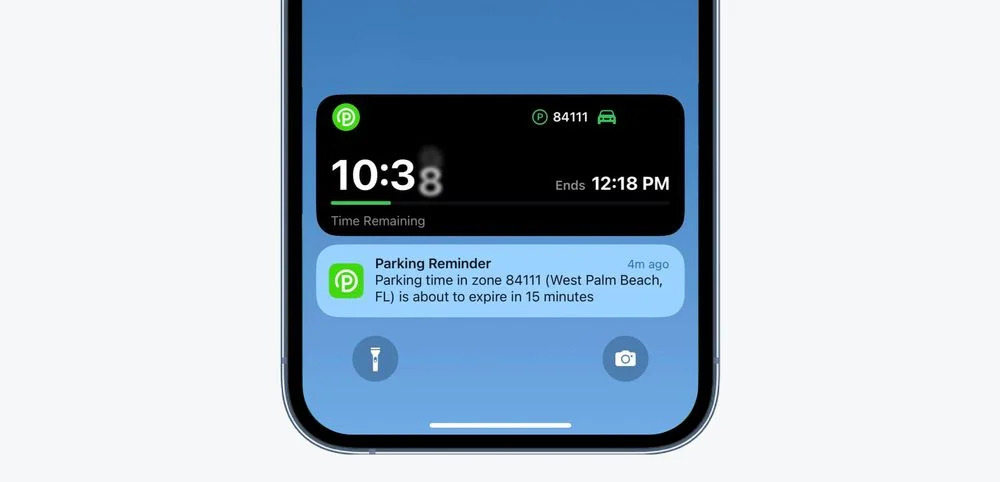
(Source: OneSignal)
Real-time notifications don’t just increase conversions—they also reduce bounce rates. Visitors feel like they’re part of a live, active environment. It’s the digital version of walking into a busy store instead of an empty one.
There are plenty of tools that make this easy:
- FOMO
- Proof
- UseProof Pulse
- TrustPulse
These tools integrate with your site, pulling real-time or recent data (such as purchases, signups, and reviews) to display small, unobtrusive messages. Most let you customize the style, timing, and placement of the notifications.
You can also display internal metrics, such as “45 people signed up this week” or “Sold out 3 times this month.” These don’t require names or locations but still provide momentum and reassurance.
Just don’t overdo it. If notifications pop up too often or feel fake, they’ll lose their impact—or worse, annoy users. Always use real data. And if you’re starting and don’t have much volume, consider delaying this feature until you’ve got activity worth showing.
Used right, real-time notifications make your website feel alive—and that makes visitors more likely to engage.
“Push notifications like ‘Only a few spots left!’, ‘Selling fast’, or ‘Trending this week in your area’ drives urgency and action.” — CleverTap blog
6. Social Feeds
Social media feeds show live content from your brand’s social channels—right on your website. Think recent tweets, Instagram photos, or Facebook posts. While they may seem like just another content block, they serve a clear purpose: real-time validation.
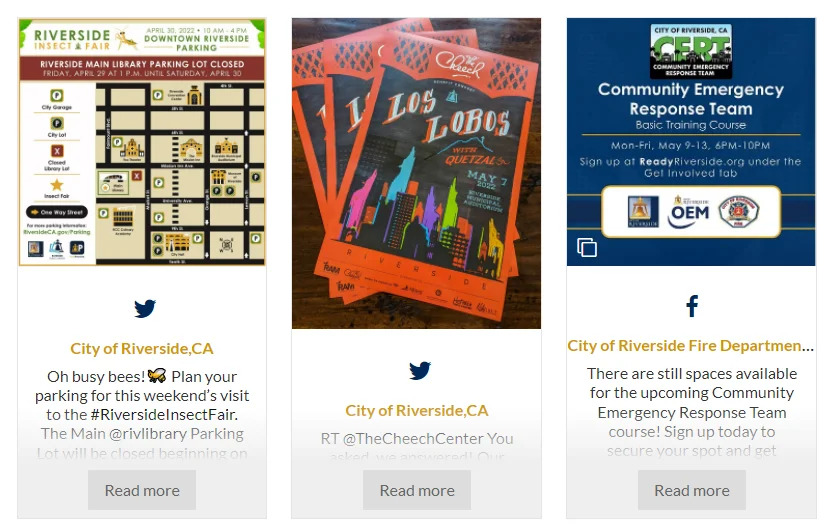
(Source: Juicer)
When users see a live feed with comments, likes, shares, and mentions, it signals one thing: your brand is active and engaged. It doesn’t just say “we’re legit.” It shows it.
Social feeds are especially useful if you regularly post updates, customer shout-outs, or user-generated content. A product that a happy customer has tagged. A story reposted on your brand’s Instagram. These casual but public interactions do more for trust than any polished sales copy ever could.
What makes social feeds work is their transparency. They're not curated testimonials or handpicked reviews. They’re raw, timely, and often unscripted—which makes them believable.
Several tools let you add social feeds to your website:
- POWR Social Feed
- Juicer
- Taggbox
- EmbedSocial
Among these, POWR Social Feed stands out for its ease of use and versatility. It works across multiple platforms (Twitter, Facebook, Instagram, YouTube, LinkedIn), supports auto-updating feeds, and comes with built-in moderation—so you stay in control of what appears.
It’s also responsive by default, so your feed looks clean on mobile devices without extra tweaks. For most businesses, this is a plug-and-play solution that requires no coding knowledge.
To get the most out of your social feed:
- Keep your accounts active and professional.
- Use visuals where possible—images and videos grab attention.
- Mix in brand updates with customer mentions.
- Monitor engagement to keep the feed fresh.
Adding a social feed helps bridge the gap between your website and your social presence. It gives your site a human layer, shows proof of ongoing engagement, and encourages users to interact beyond the page.
“Positive reviews and endorsements act as social validation, assuring [customers] that they're making a sound decision.” - FreshLearn
Conclusion
Social proof isn’t just nice to have—it’s what makes people feel comfortable choosing you. Whether it’s testimonials, reviews, trust badges, case studies, live notifications, or social feeds, each one builds credibility on its own. Together, they make your brand more trustworthy and persuasive.
Start small—add a review, share a case study, or connect your social feed. Each step strengthens the trust your visitors have in you. After all, you already believe in your product. Social proof helps your audience believe in it, too.
FAQs
1. What’s the easiest form of social proof to add?
Customer testimonials are often the simplest. Reach out to happy customers and ask for a short quote. Include their name, photo, and company if possible.
2. How often should I update my social proof?
Keep it fresh every 3–6 months. New reviews, updated case studies, and active social feeds show your business is alive and thriving.
3. Can fake social proof hurt my site?
Yes. If users spot fake reviews or testimonials, it damages trust—and trust is hard to win back. Use real data and authentic voices only.
4. Is social proof useful for service-based businesses?
Absolutely. Testimonials, client logos, and case studies are particularly beneficial when selling services where trust and credibility are paramount.
5. What’s the best plugin for social feeds?
POWR Social Feed is a strong option. It’s easy to set up, works with multiple platforms, and doesn’t require coding. It also offers moderation features to keep your feed clean.
About the Author
Jyoti Ray, founder of OneMinuteSEO, brings 7+ years of SEO expertise to help SaaS businesses earn high-quality backlinks that drive rankings and authority.
As the go-to link-building expert in the SaaS industry, he delivers results that matter. Connect with him on LinkedIn.