
Every click, every half-second pause before someone decides to bounce from your page, means something if you’re actually paying attention.
Think about how you use the internet. You land on a page. You’re asking questions the whole way: Is this for me? Can I trust this? Do I keep going, or do I leave?
Your visitors are doing the same thing.
In this article:
- Why Visitor Tracking Matters
- Visitor Tracking Tools and Techniques
- How to Turn Visitor Data Into Action
- Common Visitor Tracking Challenges (And How to Fix Them)
Source: Unsplash
Your job is to notice the easy-to-miss signals and ask questions like:
- Why did they stop scrolling right there?
- Why did they hover over that button and back away?
- Why does one page keep doing its job while another just stalls?
Those aren’t abstract questions. They’re signals. Small ones, easy to miss, but incredibly telling if you slow down and look.
This guide shows you how to collect those signals and then actually act on them. You’ll learn how to turn what you observe into decisions, and those decisions into changes that make your site feel easier, clearer, and more human to the people on the other side of the screen.
Why Visitor Tracking Matters
Visitor tracking provides insight into how people use your site. They reveal which pages work, where people get stuck, and what is completely ignored.
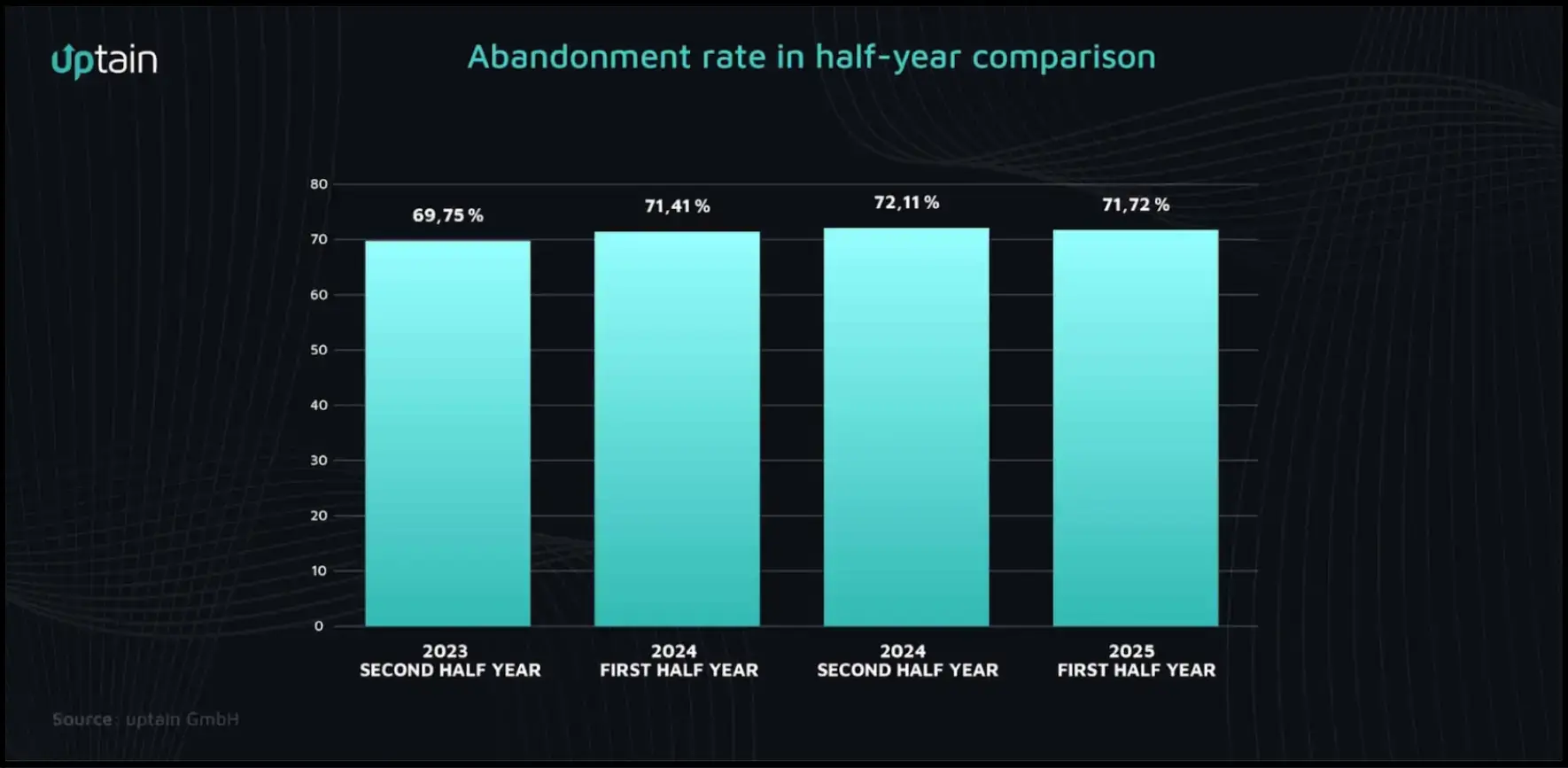
In the first half of 2025, 71.72% of shopping carts were abandoned, even though users had already shown clear buying intent.
Source: uptain
The median session lasted just 4 minutes and 20 seconds, down from nearly five minutes a year earlier. Decisions are happening faster, and so is drop-off.
Matthew Thompson, Founder of OwnerWebs, works closely with property managers who rely on systems to support fragmented, interruption-heavy workflows.
When expectations are high and switching costs are low, any friction feels louder:
- A checkout that takes one extra step
- A delivery fee that appears late
- A form that asks for information that doesn’t feel necessary
You see the same pattern in high-intent industrial buying.
Teams researching machinery like a vertical lift module usually know what problem they’re trying to solve, but hesitation still shows up. So specs get re-read, and forms get started and abandoned.
Those pauses indicate friction, uncertainty, or a lack of clarity in the decision path. And they are the only warning you get before momentum disappears.
Visitor Tracking Tools and Techniques
These tools show you where visitors come from, how they move through your site, and where they drop off.
Web Analytics
Web analytics tools provide an overview of the journey. You can see which pages people land on, where they spend time, and where they leave. Patterns show up quickly once you stop looking at everything at once.
If you’re using Google Analytics 4, look beyond page views. Track events that signal intent, such as adding items to a cart, starting checkout, or completing a purchase. These moments are more meaningful than raw traffic alone.
Funnel and cohort views can help highlight where people hesitate or drop out. They won’t explain why it happened, but they’re useful for narrowing down where to investigate next.
Heatmaps and Session Recordings
Heatmaps show you what people notice, what they interact with, and what they ignore completely. Session recordings add context.
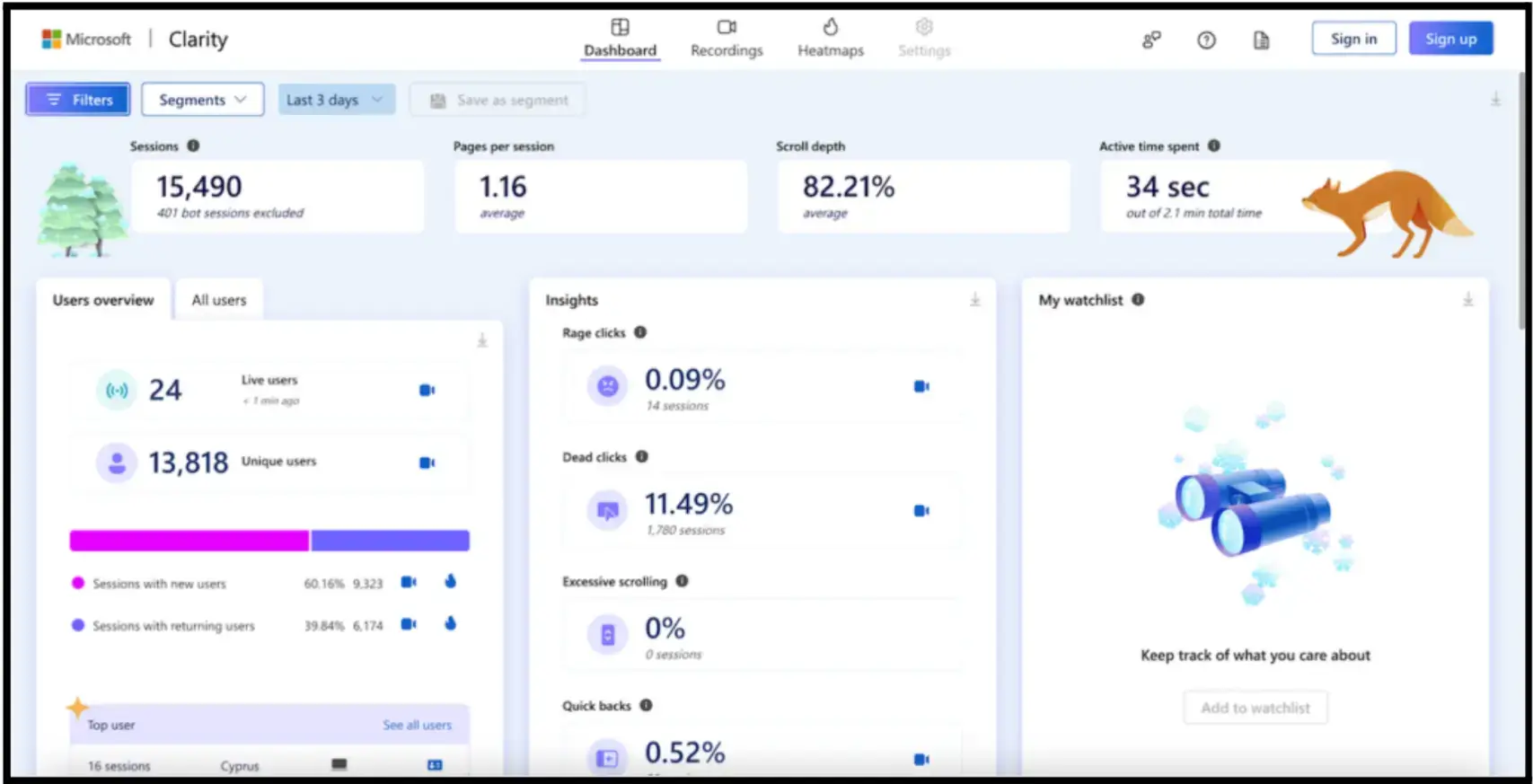
You can see the back-and-forth, the clicks that go nowhere, the small moments where things stop making sense. Here’s what that looks like.
Source: mouseflow
Tools such as Hotjar and Microsoft Clarity are often used to observe this type of behavior, but they’re not the only options. Patterns such as rage clicks, dead clicks, and quick backs are common indicators of usability issues in session data.
Think of it this way: analytics tell you where users drop off. Heatmaps show you what they see, and what happened before they decided not to move forward.
Surveys and Feedback Forms
Well-crafted surveys provide context that numbers can't.
Jeff Zhou, CEO and co-founder of Fig Loans, observes how hesitation shows up in the smallest interactions and cost conversions.
Here are a few pointers:
- Ask one focused question at a time.
- Pair a quick rating scale with an open text field.
- Use micro-surveys at key moments, such as product pages, checkout, after purchase, or when someone's about to leave.
You can set up lightweight surveys quickly and place them inline, in a pop-up, or on a dedicated page, depending on where feedback is most useful.
Social Media Listening
Social media listening extends your insight gathering beyond your website. It lets you monitor mentions, hashtags, and sentiment, and tap into unfiltered opinions and spot opportunities competitors miss.
Ask yourself: What pain points keep showing up in comments? Which features get praised? How do people describe your brand versus competitors?
Social listening resources can help you get started, and selectively surfacing social proof on-site can reinforce credibility during key decision points.
How to Turn Visitor Data Into Action
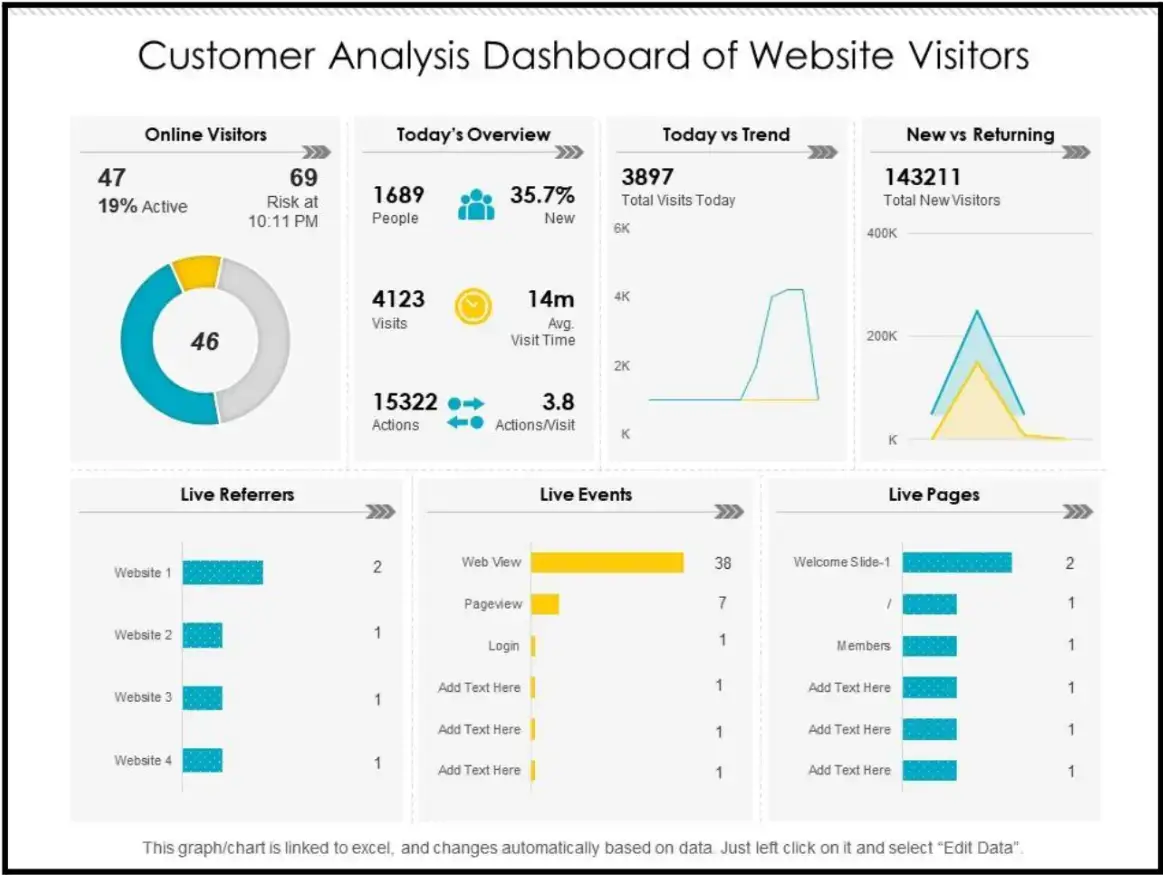
Collecting data is the easy part. You already know that. Dashboards fill up fast. Numbers pile on numbers. Your dashboard may look like the one below, with simple visuals such as bar charts, line charts, and pie charts.
Source: Slide Team
But before you add another widget, ask yourself: What am I trying to understand right now?
Start with a real question.
- Why are mobile visitors bouncing from the product page?
- Why do first-time visitors browse but abandon their carts?
- Why does traffic look “fine” but revenue feels stuck?
Many teams stall because they have a lot of data and very little clarity. The goal is to be able to review the data and say, this is the issue, and know what to do next.
When patterns are visible, decisions happen faster, and priorities become obvious.
Once you see the pattern, don’t overthink it. Turn those insights into experiments:
- Swap the headline that people scroll past without reading.
- Adjust the hero section that loads fine but never pulls clicks.
- Test a different product image when users stall on the page.
A/B testing doesn’t have to be intimidating.
Then go one step further and respond to behavior. If someone keeps hovering near sizing info, surface a size guide. If they bounce between products, show recently viewed items. If a form feels heavy, ask yourself, does this field actually matter?
Tom Rockwell, CEO of Concrete Tools Direct, sees this kind of hesitation in purchases tied to job deadlines.
Common Visitor Tracking Challenges (And How to Fix Them)
You’ll run into a few familiar problems. This is where most teams get stuck.
Too Much Data, No Direction
When everything looks important, nothing is. So narrow it down. Start with a single question and a concrete outcome.
Reduce checkout drop-off by 10% in 60 days. That gives you a target. From there, collect only the data that helps you answer that question. Ignore the rest for now.
Siloed Teams and Disconnected Insights
Marketing sees one story. Product sees another. Support hears complaints no one else does. The fix is to set a short, recurring review for each team to bring one insight and one test they’d run next.
Thin or Conflicting Data
When the numbers appear to be conflicting signals, widen the lens. Combine analytics with heatmaps, session recordings, and quick on-site surveys.
Let tests run long enough to mean something, but don’t freeze waiting for perfect certainty. Direction beats delay.
Privacy and Trust Concerns
If people don’t trust you, the data gets worse. Be clear about what you’re collecting and why. Make consent explicit and give users control.
Start with the basics of GDPR and CCPA, then ensure your consent banner is easy to understand and can be updated later. Transparency is how you get better input in the first place.
The pattern is simple: reduce noise, share context, respect users, and keep moving. That’s how insight turns into action instead of stalling out.
What to Do Next
Pick one page, one question, and one change you can actually ship.
Maybe that’s adding a short micro-survey to understand hesitation. Or capturing exit-intent feedback, simplifying a form, or placing social proof where people tend to stall.
You don’t need a full redesign. You just need one clear signal you can act on.
If you want more examples of how teams do this well, the POWR blog covers practical ways to collect better data and turn it into real changes.
Small insights compound. Make one change this week and observe the impact. Then decide what to fix next.
Visitor Tracking FAQs
1. Which Visitor Behaviors Are Most Important to Track?
Moments of hesitation matter most. This includes long pauses, repeated scrolling, hovering without clicking, starting and abandoning forms, or moving back and forth between pages. These behaviors often signal uncertainty or friction right before drop-off.
2. How Do I Distinguish Between Normal Browsing and Hesitation?
Browsing tends to be linear and exploratory. Hesitation shows up as repetition: rereading sections, revisiting the same page, hovering over key elements, or starting actions without completing them. Session recordings and scroll patterns make this easier to spot.
3. What’s a Good First Question to Ask When Reviewing Behavior Data?
Start with a focused question tied to intent, such as: Why do users leave this page after spending time on it? Or why do people start this form but fail to finish it? A clear question keeps analysis from drifting.
4. How Do I Decide Whether to Fix Content, Layout, or Flow?
Look at where behavior breaks down. If users stop scrolling, content clarity may be the issue. If they click but don’t progress, layout or affordances may be unclear. If they abandon mid-process, flow and cognitive load are often the problem.
5. How Long Should I Run Tests Before Concluding?
Run tests long enough to see consistent behavior, not just a spike or dip. You don’t need statistical perfection to learn, but you do need enough sessions to rule out random noise.
6. What’s the Biggest Mistake Teams Make with Visitor Data?
Trying to answer too many questions at once. When everything is measured, nothing gets fixed. Teams make more progress by isolating one problem, testing one change, and learning before moving on.

Author Bio
Jesse is a professional writer whose aim is to make complex concepts easy to understand. He strives to provide quality content that assists people in everyday life.