
It is difficult to create aesthetically appealing social media material, especially when working with time constraints and the necessity to be unique.
In addition, whether you're a brand looking to improve engagement or a maker looking to create a consistent image, producing high-quality images in large numbers can become overwhelming. That's where free AI tools like insMind come in, an all-in-one AI photo editor.
With its features like AI Filters, Background Remover, and Image Enhancer, you can now create polished content without needing advanced design skills.
Hence, in this article, we’ll explore the key tools available and how they benefit marketers and creators with a detailed, step-by-step guide that requires no prior knowledge.
In this article:
- Key Tools for Social Media Content Creation
- AI Filter: Transform Your Photos Instantly
- AI Background: Swap Backgrounds with Precision
- Background Remover: Clean Up Your Images
- AI Object Remover: Remove Unwanted Objects with Precision
- AI Expander: Customize Aspect Ratios Quickly
- Magic Eraser: Remove Unwanted Objects in Seconds
- Image Enhancer: Sharpen and Upscale Photos
- How Creators and Marketers Benefit from insMind
- How to Start Using insMind to Create Stunning Social Media Content

Source: Freepik
Key Tools for Social Media Content Creation
You might be wondering what kind of features insMind offers that can help you make your social media post more attractive. The following section covers the distinctive features of this free AI photo editor:
1. AI Filter: Transform Your Photos Instantly
insMind’s AI Filter delivers up to 50 artistic effects, including the notable AI Cartoon Filter, which instantly converts photos into visually engaging images.
The site allows experimentation with various art styles, from vintage brushwork to rich watercolors and sketch outlines. Every filter is carefully designed to produce everything from fun caricatures to professional enhancements.
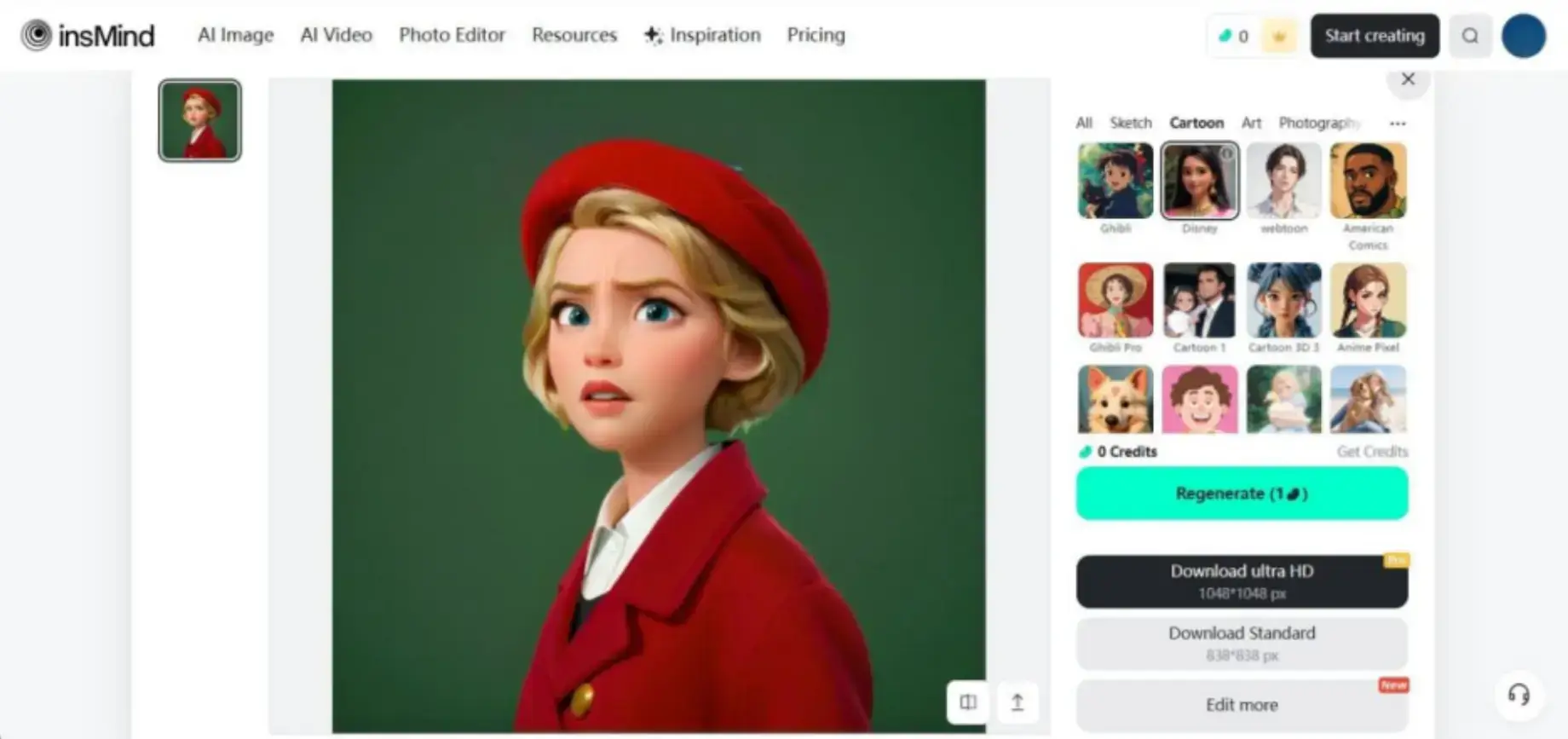
Designed for accessibility and speed, insMind is ideal for users seeking quick transformations for social media or marketing without technical barriers. Instant previews and one-click applications make the tool intuitive.
Additionally, AI Filters not only preserve photo resolution after intricate effects but also help creators enhance visual quality when using the AI Image Generator, a tool available on Higgsfield AI.
2. AI Background: Swap Backgrounds with Precision
This AI photo editor features an AI Background tool that enables rapid, precise background replacement with advanced AI.
Users can choose classic patterns or scenes, such as studio backdrops, from the template library. Advanced AI guarantees accurate cutouts for a polished finish.
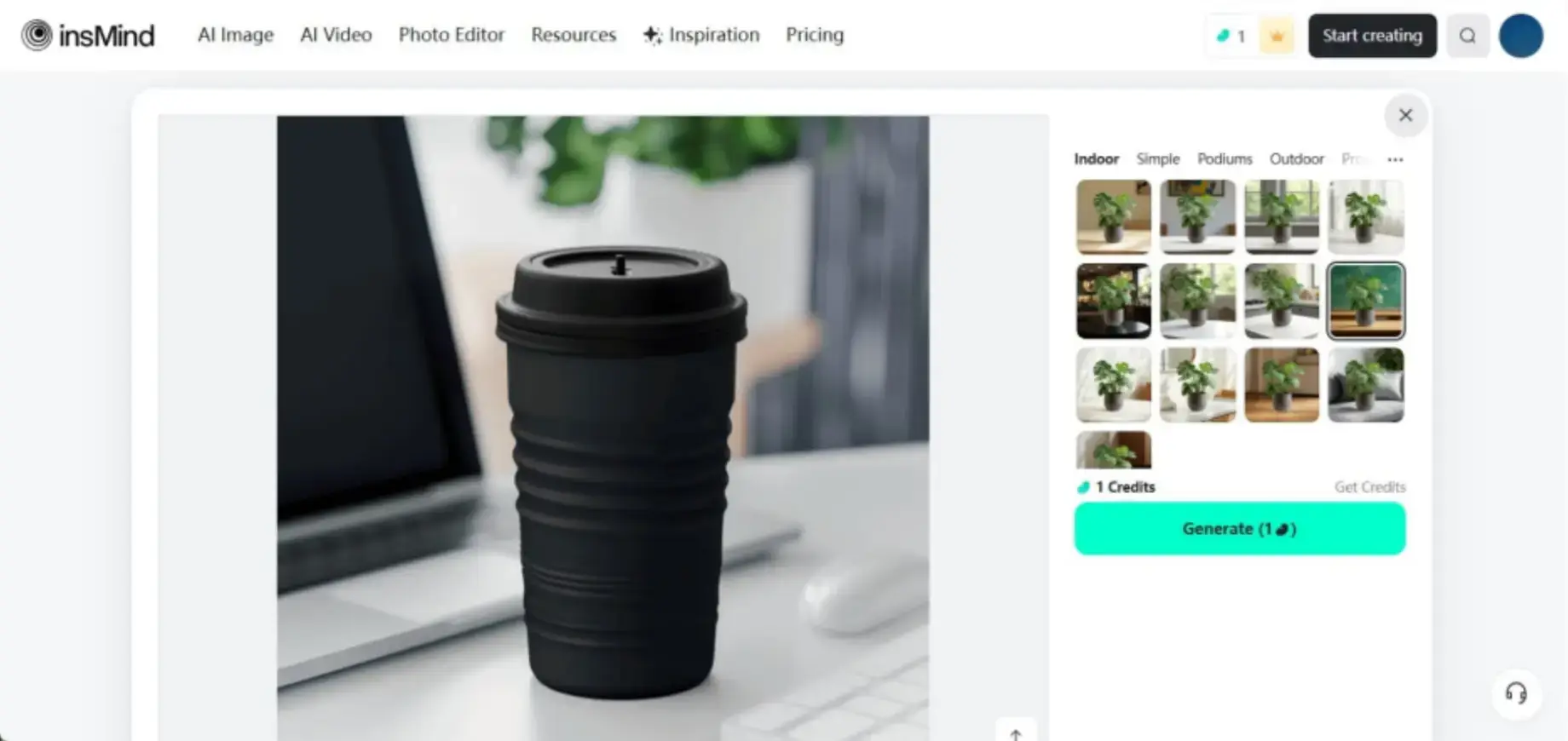
The experience is beginner-friendly while providing enough control for professionals.
3. Background Remover: Clean Up Your Images
Background Remover quickly detects the main subject and removes everything around it, supporting up to 30 bulk images at once.
The AI handles complex images with impressive accuracy, preserving details such as hair or product outlines.
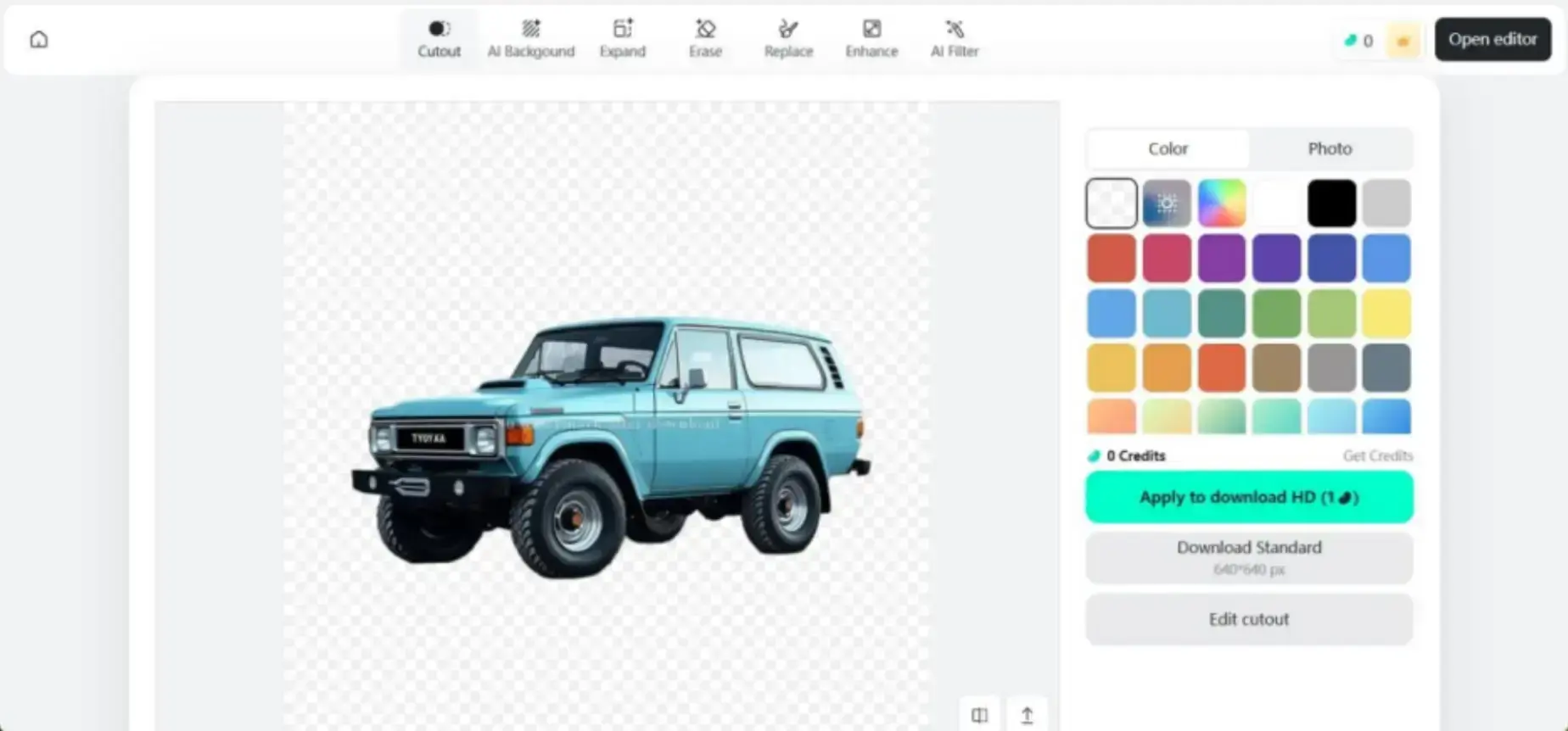
Users can insert new backdrops, upload their own, or choose gradients or blurred scenes.
Additional tools include object erasing, photo enhancement, and resizing—ideal for product photos and portraits.
4. AI Object Remover: Remove Unwanted Objects with Precision
This AI photo editor features an AI Object Remover tool that lets users quickly and seamlessly remove unwanted objects, people, or distractions from photos with advanced AI.
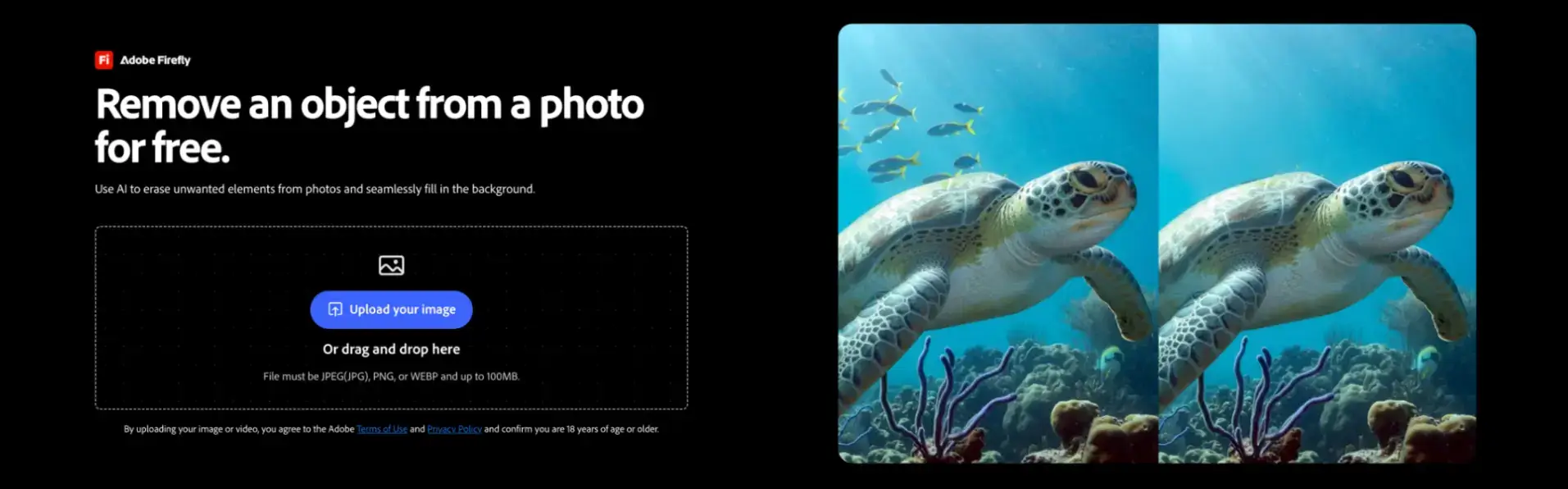
Users can simply brush over the unwanted element, and the AI intelligently fills the selected area to match the surrounding background. The result is a clean, natural-looking image without complicated manual editing.
The experience is beginner-friendly while providing enough precision for professional photo editing.
5. AI Expander: Customize Aspect Ratios Quickly
AI Expander intelligently extends images and backgrounds without manual editing. It automatically fills gaps while maintaining visual consistency.
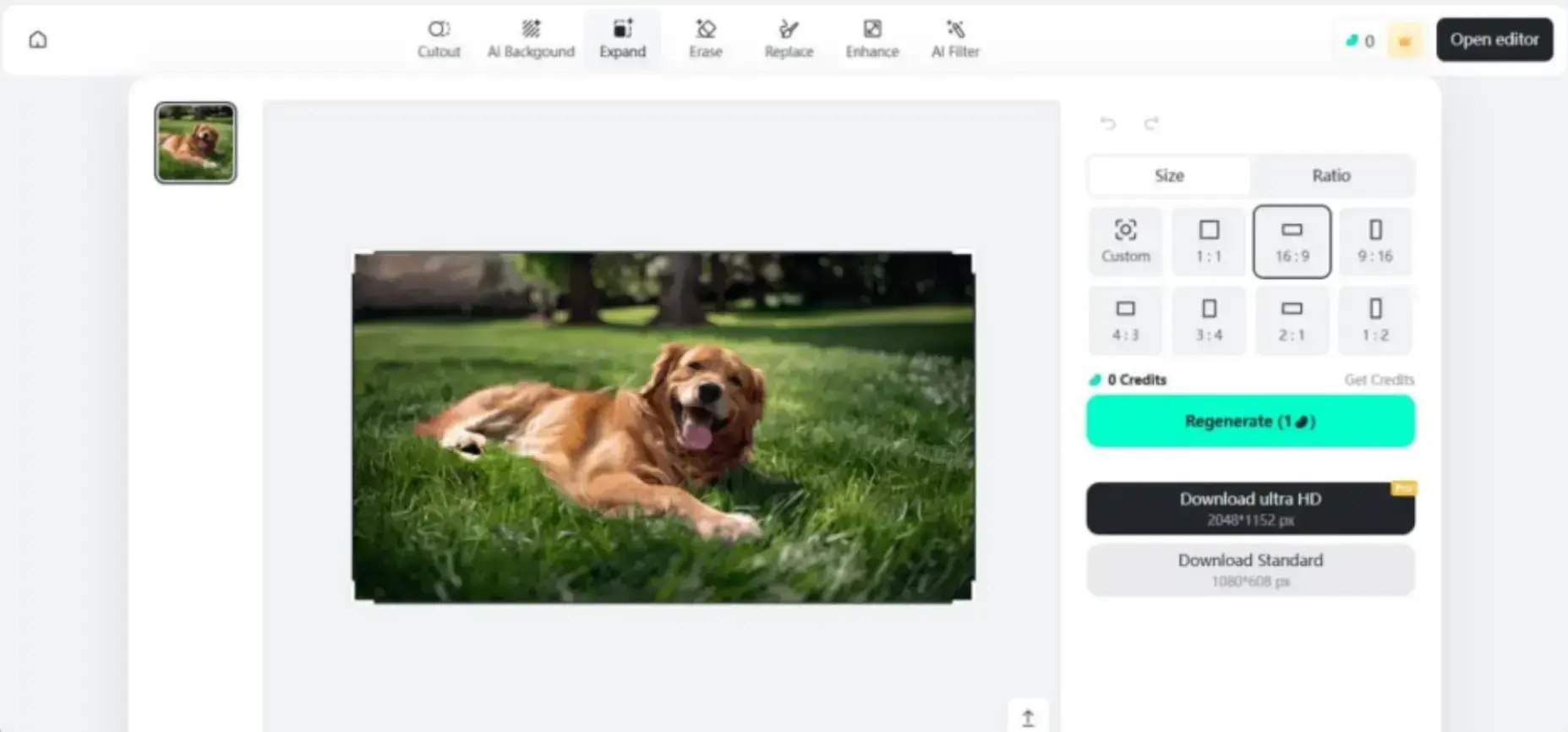
Marketers, designers, and photographers can quickly adjust framing or generate new visual content by detecting surrounding elements.
6. Magic Eraser: Remove Unwanted Objects in Seconds
Sometimes a great image is ruined by an unwanted object. insMind’s Magic Eraser fixes this instantly.
In one swipe, you can remove distractions, flaws, or objects—perfect for smoothing skin or correcting imperfections.
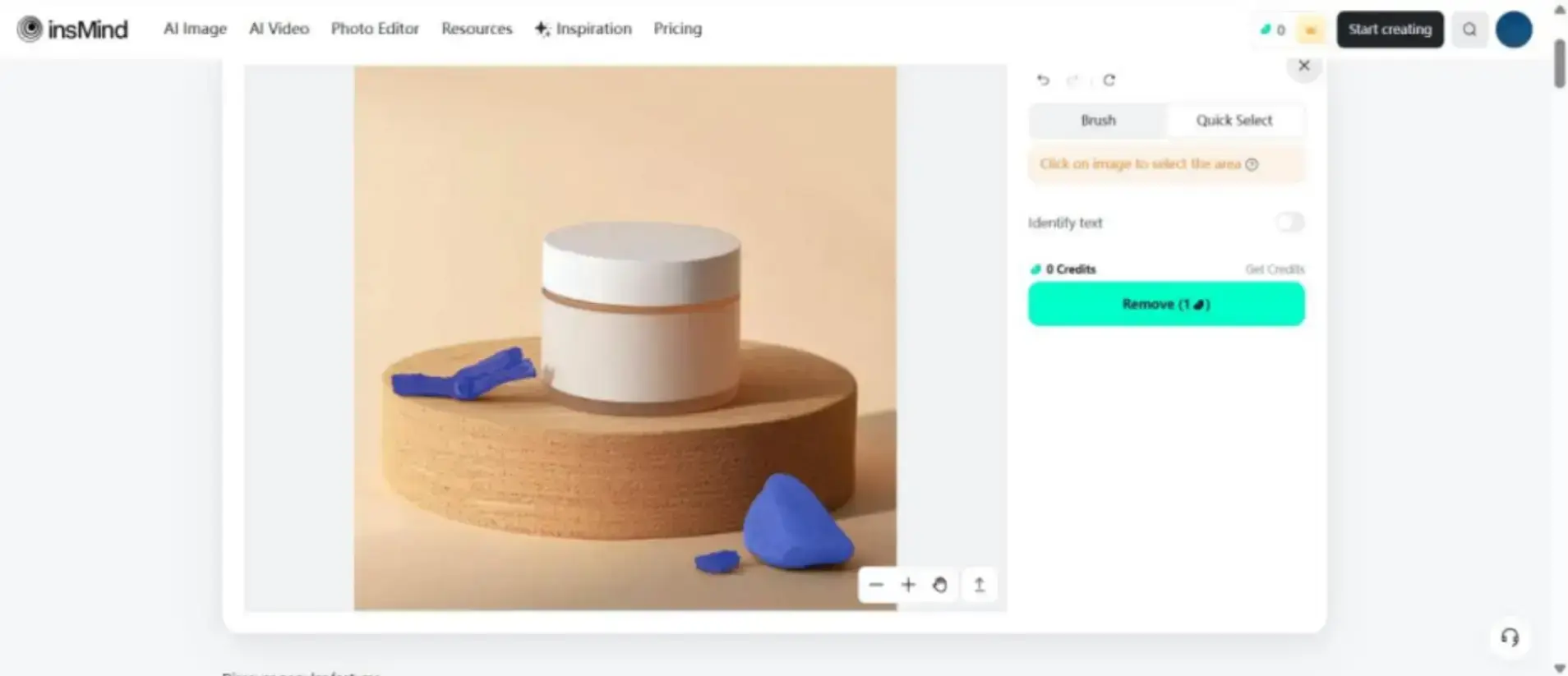
Quick Select and Manual Brush tools offer precise control. Text elements can also be automatically identified and removed.
If you highlight the wrong area, the eraser tool lets you easily undo mistakes.
7. Image Enhancer: Sharpen and Upscale Photos
Using the AI Enhancer, blurry or pixelated images can be dramatically improved for e-commerce and social posts.
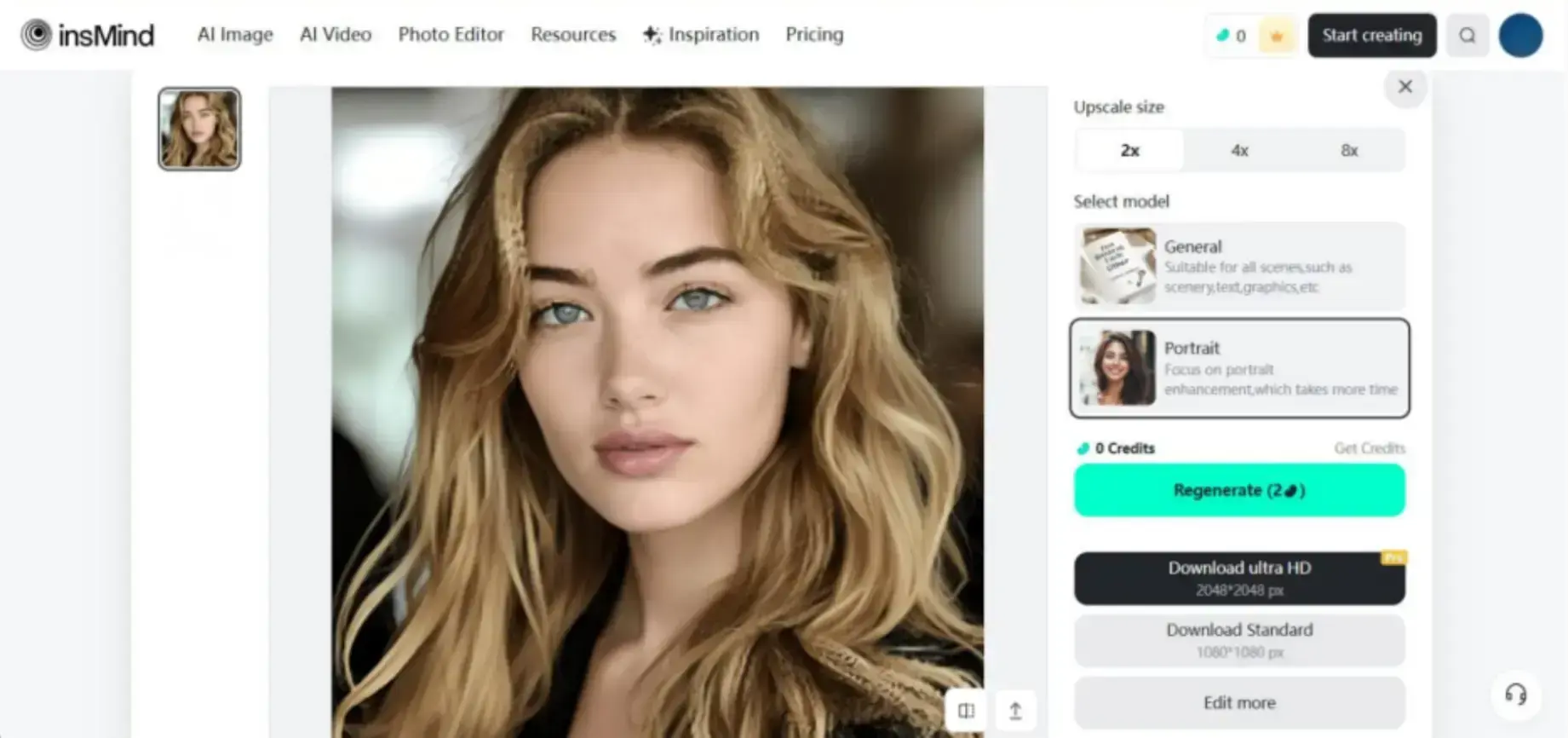
The AI enhances clarity and vibrancy with General and Portrait models, enabling upscaling by 2X or 4X while retaining natural features.
How Creators and Marketers Benefit from insMind
AI tools streamline workflows and boost results. HubSpot reports that AI design cuts production time by 50%, while Buffer notes a 20% increase in engagement with AI visuals.
Sprout Social highlights AI adoption as a key driver of marketing ROI.
Now that we've covered the features, here’s how insMind offers real value:
- Visual Generation Made Easy: Create dynamic content in seconds with reduced learning curves compared to traditional tools. These polished visuals also integrate seamlessly into your workflow when paired with the best Instagram scheduling tools 2025, helping creators plan, design, and publish content more efficiently.
- Seamless Format Adaptation: Download images in formats such as JPG or PNG for different platforms.
- Consistent Brand Presentation: Maintain cohesive color schemes, fonts, and styles.
- Boost Engagement: Polished visuals attract more interactions.
- Maximize Campaign Performance: Better visuals increase reach and follower growth.
How to Start Using insMind to Create Stunning Social Media Content
After understanding the benefits of this AI photo editor, let’s see how to use it.
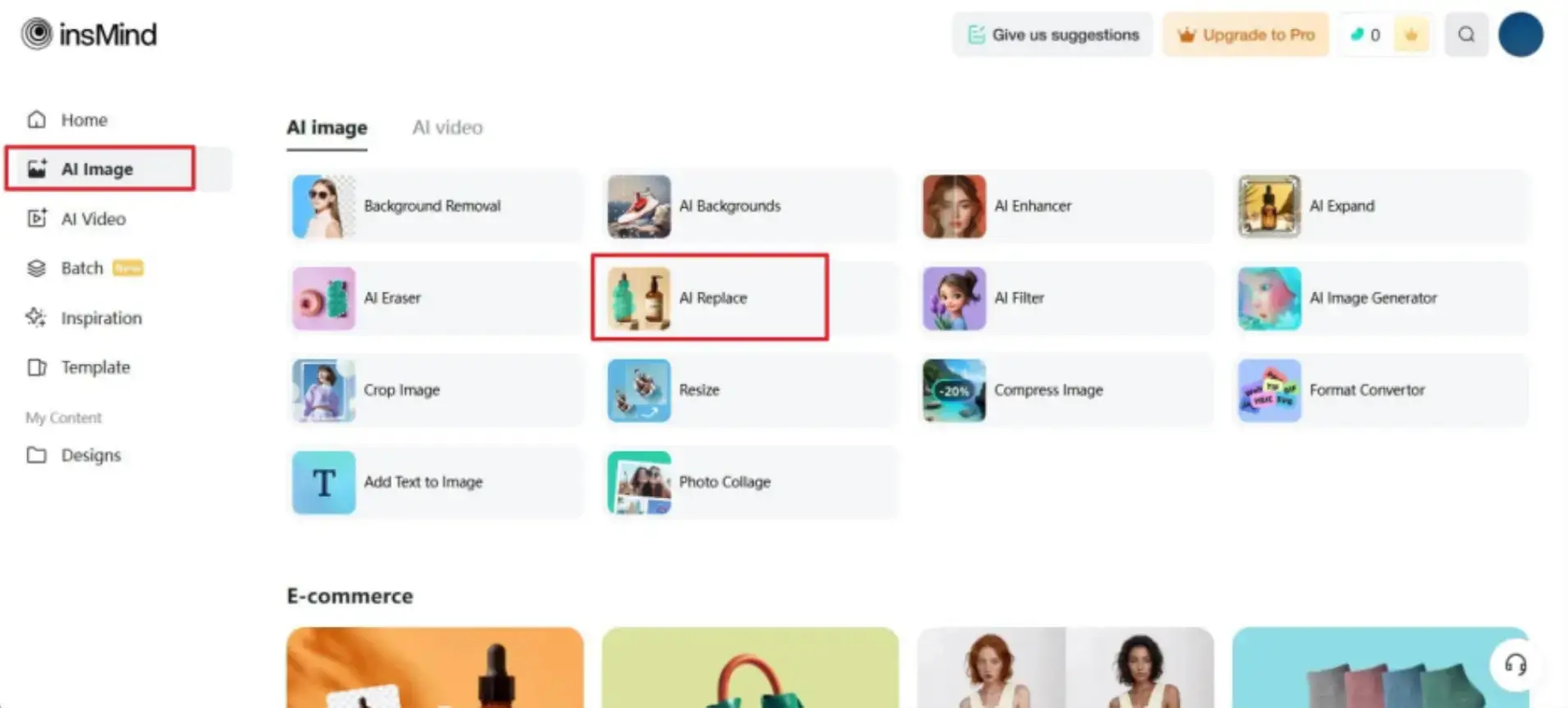
Step 1. Access the Tool From the Workspace
Go to insMind’s workspace and choose the “AI Replace” tool from the “AI Image” tab.
Step 2. Highlight the Object and Add a Prompt
Pick the Brush tool to highlight the target area and add a prompt. Then click Start.
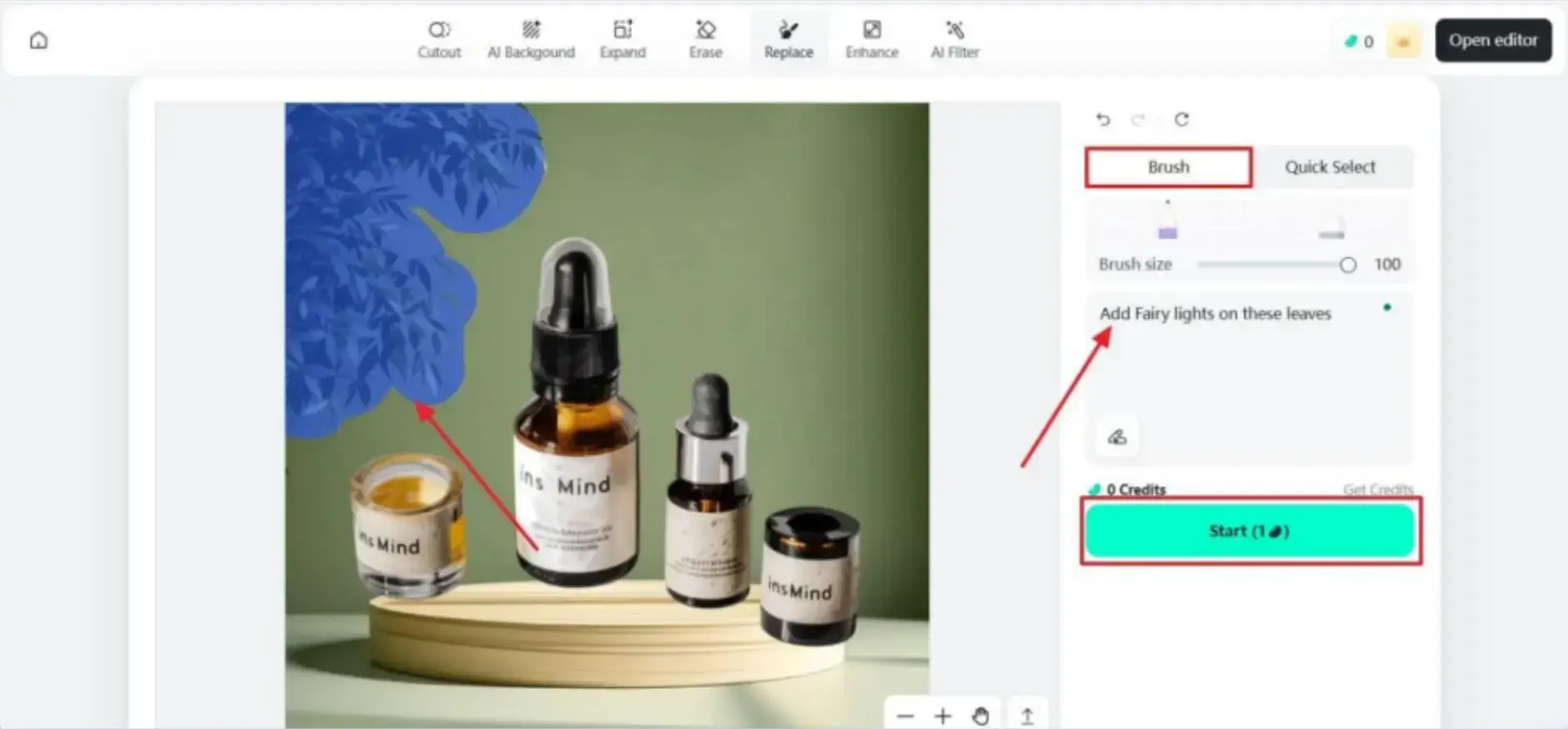
Step 3. Download Your Image
Choose your preferred quality and export.
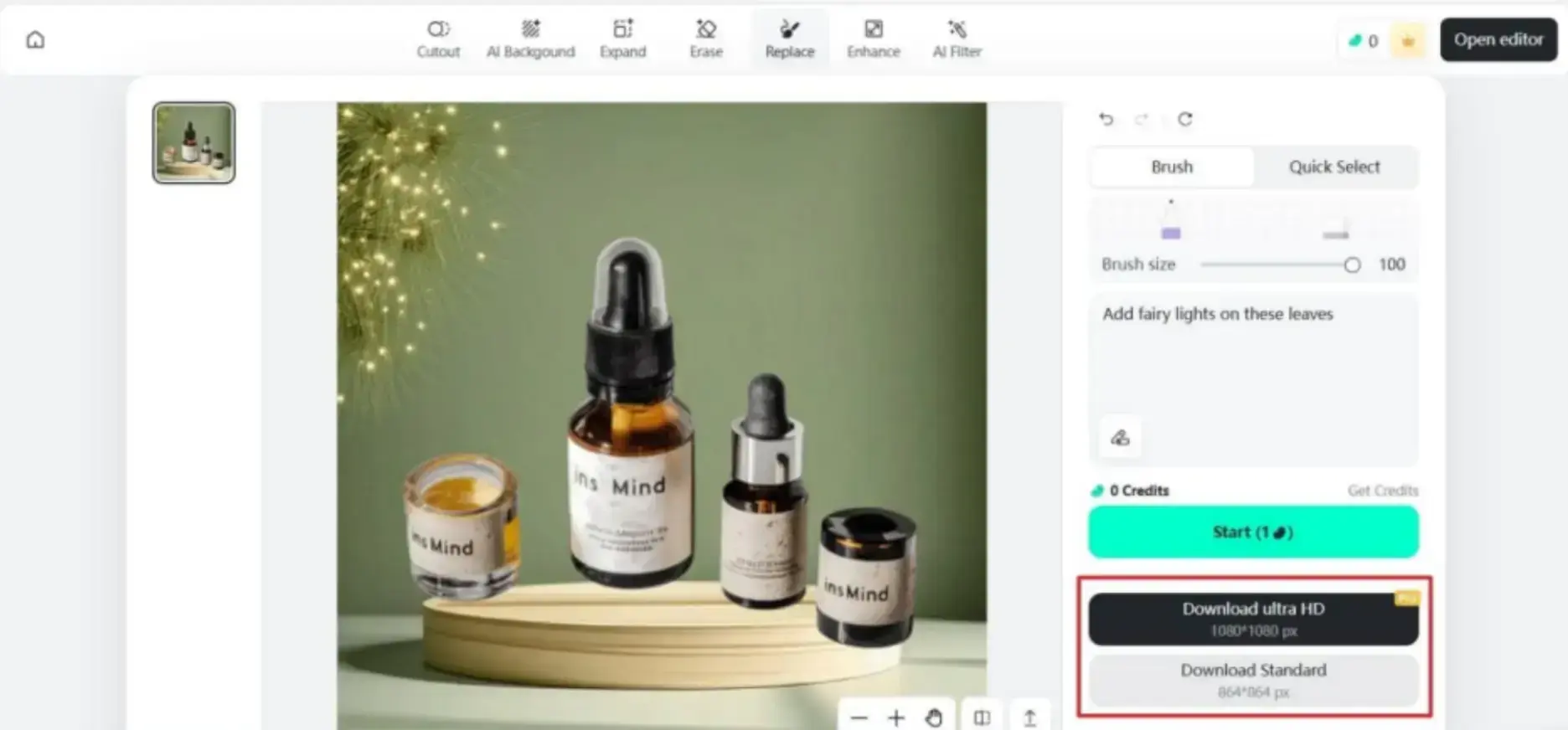
FAQ
1. Do I need design experience?
No. These tools work for beginners and professionals with one-click editing functions.
2. Can AI tools help with branded posts?
Yes. Tools like AI Background and Filters support consistent visual branding.
3. Are AI-generated images suitable for commercial use?
In most cases, yes. Always check the tool’s terms of service.
4. Will AI affect image quality?
AI often improves clarity and resolution, even upscaling up to 4X.
5. How quickly can I create content?
Bulk editing and automated tools allow polished posts in minutes.
Conclusion
To sum up, it is necessary to create eye-catching images, whether it’s a social media post or an e-commerce website.
This guide introduced the free AI photo editor insMind and its wide range of tools—from AI Filter to Image Enhancer—so you can create high-impact content.

Author Bio
Ryan Barnett is a freelance writer passionate about photo editing and design. At insMind, he focuses on image creativity, photography techniques, and product photo enhancement to help businesses elevate visual content.