
You’ve probably seen them before. You move your mouse toward the top of a page to close the tab—and suddenly, a box appears asking you to sign up for a newsletter or grab a discount code. These are exit-intent pop-ups.
They’ve become one of the most used conversion tools in digital marketing. E-commerce stores use them to stop cart abandonment. Bloggers use them to grow their free email lists. SaaS companies use them to offer free trial extensions.
The logic is simple: if someone’s about to leave, you have nothing to lose by making one last offer.
But here’s the question everyone asks—do they actually work, or are they just annoying?
The answer depends on how you use them. When designed well, exit-intent popups can capture leads you’d otherwise lose. When done poorly, they frustrate visitors and hurt user experience.
In this post, we’ll look at real data, practical design tips, and examples of how to make exit-intent pop-ups perform.
You’ll also see how to build one in minutes using the POWR Popup Plugin, a tool that makes setup and customization simple, even for beginners.
Let’s get started!
What Are Exit-Intent Popups?
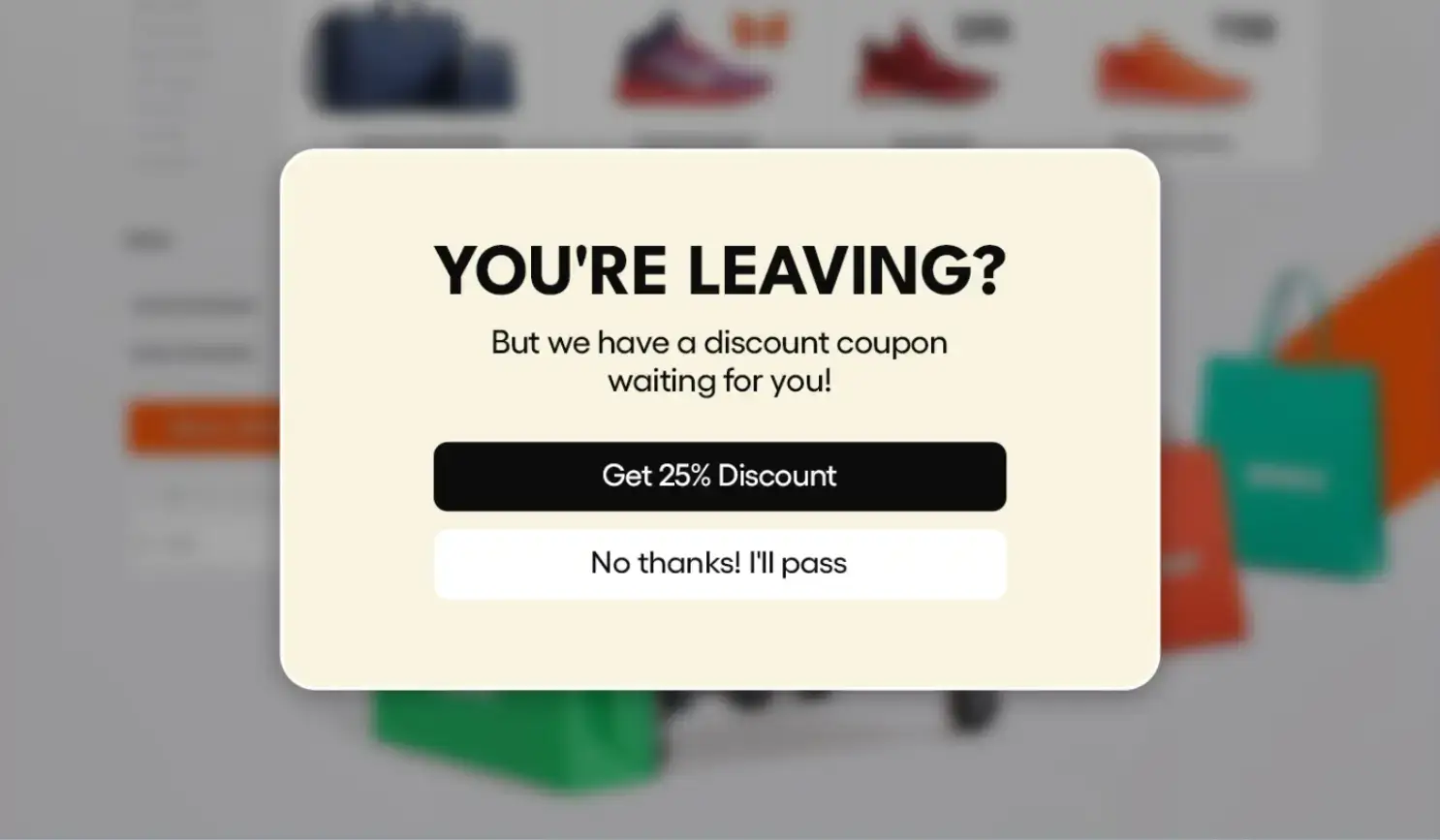
An exit-intent pop-up is a small message that appears when a user’s behavior signals they’re about to leave a page.
The technology behind it is straightforward. It tracks your cursor movements, scrolling speed, and even inactivity time.
When the system detects that the visitor might close the tab, it triggers the pop-up.
Common goals include:
- Reducing cart abandonment: Offering a discount or free shipping can persuade shoppers to complete their purchase.
- Growing email lists: Many blogs use exit pop-ups to promote newsletter subscriptions or free guides.
- Promoting offers: SaaS companies often use them to upsell, extend free trials, or showcase limited-time deals.
Think of it like a friendly store clerk saying, “Before you go, would you like a coupon?” It’s a digital version of that moment—an extra nudge before someone leaves.
The effectiveness comes from timing. The pop-up only appears when the visitor is already disengaging, not when they first land on the page. That’s why it feels less intrusive than standard pop-ups that interrupt mid-browse.
The next question, of course, is whether this brief interruption actually drives results.
Let’s look at what the data says.
Do Exit-Intent Popups Really Work?
There’s plenty of debate about this. Some marketers swear by them, while others claim they ruin user experience. The truth sits somewhere in between.
One e-commerce brand, for example, reported a 15% drop in cart abandonment after adding an exit pop-up offering a small discount. Another saw a 30% increase in email signups within the first month.
So yes, they work—but only when implemented thoughtfully.
Let’s look at the main pros and cons.
Pros:
- They capture attention at the right moment—when users are about to leave.
- They can turn lost traffic into leads or sales.
- They’re easy to set up on most websites and integrate with tools like Mailchimp or HubSpot.
Cons:
- Poorly designed pop-ups can feel like spam.
- Showing them too often can annoy regular visitors.
- If they’re not optimized for mobile, they can ruin user experience on smaller screens.
The key takeaway: exit-intent popups are only as effective as your strategy. A simple design with a clear offer will always outperform a cluttered, desperate message.
When visitors feel the pop-up adds value—like a discount, guide, or reminder—they respond well. When it feels like pressure, they click “close” immediately.
Success depends less on the technology and more on how you craft the experience.
Exit-intent pop-ups still work remarkably well when used with purpose. On average, they convert 2%-4% of abandoned visitors into leads or customers. - Bluehost
Best Practices for High-Converting Exit-Intent Popups
If you want your pop-ups to perform well, focus on user experience first. Here are the main elements that make the difference between a pop-up that converts and one that annoys.
1. Timing and Trigger Settings
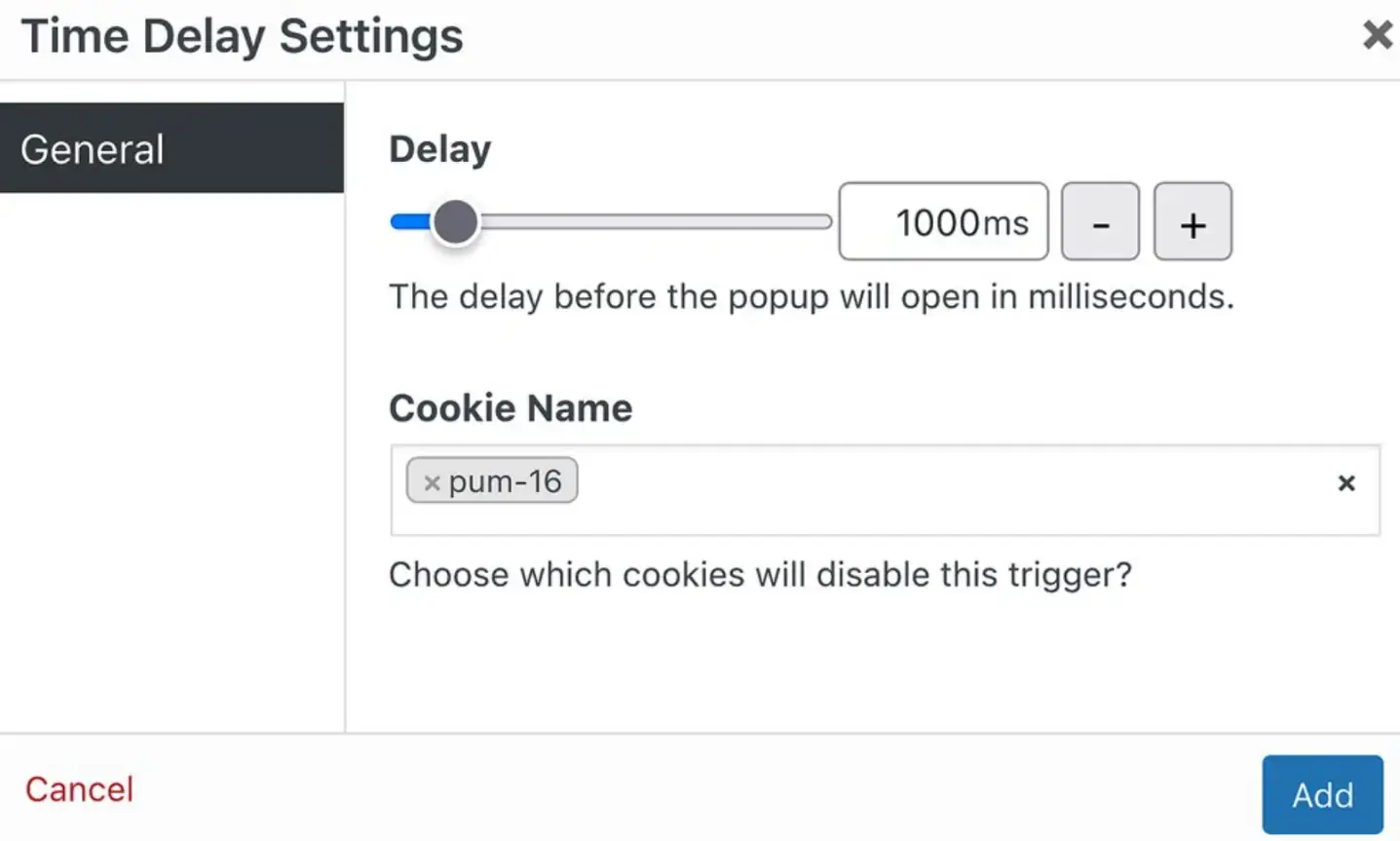
Only show your pop-up when a visitor’s cursor moves toward the browser’s exit area or after they’ve scrolled through most of your page. Avoid triggering too early. It should feel like a natural pause before leaving—not an interruption.
You can also trigger based on behavior—like time spent on the page (e.g., 30 seconds) or inactivity.
For example, if a user stops scrolling for 10 seconds, display a reminder like “Still thinking it over? Here’s 10% off to help you decide.”
“Exit intent pop-ups should appear just as users are about to leave the site, not before.” — Bird Marketing
2. Crafting a Compelling Offer
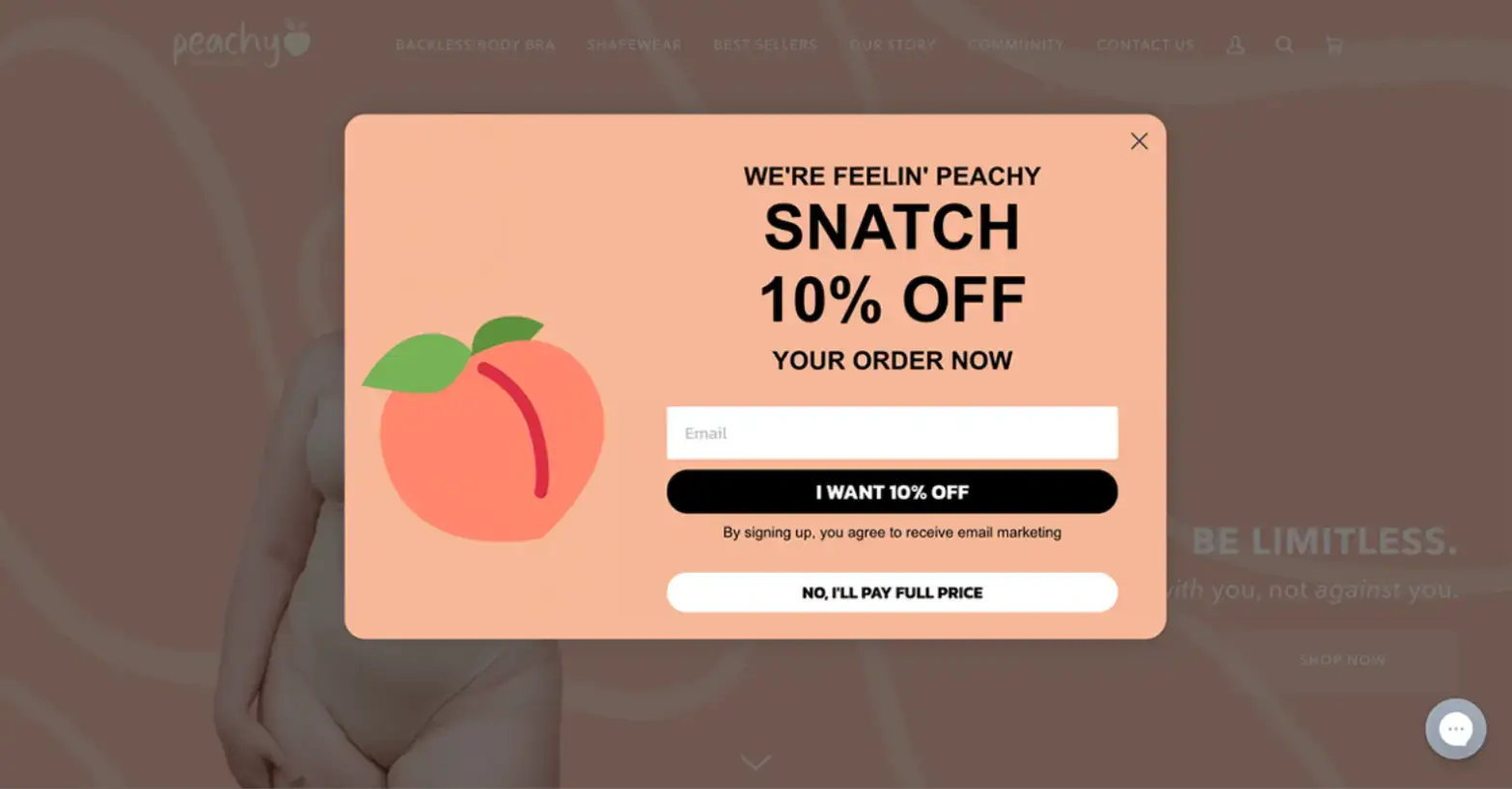
Your pop-up needs to give visitors a reason to stay. A discount, free shipping, and delivery tracking, checklist, or guide usually works best. Keep the offer clear and relevant to what the visitor was viewing.
Tailor the offer to page intent—for instance, a visitor reading your “SEO checklist” blog could see “Download the full 25-step SEO checklist for free.” The more context-specific your offer, the higher your conversion rate.
“Once you’ve captured the user’s fleeting attention, you have a split second to present an offer so valuable it stops them in their tracks.” — DiviMode
3. Clear Copy and Clean Design
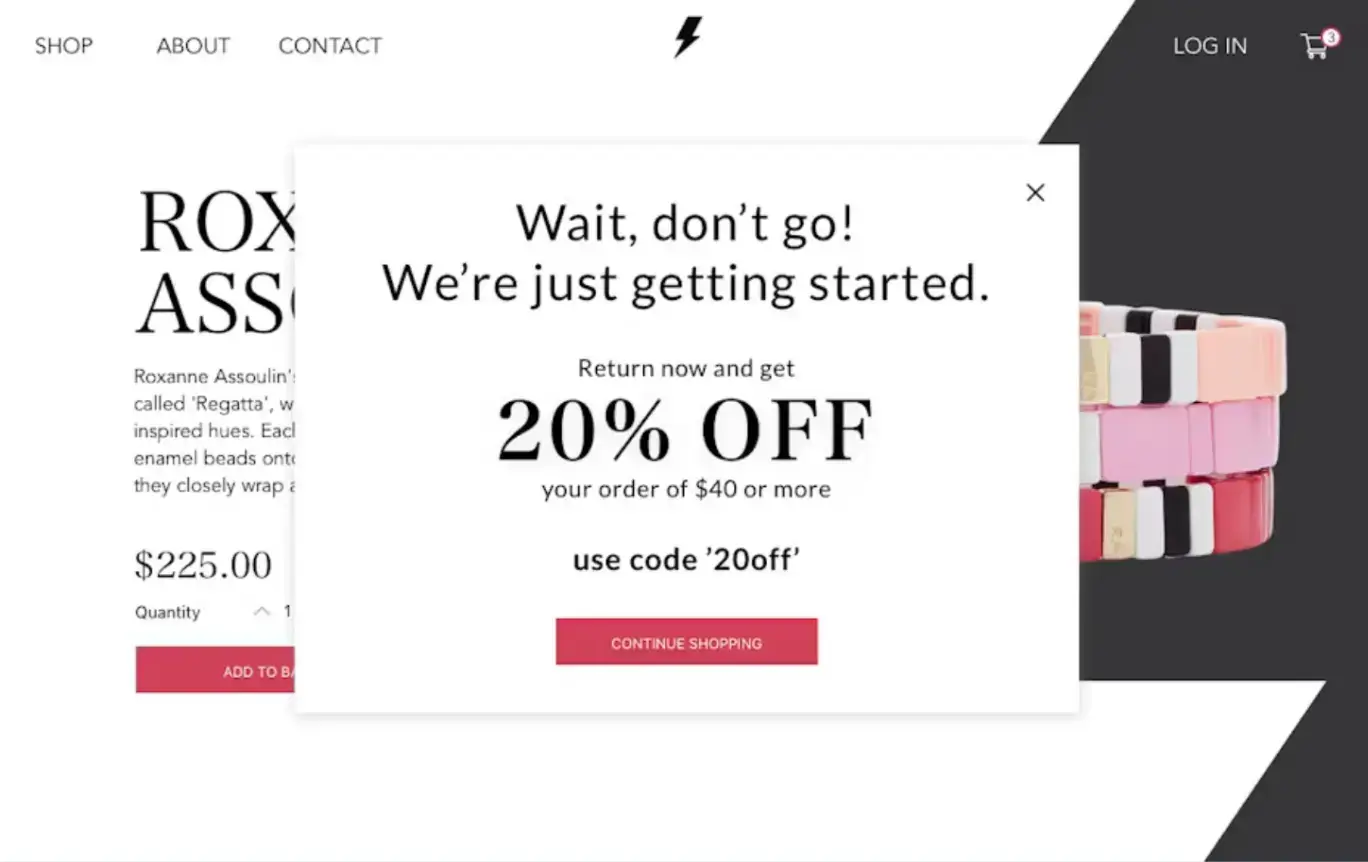
Short text works better than long explanations.
Add a touch of urgency or personalization—like “Join 5,000+ marketers and get weekly growth tips.” Minimal clutter and strong visuals (e.g., a small product or lead magnet image) can make the message stand out.
Example:
“Wait—get 10% off your first order! Enter your email to claim your code.”
Simple, clear, and benefit-driven.
“Keep your message short and to the point… Users should understand the value of your offer or the next step they need to take instantly.” — PageCloud
4. Mobile Optimization
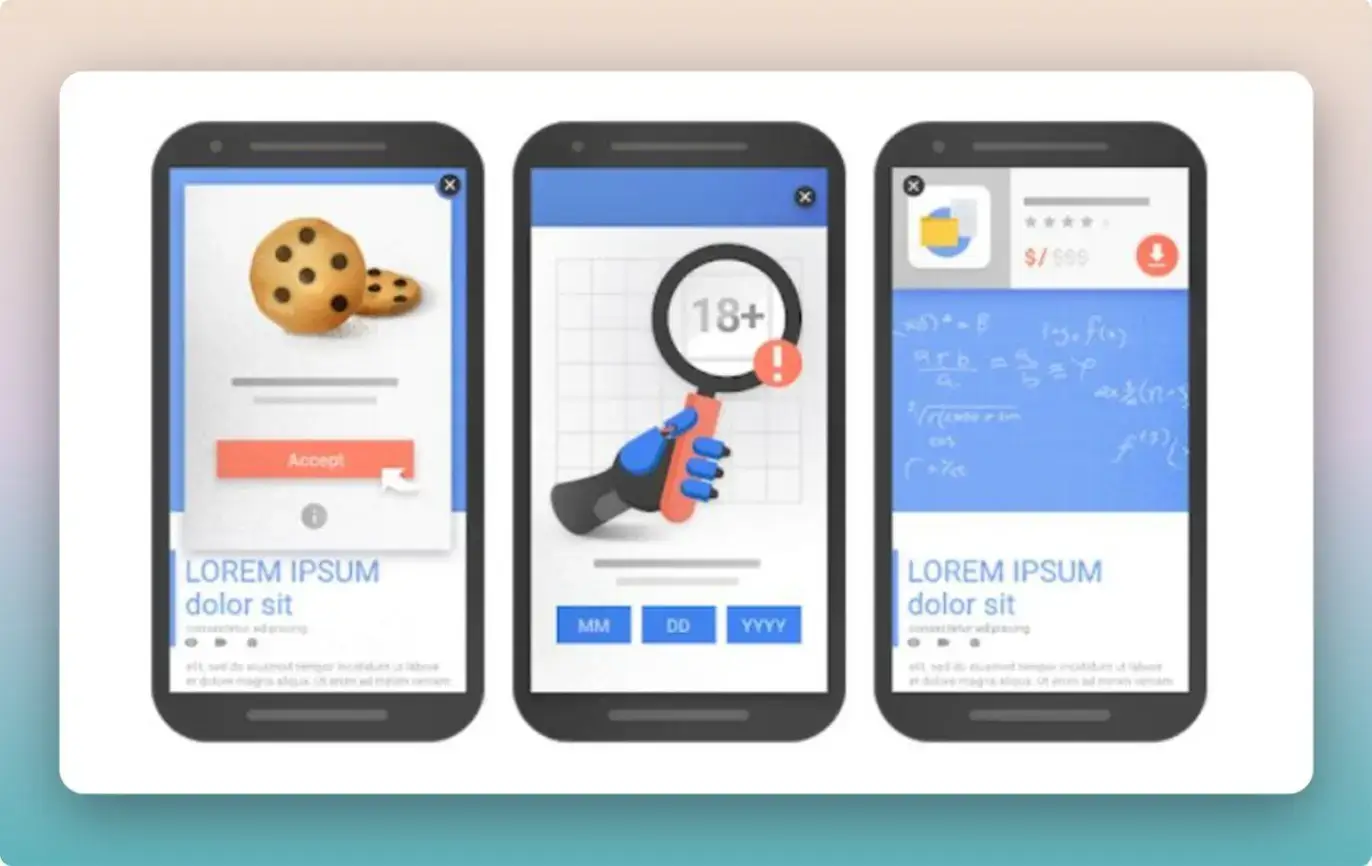
Mobile users are more sensitive to interruptions. Use smaller popups or slide-ins that don’t block the entire screen. Ensure the close button is easy to find.
You can also use bottom banners or sticky bars that appear after a scroll threshold.
For example, a mobile visitor might see “Tap to get free shipping today—limited offer!” which feels less intrusive but still effective.
“Traditional mouse-based exit-intent doesn’t exist on touchscreens… making mobile-first responsive design one of the most crucial exit intent popup best practices.” — DiviMode
5. A/B Testing and Optimization
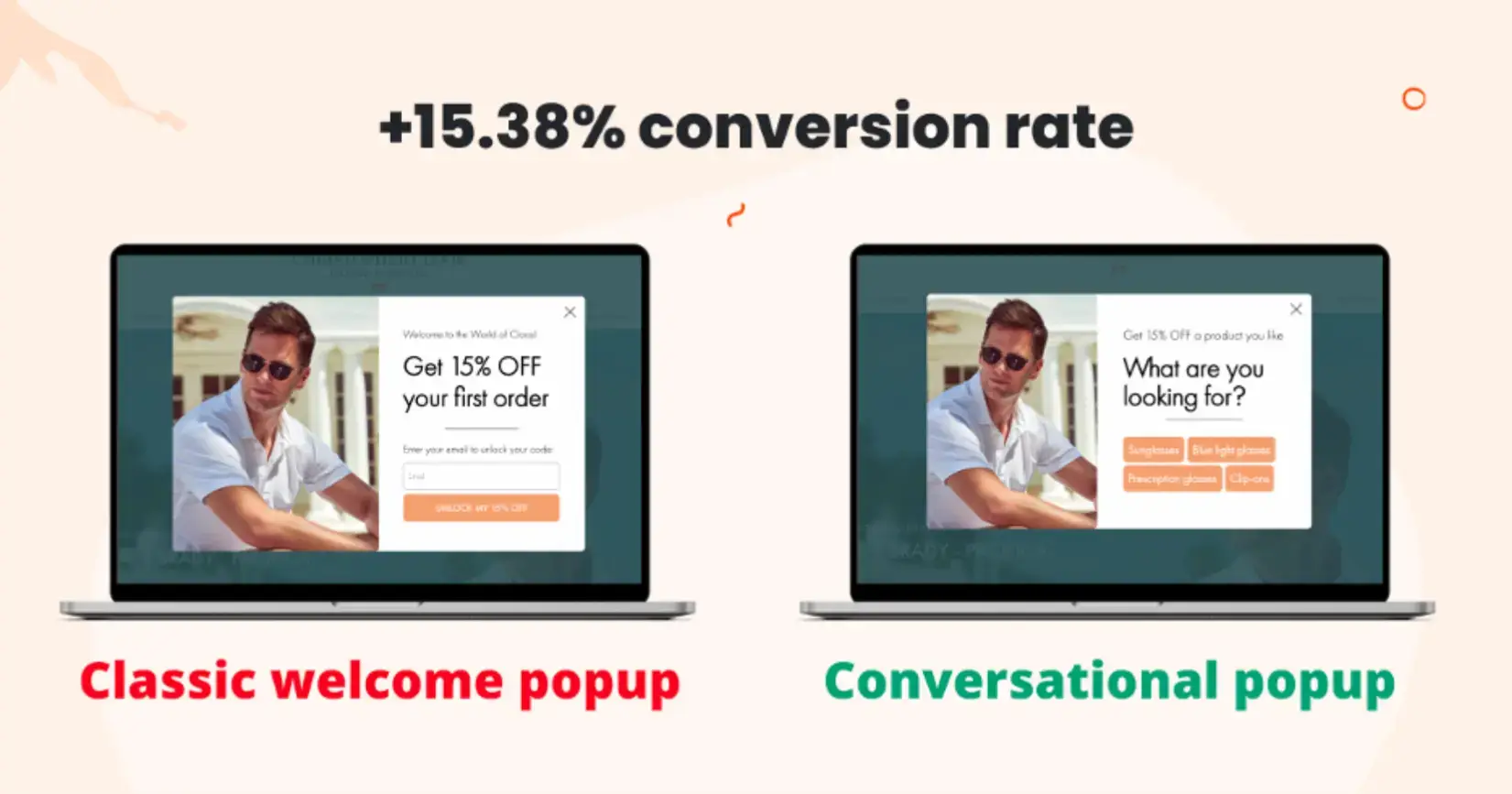
Test variations of your message, timing, and design. Sometimes a small change—like the CTA color or headline wording—can improve conversion rates significantly.
Run tests for specific goals—email signups, product purchases, or downloads—and use analytics tools to track results. For instance, test “Get 15% off” versus “Get free shipping” to see which incentive converts better.
Tools like the POWR Popup Plugin make it easy to test different versions without coding. You can adjust triggers, visuals, and copy, then track performance through analytics.
“Launching an exit-intent popup is only the beginning; true mastery comes from a relentless commitment to testing and optimization.” — DiviMode
Tools to Create Effective Exit-Intent Popups
Creating pop-ups no longer requires coding or design skills. The best tools offer drag-and-drop builders, analytics, and integrations with your favorite marketing apps.
When choosing a pop-up builder, look for:
- Easy setup with customizable templates.
- Exit-intent trigger options.
- Integrations with email tools like CampaignHQ, Mailchimp, Klaviyo, or HubSpot.
- Analytics for tracking views and conversions.
Why the POWR Popup Plugin Stands Out
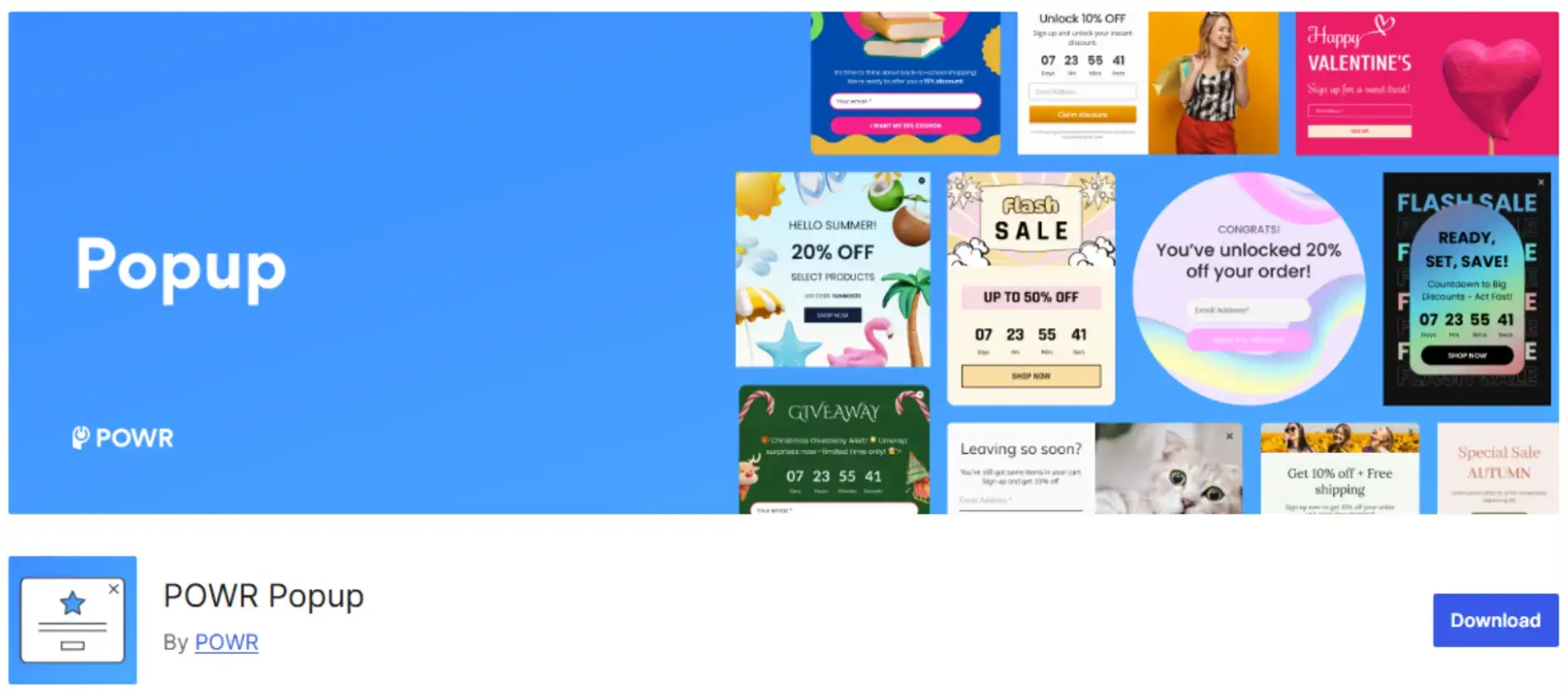
The POWR Popup Plugin checks all these boxes. It’s beginner-friendly and works across multiple platforms, including WordPress, Shopify, and Wix.
Key POWR Features:
- Exit-intent triggers: Show popups only when users are about to leave.
- Custom templates: Choose from professionally designed layouts.
- Integrations: Connect with your email marketing tools to automate follow-ups.
- Analytics: Track engagement and conversions in one place.
Setting it up takes just a few minutes.
Quick Setup Steps:
- Install the POWR Popup Plugin on your website.
- Pick a pre-built exit-intent template.
- Customize your copy, design, and triggers.
- Connect your email or CRM platform.
- Publish and start tracking performance.
This approach makes it easy to create popups that look professional and feel aligned with your brand—without writing a single line of code.
With the right settings, POWR helps you recover visitors who might otherwise be lost forever.
Real-World Exit-Intent Popup Examples
Exit-intent popups are most effective when they align with the user’s intent. Here are a few real examples of how different types of businesses use them effectively.
E-commerce Store Offering a Last-Minute Discount
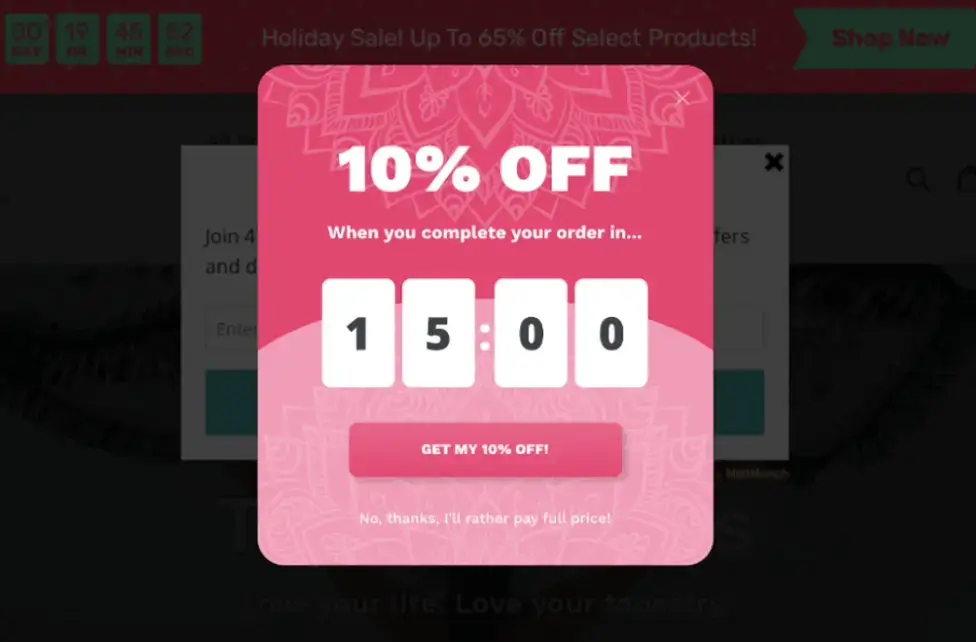
Online stores often use exit pop-ups to stop cart abandonment. For instance, if a visitor adds an item to their cart but moves to close the tab, a message appears offering 10% off or free shipping.
Example message:
“Leaving so soon? Complete your purchase now and get 10% off—use code SAVE10 at checkout.”
This works because it targets shoppers who have already shown buying intent.
“With an exit intent popup example … you can save abandoned carts like this and increase your revenue by 20-30%.” - Poptin
Blog Using Exit Popups for Newsletter Signups
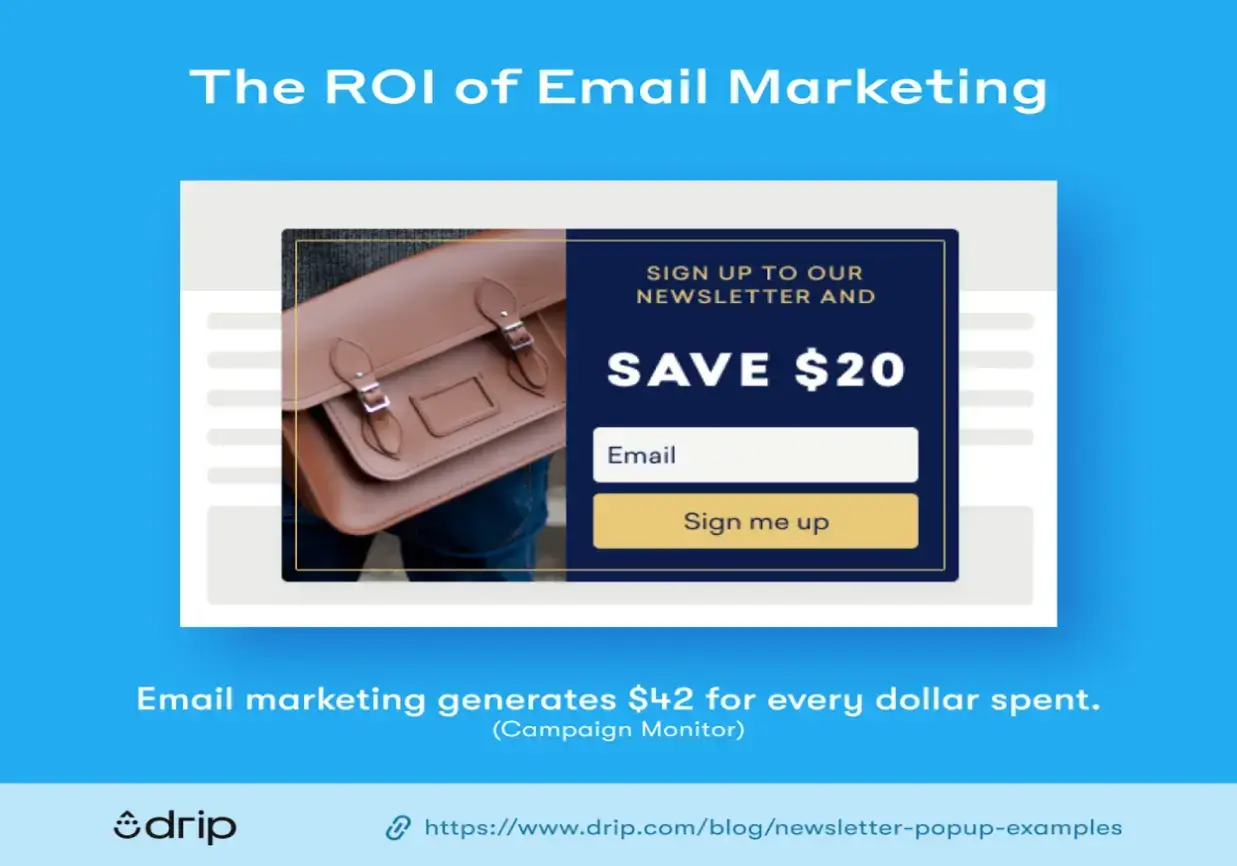
Blogs and media sites rely on recurring readers. Exit-intent popups can help turn casual visitors into subscribers.
Example message:
“Before you go—get weekly marketing tips sent straight to your inbox.”
The offer matches the reader’s interest, and there’s no sales push. It feels helpful and relevant. A short, clean form with just an email field often performs best.
“Exit-intent pop-ups appear when a visitor is about to exit your page … The team at CoSchedule uses exit intent pop-ups to reach out to visitors one last time before they leave.” - MailerLite
SaaS Company Offering a Free Trial Extension
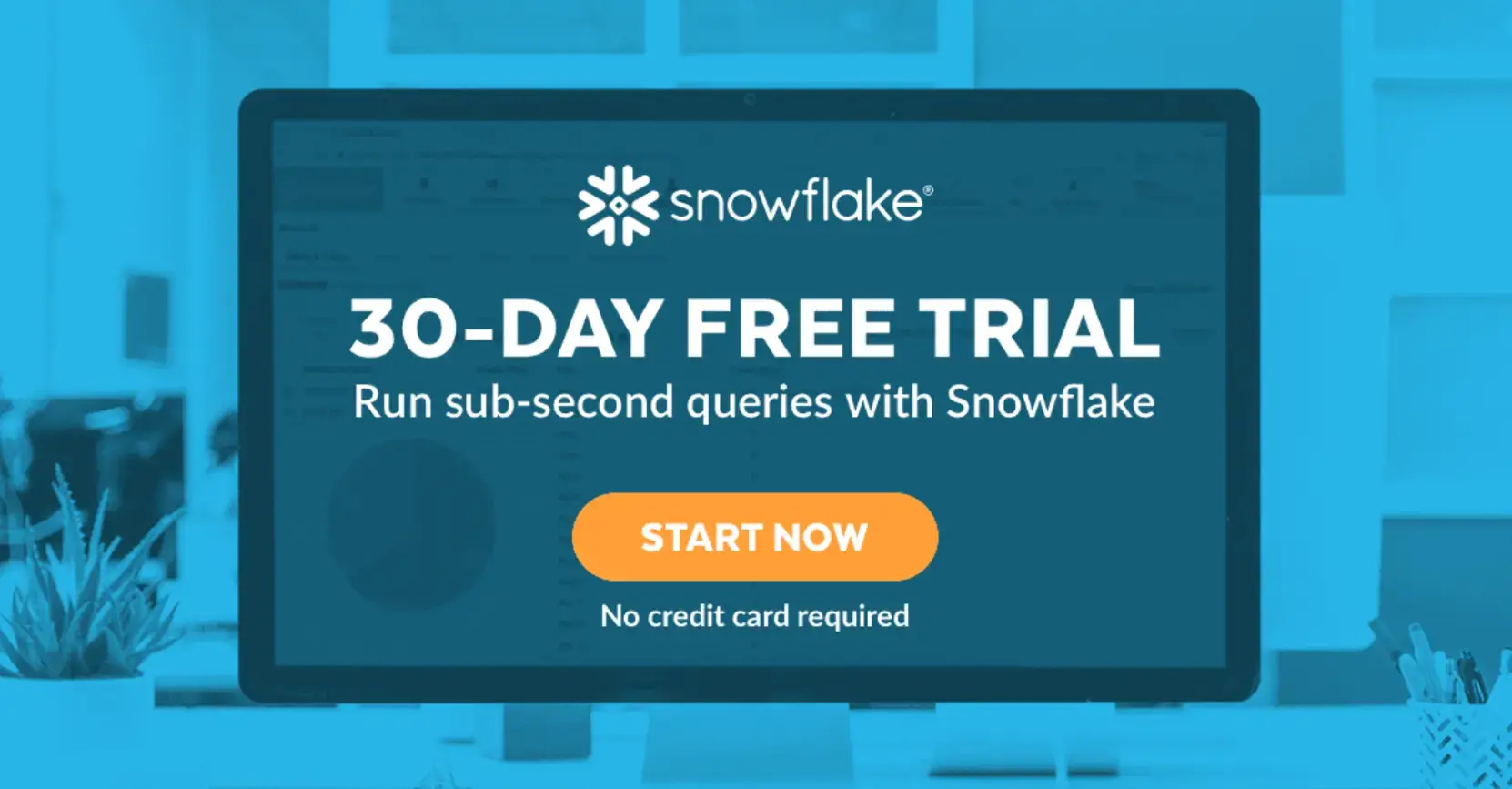
Software companies use exit-intent pop-ups to retain trial users. For example, when a user tries to cancel or leave a pricing page, a pop-up might offer an extra 7 days on their trial.
Example message:
“Need more time? Extend your trial for another 7 days—no credit card required.”
It reduces churn and gives the company another chance to demonstrate value.
All these examples share one principle: the pop-up appears at a natural exit point and offers something useful, not intrusive.
When used with thoughtful design and clear value, pop-ups like these can add measurable revenue or lead growth to your funnel.
“Using content-gating, split testing, and Exit-Intent, Storyly saw a 14.57% conversion rate on their opt-in popup … 80% higher conversion rate on their Contact Sales form.” - OptinMonster
Common Mistakes to Avoid
Even with the right tool, poor execution can make your exit popups fail—or worse, annoy users. Here are common mistakes to avoid.
Showing Popups Too Often
If someone closes a pop-up and sees it again on the next page, they’ll likely leave for good. Set frequency limits so the same user doesn’t see the same offer more than once in a session.
Irrelevant or Poorly Timed Offers
A visitor reading a blog post about SEO won’t care about a discount on shoes. Keep your offer relevant to what the person was engaging with.
If you run multiple sections or product categories, tailor your pop-up to match the content. The POWR Popup Plugin supports display rules, so you can choose where specific popups appear.
Bad Mobile Experience
Mobile traffic is often half or more of your visitors.
A large pop-up that covers the entire screen or lacks a clear exit button will frustrate users. Use smaller, responsive designs that are easy to close and don’t block content.
For optimal results, consider engaging a UI/UX consulting to ensure your mobile interface meets user expectations and enhances overall usability.
Slow or Clunky Popups
Popups that delay page speed or appear too late lose effectiveness. Use a lightweight plugin or limit heavy graphics. POWR’s templates are optimized for speed and mobile, which helps avoid this issue.
Not Testing or Iterating
Some businesses set up one pop-up and never review performance.
Always test variations of your offer, timing, and design. Even minor adjustments—such as headline tone or CTA color—can affect conversion rates.
Avoiding these pitfalls keeps your exit popups useful rather than intrusive, and helps maintain a good user experience while improving results.
Step-by-Step: Creating Your First Exit-Intent Popup
Here’s a simple guide to help you build your first pop-up using the POWR Popup Plugin. You can follow these same principles on any platform, but POWR makes the process fast and intuitive.
Step 1: Choose Your Platform
POWR works on popular platforms like WordPress, Shopify, and Wix. You can add it through their app stores or embed it directly on your site with a small code snippet.
Step 2: Draft Your Offer
Before touching the design, decide what you’re offering.
A discount code, free guide, or newsletter signup are all solid options. Write a short, direct message—around one sentence—focusing on the benefit. Example:
“Get 15% off your first order—use code WELCOME15 at checkout.”
Step 3: Customize Design and Triggers
Once you open the POWR Popup editor, select an exit-intent template. From there, you can:
- Edit the text and headline.
- Choose colors that match your brand.
- Use an AI image generator to add images or icons if needed.
- Set the trigger to “Exit Intent” so it only shows when visitors move to leave.
You can also adjust rules for frequency, page display, and devices to avoid overexposure.
Step 4: Connect Your Email or CRM Tool
If your pop-up collects leads, connect it to your email platform (Mailchimp, Klaviyo, or HubSpot). POWR offers direct integrations, saving time and ensuring new leads go straight into your campaigns.
You can also link your pop-up to referral or affiliate tools like ReferralCandy to automatically invite new subscribers to join your referral program—turning every captured lead into a potential brand advocate.
Step 5: Set Up Analytics
In the POWR dashboard, turn on tracking to measure views, clicks, and conversions. This data helps you understand what works and what needs improvement.
Step 6: Launch and Review Results
Publish your pop-up and let it run for at least a week before making adjustments. Review conversion data regularly and A/B test one variable at a time.
Following this process helps you launch a professional, data-driven pop-up that fits naturally into your site’s user flow.
Conclusion
Exit-intent popups aren’t magic—they’re a tool. When used correctly, they can recover lost sales, grow your email list, and keep users engaged. When used carelessly, they can push people away.
The difference comes down to strategy. Use clear design, relevant offers, and smart timing. Always test your results and refine your approach.
The POWR Popup Plugin makes it easy to put these best practices into action. You can build custom popups, trigger them at the right time, and track performance—all without writing code.
If you’re serious about reducing bounce rates or capturing more leads, try adding one to your site. You might be surprised how much a simple, well-timed message can change your results.
FAQs About Exit-Intent Popups
1. What is the best trigger for an exit-intent pop-up?
The best trigger detects when a user’s cursor moves toward the browser’s close button or address bar. It signals the user is about to leave, making it the perfect time to show your message.
2. How often should I show an exit pop-up to returning visitors?
Once per session is usually enough. Frequent pop-ups can frustrate repeat visitors and lower your site’s trust.
3. Can exit popups work on mobile devices?
Yes, but use smaller slide-ins or banners instead of full-screen popups. Make sure they don’t block essential content.
4. What’s a good conversion rate for exit-intent pop-ups?
Most businesses see 5–20% depending on their offer, design, and audience. Start with small goals and improve through A/B testing.
5. Is the POWR Popup Plugin free to use?
POWR offers both free and paid versions. The free version covers basic features, while premium plans unlock advanced customization and analytics.

Author Bio
Jyoti Ray, founder of OneMinuteSEO, brings 7+ years of SEO expertise to help SaaS businesses earn high-quality backlinks that drive rankings and authority. As the go-to link-building expert in the SaaS industry, he delivers results that matter. Connect with him on LinkedIn.