

Switching an online store to a new platform can be a risky endeavor. Sales depend on a smooth checkout process, search rankings, and customer trust, and all three are at stake during a migration.
Yet, staying on an outdated system often costs more in the long run. A planned migration makes it possible to move data, design, and processes without losing momentum.
The goal of this guide is to simplify that process. By breaking migration into simple steps, from preparation and testing to launch and follow-up, it shows how to safeguard revenue while building a stronger base for future growth.
In the article:
- What Is E-commerce Migration?
- When E-commerce Platform Migration Is Worth It
- Step-by-Step E-commerce Migration Process
- Risk Controls That Protect Traffic and Sales
- Migration Checklist for Launch Week
- FAQs on E-commerce Migration
What is E-commerce Migration?
E-commerce migration is the process of moving an online store from one platform to another. It’s more than just transferring files; it includes product listings, customer accounts, past orders, website design, and search visibility.
For teams planning launch and post-launch workflows, see an overview of release orchestration. It covers deployment stages and rollback patterns that inform cutover planning.
Each element must be carefully transferred so the new store is ready to accept orders as soon as it goes live.
Businesses choose to migrate when their current system becomes a limitation:
- Pages load slowly, or checkout fails during busy times.
- Costs rise due to over-reliance on plugins or custom fixes.
- Growth stalls because the platform lacks scalability (Salesforce migration insights).
- The UI/UX feels outdated or isn’t mobile-friendly.
- Integrations with accounting, CRM, or inventory tools are missing.
In these cases, migration helps reduce friction and prepare the store for future growth. When done correctly, migration builds a stronger foundation.
It enables the store to operate faster, integrate new tools, and support customers smoothly without interruptions.
When E-commerce Platform Migration Is Worth It
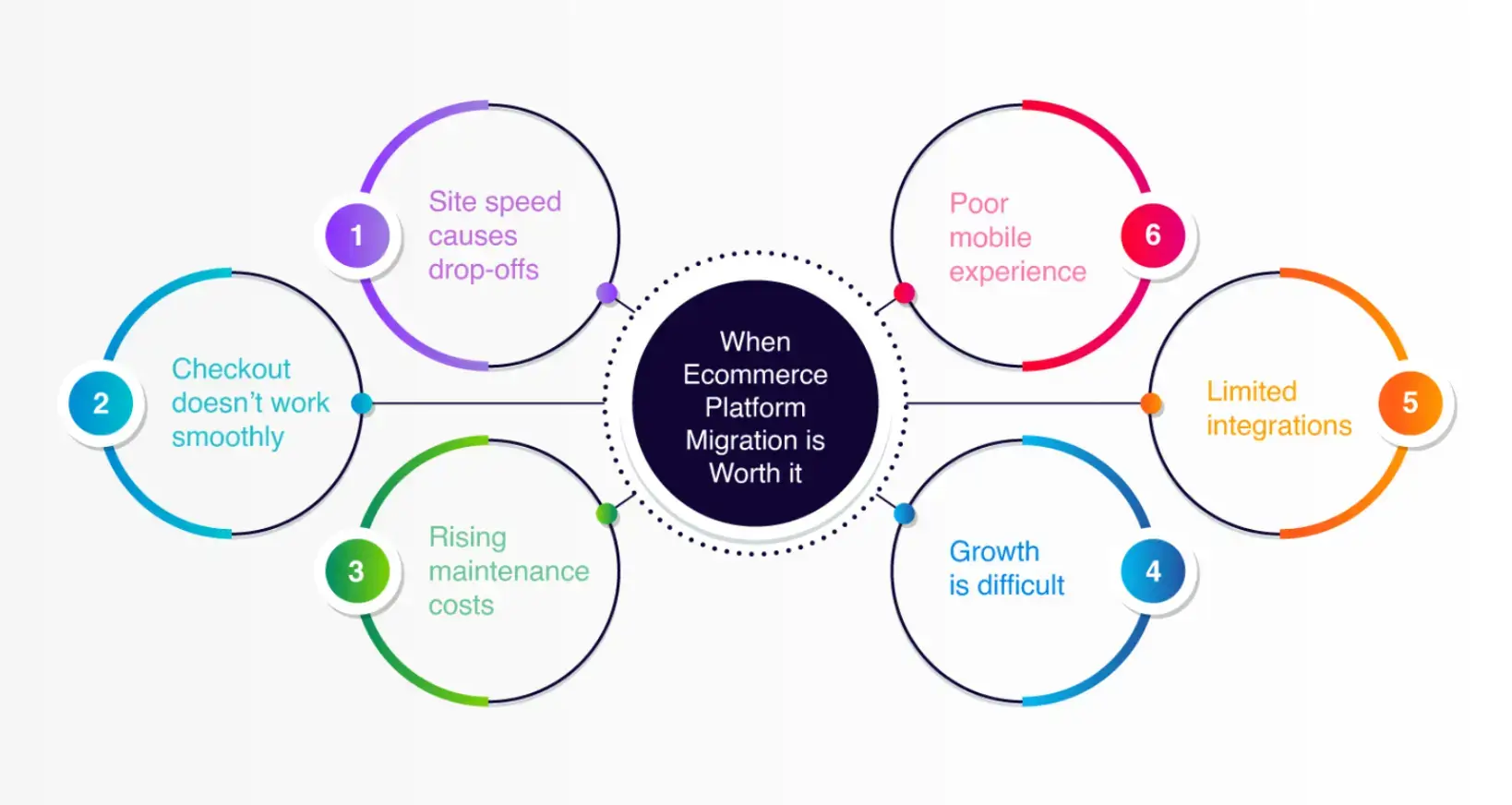
Not every store needs to migrate, but there are clear signs that make the move worthwhile:
- Site speed causes drop-offs – Slow or crashing pages frustrate customers and reduce conversions.
- Checkout doesn’t work smoothly – Errors or missing payment options block sales.
- Rising maintenance costs – Plugins, patches, or fixes outweigh moving to a platform with built-in features.
- Poor mobile experience – If the storefront is not mobile-friendly, customers are less likely to complete purchases.
- Limited integrations – When accounting, CRM, or inventory tools don’t connect properly, operations slow down.
- Growth is difficult – Adding subscriptions, selling in new markets, or multi-channel sales may not be supported.
If you’re facing more than one of these, migration can help simplify store management and prepare the business for growth. For tips, see POWR’s article on e-commerce growth hacks.
Professional eCommerce migration services ensure that the transition is smooth, minimizing risks while unlocking better performance and scalability.
Step-by-Step E-commerce Migration Process
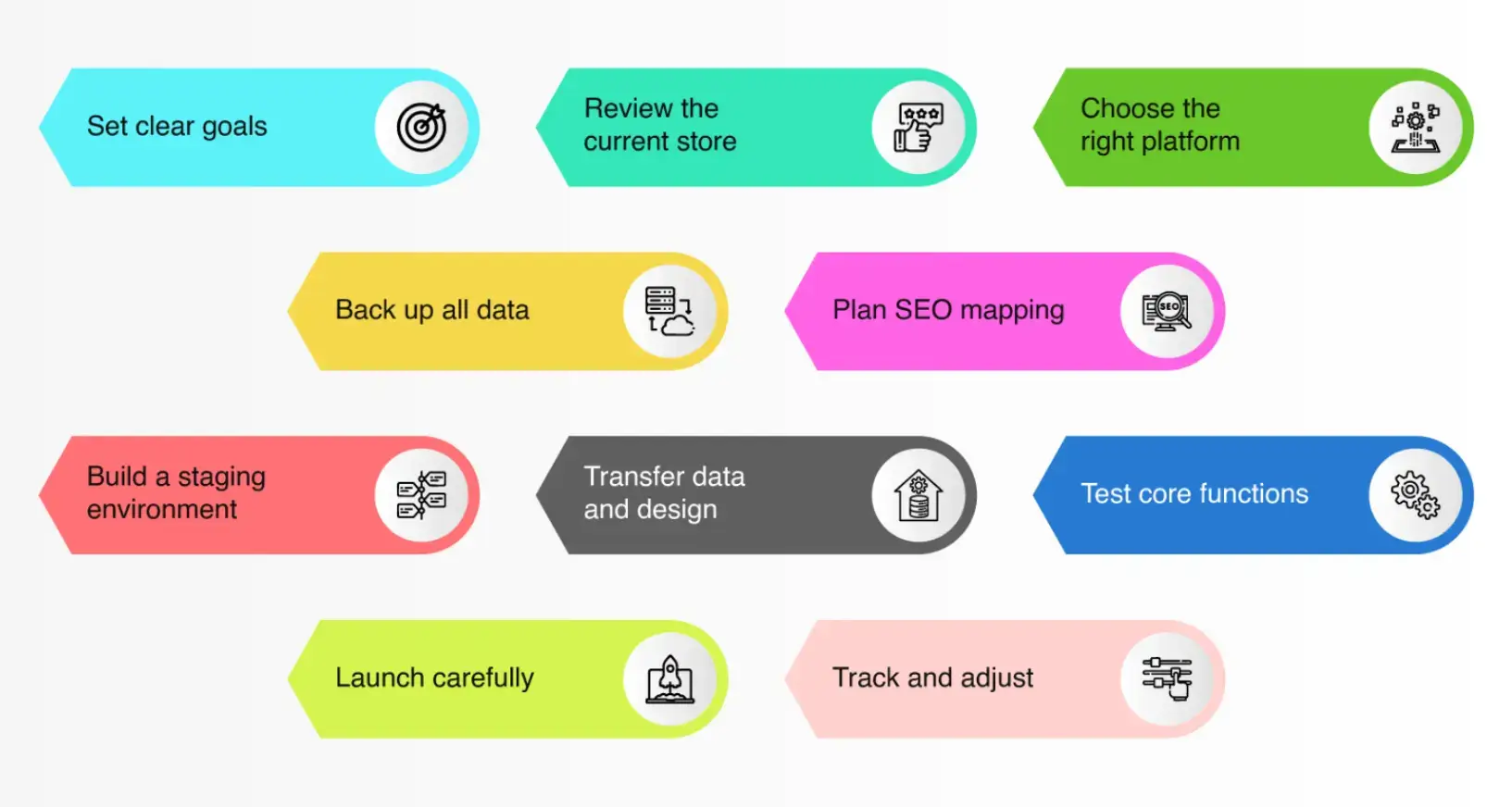
A structured plan reduces risks. Follow these steps:
1. Set clear goals
Define success (e.g., stable search traffic, higher checkout completion, lower operating costs).
“For you to achieve your goals, visitors must first achieve theirs.” – Bryan Eisenberg
2. Review the current store
List: product catalog, customer details, order history, content pages, redirects, and integrations.
3. Choose the right platform
Select a system, such as an enterprise ecommerce platform, that fits current and future needs. Compare scalability, features, and integrations, especially if you’re considering one for long-term growth.
4. Back up all data
Keep secure copies of products, customers, orders, and content. For those migrating from WooCommerce, you can export WooCommerce data to Google Sheets to maintain a readable backup and compare records throughout the transition.
5. Plan SEO mapping
Map old URLs to new ones with 301 redirects.
6. Build a staging environment
Recreate structure, test apps, and apply design changes privately.
7. Transfer data and design
Move product listings, customer accounts, past orders, and reapply branding.
8. Test core functions
Check add-to-cart, checkout, payment gateways, shipping rates, discounts, and notifications.
9. Launch carefully
Switch DNS off-peak, enable redirects, and monitor closely.
10. Track and adjust
After launch, monitor sales, rankings, and logs; refine as needed.
Risk Controls That Protect Traffic And Sales
Migration creates pressure points. Use these controls:
- Keep search traffic steady – Map redirects carefully.
- Protect the checkout experience – Test real transactions before launch.
- Maintain site speed – If slower, abandoned carts rise. Optimize images and caching.
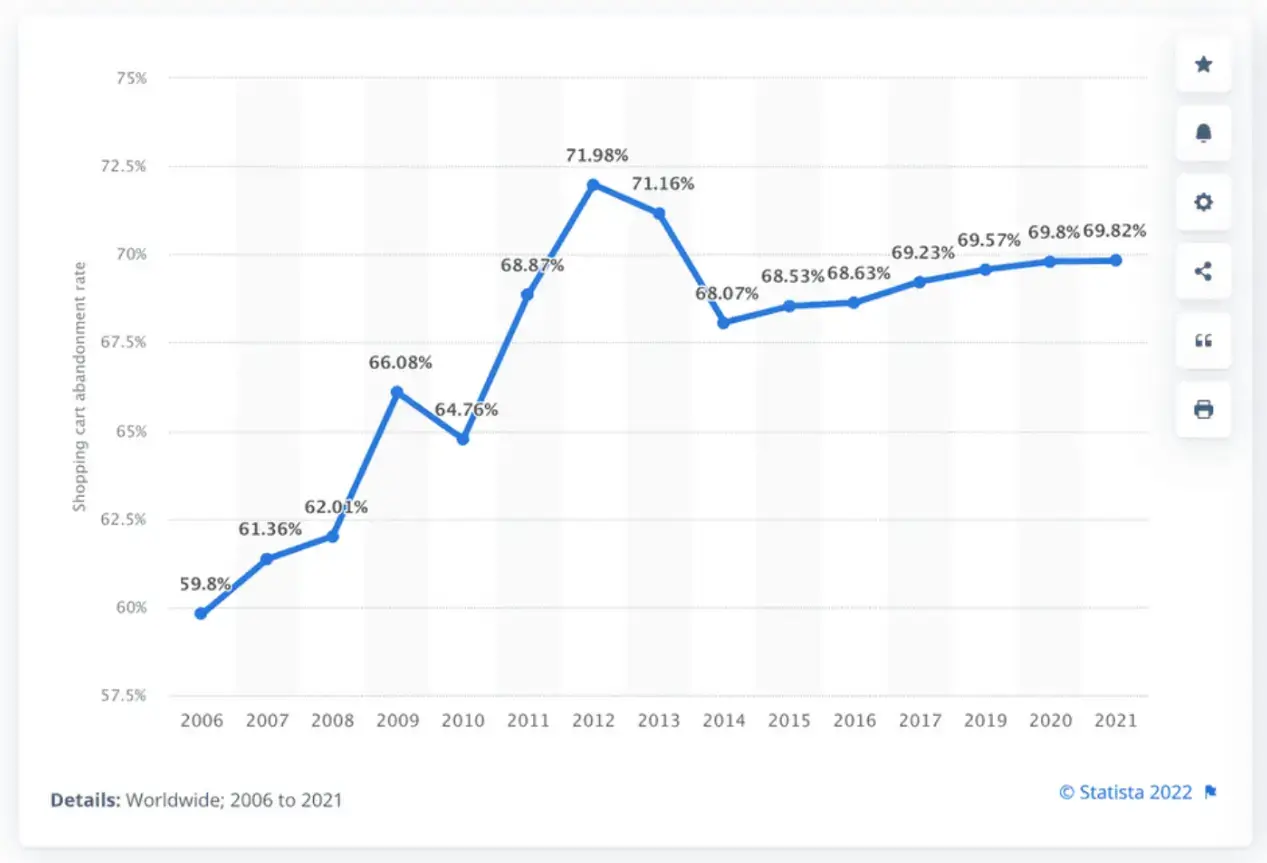
Source: Statista
- Secure customer data – Move securely, check for accuracy.
- Stay alert in the first week – Monitor for broken links, failed orders, complaints.
Migration Checklist for Launch Week
Day 0 preparations
- Freeze content changes
- Back up databases and media
- Lock staging site with password
Cutover steps
- Switch DNS with low TTL
- Deploy redirects and verify
- Submit new sitemap
- Validate robots/canonicals/hreflang
- Place analytics/pixels
First 72 hours
- Watch 404 logs and add redirects
- Confirm orders, payments, tax, and shipping
- Compare landing page and revenue trends
FAQs on E-commerce Migration
1. Will I lose SEO when I migrate?
If you map URLs and use 301 redirects, most rankings recover. Submit the sitemap and monitor Search Console.
2. How long should I keep redirects live?
At least several months, longer for high-traffic pages. Remove only when no longer requested.
3. Why do some stores lose sales after migration?
Main reasons: slow speed, missing payment options, or unexpected checkout changes. Testing helps prevent this. See How to Reduce Cart Abandonment Rates in Your E-commerce Store.
4. Should I migrate during peak season?
No. Choose a quiet week, shorten TTLs, and keep the old site accessible during cutover.
Next Steps After Migration
Finishing a migration is just the start. Monitor site speed, traffic, and sales. Listen to customer feedback and refine.
Once stable, shift focus back to growth—email offers, social media campaigns, or loyalty programs.
Think ahead about subscriptions, new markets, and note what worked during migration for smoother growth later.
Author Bio
Kimblee is a technical writer and digital strategist with 6+ years of e-commerce experience. She helps businesses improve performance and customer experience.