
Countdown timers are often used on eCommerce websites to help drive sales. You can use them in various ways, by counting down to a specific event, counting up to an event, or even letting shoppers know the time left to receive free shipping on an item.
By creating a sense of urgency, a countdown widget can make consumers complete a purchase. No matter how you use them, countdown timers have some well-researched psychological principles.
This article will explain what countdown timers are, how to use them, and when best to utilize them. By the end, you will understand how countdown plugins can benefit your website.
In this article:
- What is a Countdown Timer?
- Why Countdown Timers Work So Well
- Making Countdown Timers Work For You
- Why Countdown Timers Work (The Psychology Behind It)
- 3 Ways to Make Countdown Timers Work Effectively
- Types of Countdown Timers
- When and Where to Use a Countdown Timer
- Best Practices for Countdown Timers
- Real Examples of Countdown Timers in Action
- Common Mistakes to Avoid
Source: POWR
What Is a Countdown Timer?
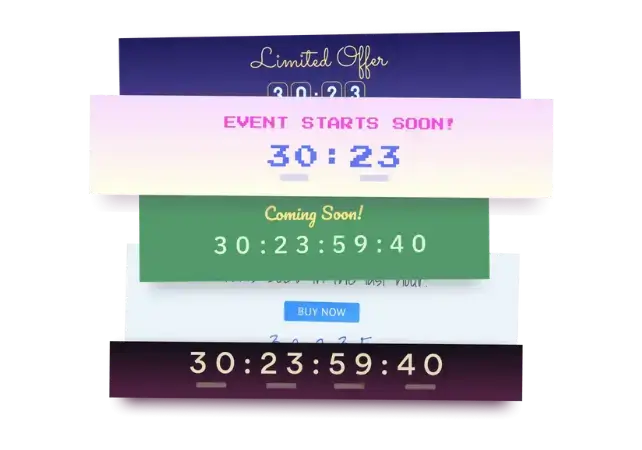
A countdown timer is a visual time-remaining display used on websites, landing pages, emails, and eCommerce stores to encourage users to take action before a deadline. Marketers use countdown timers to generate urgency, reduce decision friction, and increase conversions.
Countdown timers frequently display a count toward the end or beginning of an offer or special event.
Exploring alternatives to Hopin can significantly enhance your event management strategy, offering unique features tailored to your specific needs.
Whether you’re looking to streamline your event with intuitive interfaces or engage attendees with interactive countdown timers, these alternatives provide robust solutions to ensure your events run smoothly and effectively.
Don’t hesitate to explore these options and discover the perfect fit for your next event.
The most important use of a countdown timer is to cultivate a sense of urgency among consumers. In eCommerce, you’ll find these timers on landing pages, showing the time until a promotion launches.
Today, many websites use countdown timers on checkout pages too.
Besides the sense of urgency, countdown timers also provide helpful information, such as when a promotion ends. Finally, countdown timers also help drum up interest in promotions and build curiosity.
Why Countdown Timers Work So Well
Countdown timers are popular because they encourage users to make decisions faster. A visible deadline removes hesitation and gives people a clear reason to act now.
Here’s why they’re effective:
- Creates urgency by showing time running out
- Removes confusion about when deals or events end
- Encourages conversions by reducing decision delays
- Makes announcements exciting (launches, new products)
- Helps with scheduling for reminders, sign-ups, and limited spots
Making Countdown Timers Work For You
Adding countdown timers increases business revenue, and they are simple to implement. Additionally, they also don’t need to be tied to a sale.
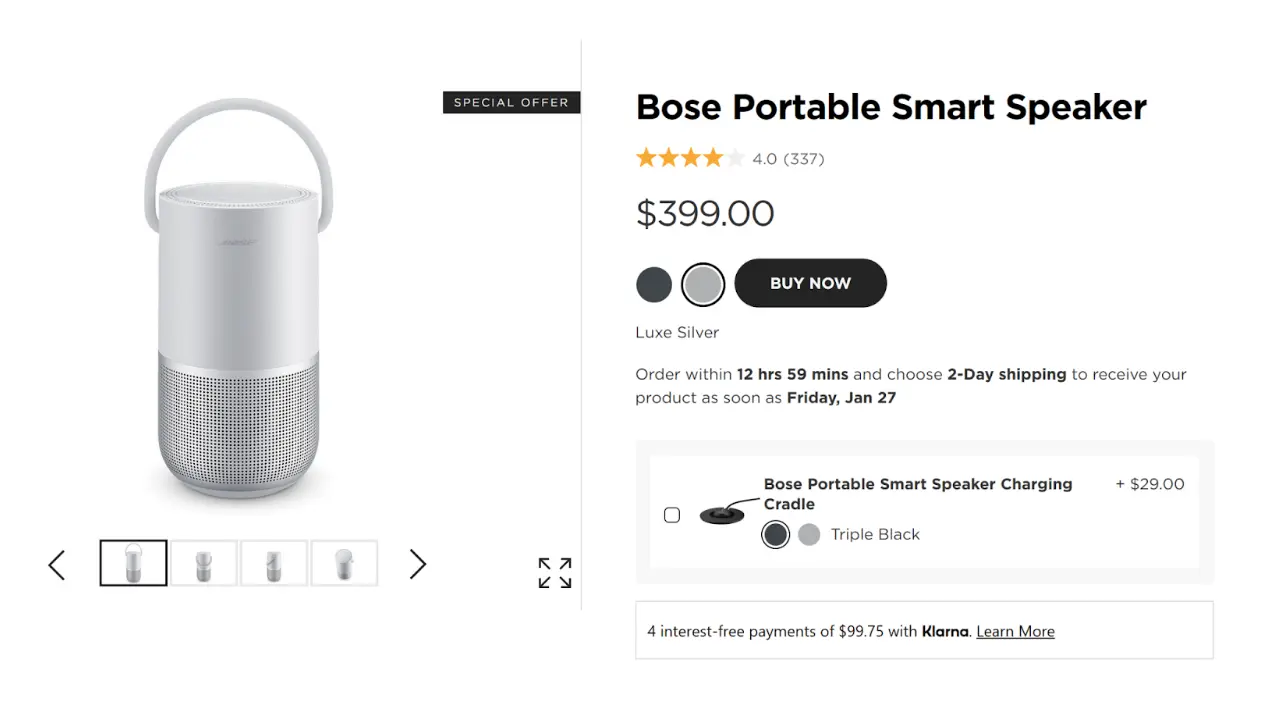
One effective online countdown timer that can boost revenue is simply indicating how much time remains for next-day delivery (creating time urgency).
To further enhance the effectiveness of countdown timers, you can use tools like a time until calculator to accurately calculate the time remaining until a specific event or deadline.
Source: Bose
By highlighting the time available for 2-day shipping, this countdown timer can encourage shoppers to make purchases to get their product sooner.
Adding a timer to your webpage costs next to nothing, but any sales you gain from this technique can lead to significant revenue increases, making timers essential for any eCommerce business.
The way it works is simple — people tend to fear missing out and view scarce items as more valuable.
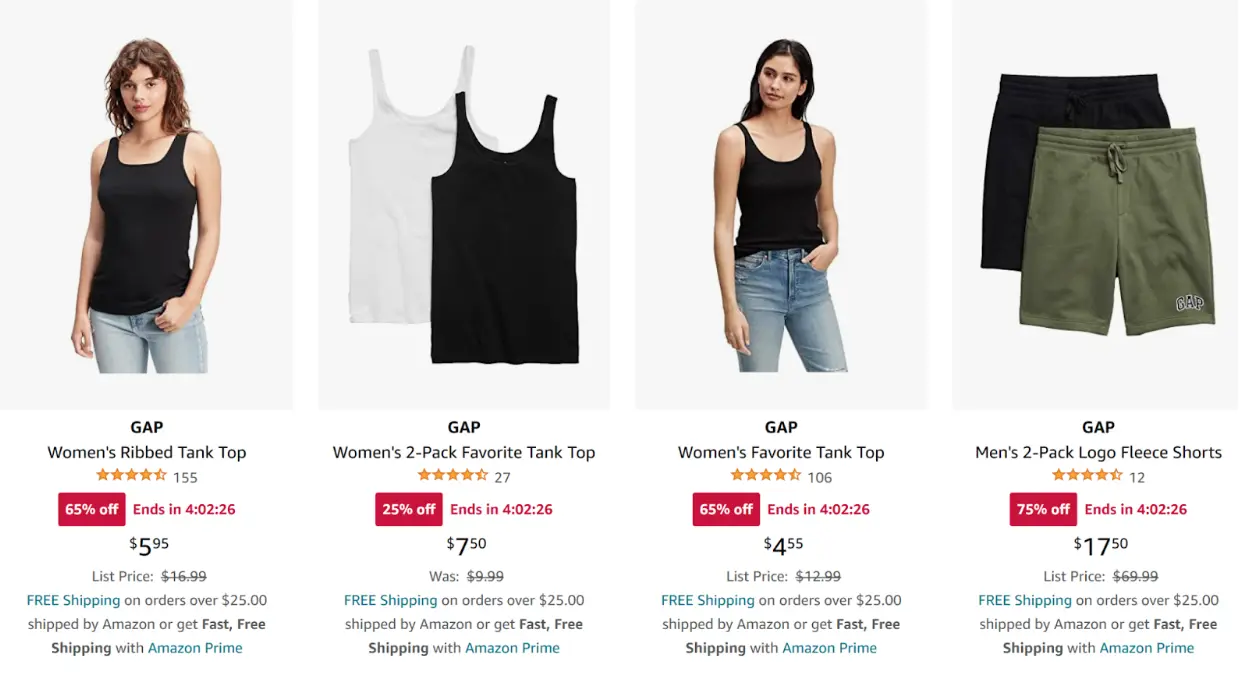
Timers highlight both of these things by emphasizing the scarcity of items and building a consumer’s fear of missing out (FOMO).
Source: Amazon
Research by Dr. Christopher S. Tang of UCLA’s Anderson School of Management corroborates the psychology of scarcity. “A seller could display a countdown clock showing the hours and minutes until the sale ends to nudge shoppers to buy right away,” said Tang.
According to a research solutions provider, a visual countdown app intensifies time urgency, increasing sales.
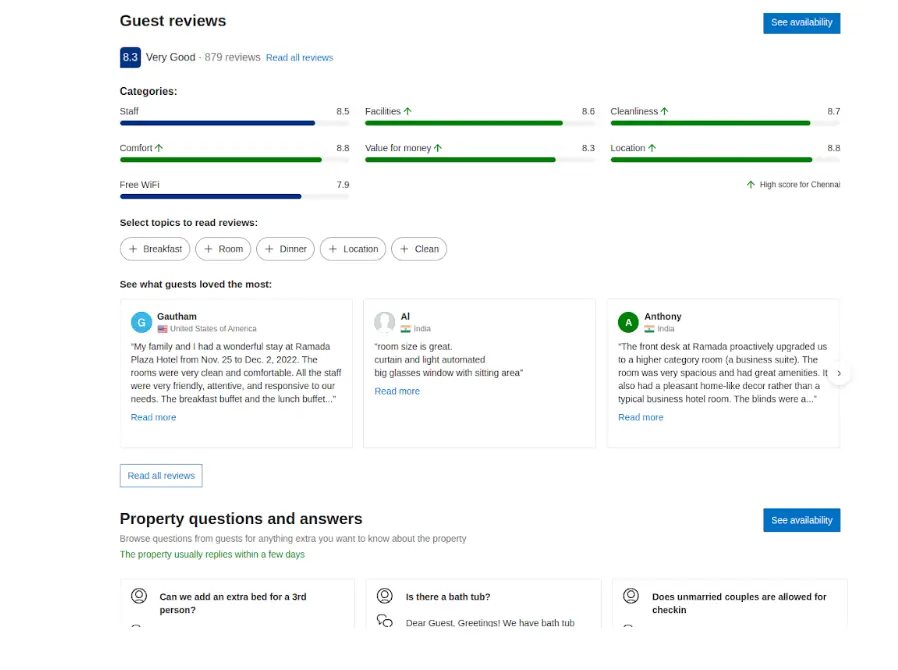
A great twist on scarcity is a counter that displays the percentage of available stays on Booking.com.
Source: Booking.com
This ticker essentially “counts down” to when all available stays in the area become unavailable, creating urgency.
Thinking creatively about countdown timer design can leverage shoppers' natural psychology.
You can establish substantial available resources by accurately accounting for your inventory. Similarly, inventory warnings with a timer can also help increase conversions.
Timers are great because they are not vague, unlike statements like “limited time offer.”
Why Countdown Timers Work (The Psychology Behind It)
Countdown timers tap into two proven psychological triggers:
Loss Aversion
People are more motivated to avoid losing something than to gain something new. A ticking clock signals that a deal, spot, or product may soon become unavailable.
Urgency + Scarcity
Timer visuals trigger immediate action by emphasizing that time is limited. Studies show urgency messaging can increase conversions by up to 332% when paired with clear CTAs.
3 Ways to Use Countdown Timers Effectively
Now that you understand countdown timers and the psychology of counting down to something, we’ll explain their benefits and how you can use them on your website.
Create a sense of time urgency
Timers are reliable and push shoppers into making impulsive decisions that benefit your store. Limited resources and scarcity drive consumer spending.
Highlight products and deals
Countdown timers can help highlight a specific product, service, or deal. Countdowns are especially popular during holiday promotions.
Give a sense of product scarcity
Countdown timers can drive site visitors to purchase by highlighting product scarcity. A classic 1975 study demonstrated that scarcity increases perceived value.
In the same way, countdown timers can help drive shoppers to complete the sales cycle.
Types of Countdown Timers
1. Fixed (Evergreen) Timers
- Trigger individually for each visitor
- Ideal for onboarding flows, lead magnets, and drip email sequences
2. Real-Time (Hard Deadline) Timers
- End at the same time for everyone
- Perfect for sales, product drops, or events
3. Looping Timers
- Reset after reaching zero
- Used for recurring promotions (weekly sales, daily deals)
When and Where to Use a Countdown Timer
Countdown timers are best used directly on your website. One key benefit is that they can help close more sales and increase revenue.
If your website struggles with conversions, using the POWR countdown timer could help you recover significantly more sales.
Another common issue is users leaving without making a purchase.
Countdown timers help reduce bounce rate by engaging customers and encouraging them to continue shopping.
Many people also use countdown timers in email marketing. When used strategically, email timers can increase conversions by up to 400%.
When paired with a strong “tripwire,” a discounted offer, or a product bundle triggered by email signup, a countdown timer can bring you sales on autopilot with minimal ongoing effort.
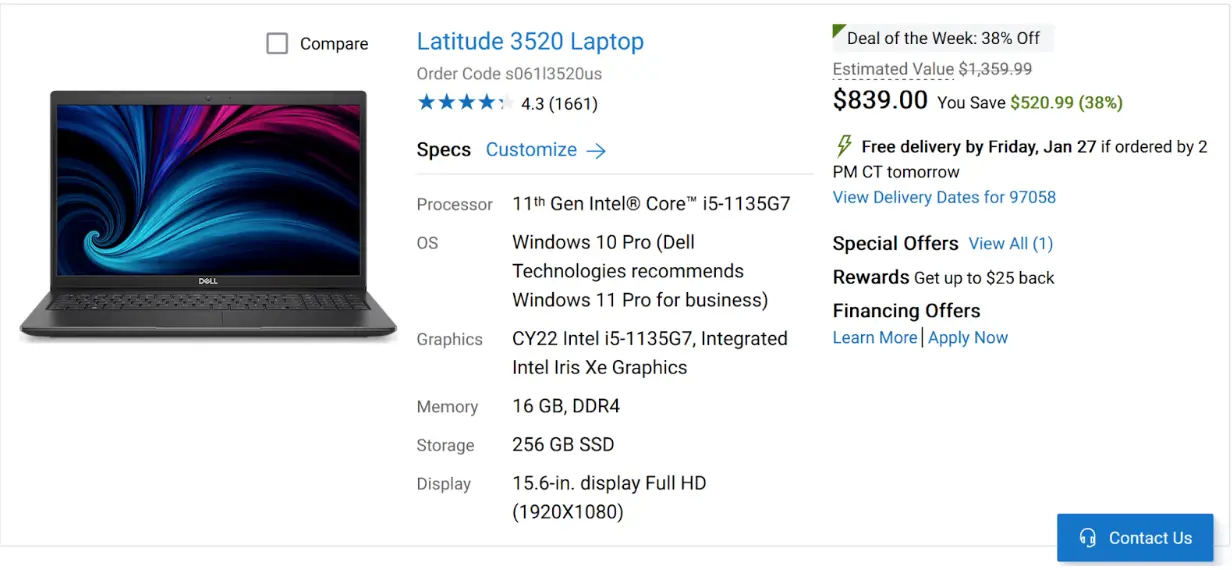
Tailor your countdown to the specific product or offer. Many limited-release items use countdown timers to build hype for an upcoming drop.
Source: Dell
Here's a quick rundown of places where you can use countdown timers:
Website Banners
Promote seasonal sales or free shipping windows.
Product Pages
Increase ecommerce conversions during promotions or limited inventory.
Landing Pages
Raise sign-up urgency for webinars, launches, or limited offers.
Checkout Pages
Reduce cart abandonment by showing how long a discount lasts.
Email Campaigns
Dynamic countdown timers in emails can raise urgency and increase clicks by up to 65%.
Best Practices for Countdown Timers
Keep the Timer Visible
Place it above the fold or near CTAs.
Choose Honest Deadlines
Fake urgency damages trust and harms customer retention.
Make the Offer Clear
Pair the timer with a specific action: “Sale ends in…” / “Register within…”
Avoid Overuse
Using timers too often reduces their psychological impact.
Real Examples of Countdown Timers in Action
Ecommerce Example
A Shopify store adds a 48-hour countdown timer to product pages during a weekend flash sale and sees a 28% lift in conversions.
Event Registration Example
A coaching business uses a countdown timer on a webinar landing page and improves sign-ups by 40%.
Email Marketing Example
A brand inserts a GIF-based timer in a holiday promotion email and increases click-through rate by 22%.
Common Mistakes to Avoid
- Setting unrealistic deadlines
- Using timers with no clearly stated offer
- Placing timers too far from the CTA
- Resetting timers on every visit (appears spammy)
FAQ
How long should a countdown timer run?
Most timers work best between 24–72 hours for promotions and 5–15 minutes for micro-conversions (e.g., onboarding).
Do countdown timers actually increase conversions?
Yes — studies show urgency-based elements (including timers) can increase conversions between 10–332% depending on placement and industry.
Where should I put a countdown timer on my website?
Above the fold, near CTAs, and on key conversion areas such as product pages, landing pages, and checkout.
Are countdown timers good for email campaigns?
Yes — dynamic timers often lift email engagement and conversions by 20–60%.
The Bottom Line
Countdown timers are a powerful way to drive conversions and boost website sales. Using countdown timers leverages psychology to increase shopper spending and your overall revenue.
Get your very own new countdown timer for your website, and watch your products fly off the shelf!
