

You walk into a store, fill up your shopping cart with all the stuff you want, and then suddenly decide to leave it behind without buying anything. That might sound a little odd, right?
Well, the same thing happens when people shop online. It's called "cart abandonment," and it's a common challenge for online stores.
We get it; it can be frustrating for businesses when customers add items to their carts but don't make a purchase. That's why we've put together this handy guide.
In this article, we'll explain why cart abandonment occurs and, more importantly, how to prevent it. We'll also introduce you to some tools and strategies that can make your online store a better place for customers.
Before diving deep, first learn what are the benefits of recovering abandoned carts.
In this article:
- Benefits of Recovering Abandoned Carts from Industry Experts
- Why Do Shoppers Abandon Their Carts?
- 9 Best Plugins to Reduce Cart Abandonment
- Simple Strategies to Combat Cart Abandonment
Benefits of Recovering Abandoned Carts from Industry Experts
Recovering abandoned carts can bring several significant advantages to an online business. Here are some benefits from the industry experts:
Maximizing revenue
When shoppers abandon their carts, it's a sign of interest tinged with hesitation.
says Edward Mellett, Co-founder of Wikijob.
By recovering these abandoned carts, you give them a gentle nudge to return and complete their purchase, leading to a direct increase in revenue by capturing sales that might have slipped away.
Improved customer retention
Robert Smith, Head of Marketing at Psychometric Success, says,
This kind of personalized attention not only reminds them of their initial interest but can also sow the seeds of loyalty, ensuring they keep coming back for more.
Enhanced customer insights
Diving deep into abandoned cart data is akin to peeling back the layers of your customers' decision-making process.
By understanding which products often remain in carts and discerning the reasons shoppers might walk away, you gain invaluable insights.
As Tiffany Parra, Owner of FirePitSurplus.com, puts it,
Cost efficiency
Every visitor to your website is an investment, and when they leave items in their cart, it's an opportunity hanging in the balance.
says Graham Grieve, Scottish Travel Blogger at My Voyage Scotland.
Compared to the costs of acquiring new customers, this recovery process is a more efficient way to get more value from the resources you've already committed.
Now let's explore why shoppers do this.
Why Do Shoppers Abandon Their Carts?
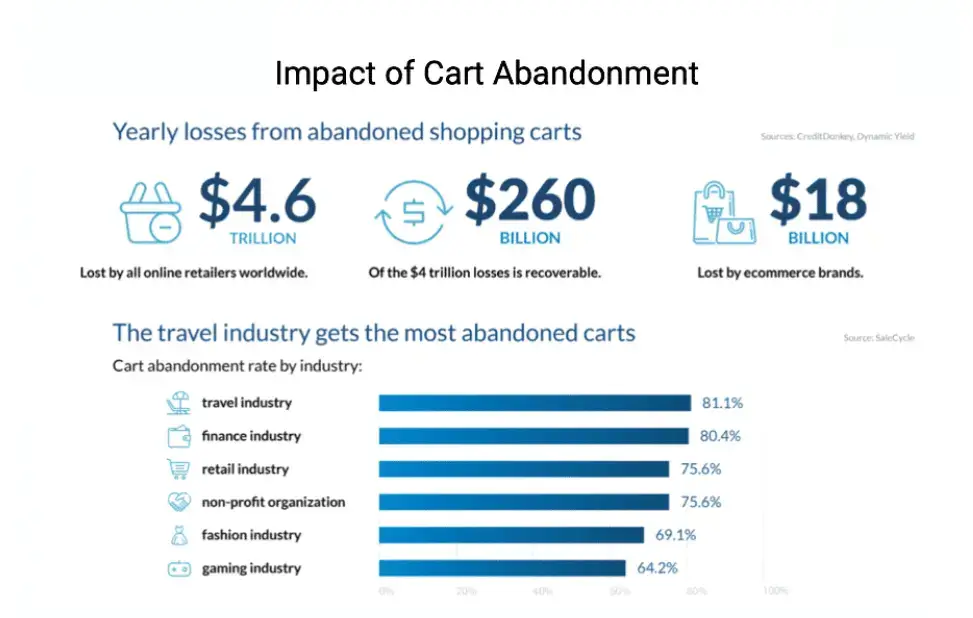
Image Source: Emarsys
When people shop online, sometimes they add items to their cart but don't complete their purchase. But why does this happen?
There are various reasons behind it. Below, we've covered some common reasons why shoppers abandon their carts:
Unexpected costs
Imagine the excitement of finding that perfect toy, the one you've been searching for.
You swiftly move to checkout, only to encounter unexpected fees or exorbitant shipping costs. It's like being handed a surprise bill at the end of a meal.
As Claire Jill Parker, Director of Business Management at GoVisaFree, says,
Such unexpected additions can deter many from completing their purchase, leading them to abandon their cart.
Lengthy checkout process
We've all been there: standing in a long checkout line at a store, glancing at our watches, and feeling the weight of impatience. The digital realm is no different.
says Christine Evans, Sr. Director, Marketing Communications at FICTIV - CNC Machining Services.
If the online checkout process is cumbersome, asks for redundant information, or simply takes too long, it can mirror that in-store frustration.
For example, businesses offering technical services, such as online CNC machining, understand that simplifying quote requests and checkout-style submission forms is critical to reducing friction and preventing potential customers from dropping off mid-process.
Shoppers might decide it's not worth the wait and move on.
Security concerns
Steve Elliott, the Franchise Owner of Restoration1, says,
Just as you'd be wary of someone lurking over your shoulder in a physical store, online shoppers have concerns about the safety of their data.
If a website gives off even a hint of insecurity, it can be enough to make them retreat and leave their cart behind.
Comparison shopping
says Martin Seeley, CEO of Mattress Next Day.
It's like tasting samples before buying the whole dish. They might venture to other websites, compare prices, or read reviews.
If they stumble upon a better deal or a more convincing review elsewhere, the initial cart might be left in the digital dust.
These are some common reasons why people abandon their carts. To tackle these issues, below are some plugins that can be helpful.
10 Best Plugins to Reduce Cart Abandonment
- WooCommerce Abandoned Cart Pro
- Sender
- Countdown Timer by POWR
- Klaviyo
- Retainful
- HubSpot for WooCommerce
- CartBounty
- Metorik
- ShopMagic
- Abandoned Cart Lite for WooCommerce
- CartFlows
- ELEX WooCommerce Abandoned Cart Recovery Plugin
If you're struggling with cart abandonment and losing customers day by day, try these plugins for better results — or check out these lead generation strategies.
1. WooCommerce Abandoned Cart Pro
WooCommerce Abandoned Cart Pro is a helpful tool for online stores. It does a few cool things that can make a big difference.
You can use it to share discount codes with your customers and send them personalized messages to remind them about their abandoned carts.
It's also smart enough to know when someone is about to leave your website and can show them a pop-up to keep them on your site. This tool helps you collect customer email addresses, set some rules, and see how well it's working.
But it might be a bit tricky to set up for some users, and it comes with a high price tag.
2. Sender
Sender is a useful tool for online businesses looking to tackle cart abandonment. It's designed to help you recover abandoned carts by creating smart recovery campaigns.
With Sender, you can automate emails and SMS to entice customers to return to your store. One standout feature is its ability to customize campaigns based on cart value, customer behavior, and more.
This tool also offers a user-friendly drag-and-drop email builder with ready-made templates, saving you time when creating campaigns.
Sender seamlessly integrates with WooCommerce, making it a handy solution for store owners tired of manually dealing with cart abandonment.
Plus, it's free for up to 2500 contacts, making it accessible for businesses of all sizes.
3. Countdown Timer by POWR
POWR offers many plugins for lead and conversion optimization, but none are better for reducing cart abandonment like the Countdown Timer.
You can install a countdown timer on your website or online store with no code in minutes. It uses a customer psychology tactic known as FOMO (Fear of Missing Out).
It creates the feeling that they will miss a golden opportunity to save money or that the item will soon be out of stock.
The countdown timer is displayed as a banner on your page with a clock counting down to zero. You can customize it to count down by days, hours, minutes, or even seconds.
The POWR Countdown Timer is completely free and offers the option to upgrade to unlock advanced features based on your needs.
4. Klaviyo
Klaviyo is a specialized marketing automation tool designed primarily for eCommerce. It shines at creating personalized, highly targeted cart recovery campaigns.
Its strengths lie in email and SMS marketing, leveraging customer data to deliver tailored and timely messages. Klaviyo also provides robust analytics and data science capabilities, allowing businesses to fine-tune their marketing efforts.
For those seeking a powerful platform to recover abandoned carts and enhance customer engagement, Klaviyo stands out as a reliable choice.
5. Retainful
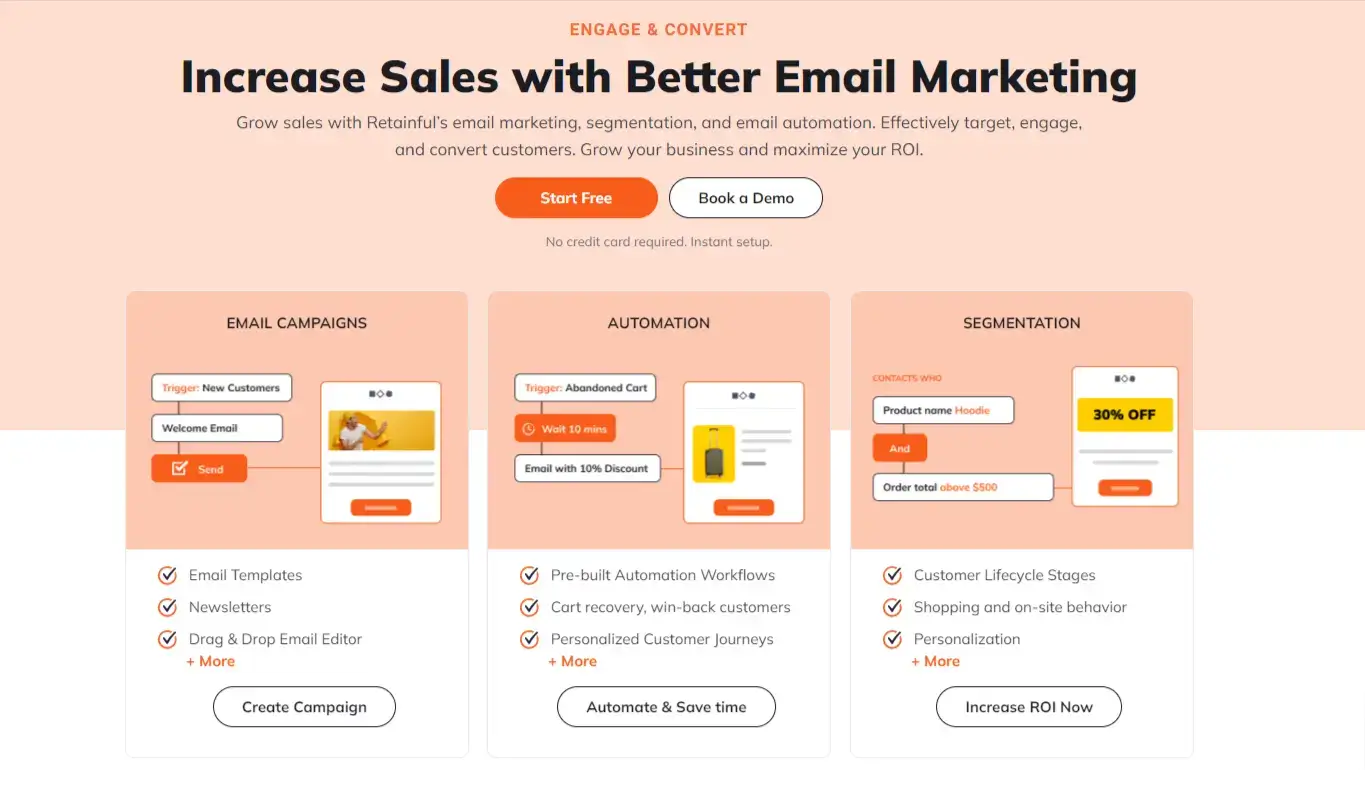
Retainful is an all-inclusive email marketing automation tool that helps recover abandoned carts, keeping customers engaged throughout their shopping journey and helping retain customers.
The customizable email workflows let you set rules for when and to whom emails are sent. You can also create a series of emails and include Dynamic coupons or Next-order coupons if your customers are hesitant.
To keep your email campaigns laser-precise, use the segmentation feature to divide your email list by demographics, geographic location, and shopping behavior.
6. HubSpot for WooCommerce
The HubSpot for WooCommerce integration lets you sync WooCommerce data with HubSpot CRM, making it easier to automate cart abandonment sequences and gain valuable insights.
It helps you identify abandoned carts and the most frequently abandoned products, enabling targeted follow-up campaigns.
HubSpot's user-friendly interface and data integration are a boon for WooCommerce users looking to streamline cart recovery efforts.
7. CartBounty
CartBounty is a WooCommerce plugin that focuses on saving and recovering abandoned carts.
It notifies you of newly abandoned carts and lets you send reminders to customers — helping minimize cart abandonment.
An important feature is its "remember checkout fields" capability, minimizing friction for customers by retaining their entered information even if they navigate away from the checkout page.
CartBounty offers both free and pro versions, with the pro version integrating with Mailchimp for more robust email capabilities.
8. Metorik
Metorik is a powerful tool designed for WooCommerce store owners to gain deep insights into their customers and automate recovery campaigns for abandoned carts.
It helps businesses understand customer behavior, identify commonly abandoned products, and create detailed customer profiles.
Metorik automatically triggers recovery campaigns when a product is added to the cart, allowing businesses to send personalized emails and offers to encourage purchases.
The platform also provides real-time data on cart abandonment and campaign performance, including the number of recovered carts and revenue growth.
Metorik is an essential tool for WooCommerce stores looking to reduce cart abandonment and improve overall customer engagement.
9. ShopMagic
ShopMagic is a powerful plugin that plays a vital role in recovering abandoned carts. This handy tool is like a guardian angel for e-commerce businesses, ensuring that no potential sale slips through the cracks.
ShopMagic automates sending personalized emails to customers who have left items in their carts.
It gently reminds them of their abandoned cart, offers incentives like discounts, and provides a seamless shopping experience.
With ShopMagic in your toolkit, you can boost your cart recovery efforts and enjoy increased revenue and improved customer retention.
10. Abandoned Cart Lite for WooCommerce
Abandoned Cart Lite is a valuable WordPress plugin designed to effectively combat abandoned shopping carts.
It addresses the challenge by capturing information for both registered customers and guests who abandon their carts.
With a default email template, it offers a quick, hassle-free setup and sends timely reminders to customers about their abandoned orders.
This plugin not only helps recover potentially lost sales but also identifies the specific products in the abandoned carts and provides customer information.
Now, let's explore strategies that can help you convert abandoned carts into successful purchases.
Bonus Tools
CartFlows
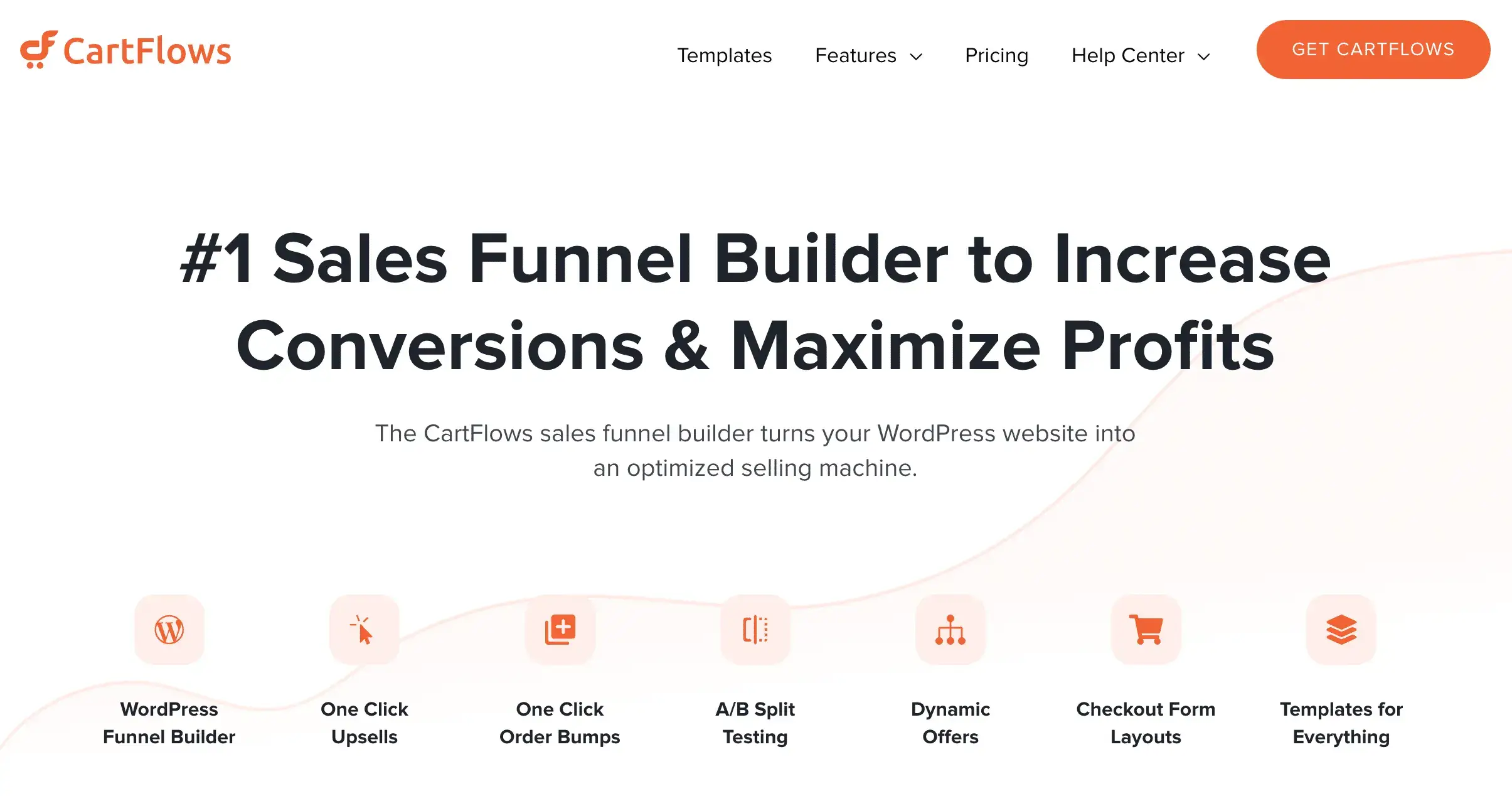
CartFlows is a WordPress plugin designed to enhance the e-commerce experience by simplifying the sales funnel creation process.
It streamlines the checkout journey, reducing friction and optimizing conversions. CartFlows helps combat cart abandonment by offering customizable, user-friendly checkout pages and a one-click order bump feature that entice customers to complete their purchases.
With its intuitive drag-and-drop editor, it enables businesses to create compelling, seamless sales funnels that guide users through the buying process, ultimately minimizing cart abandonment and maximizing revenue for online retailers on WordPress.
ELEX WooCommerce Abandoned Cart Recovery Plugin
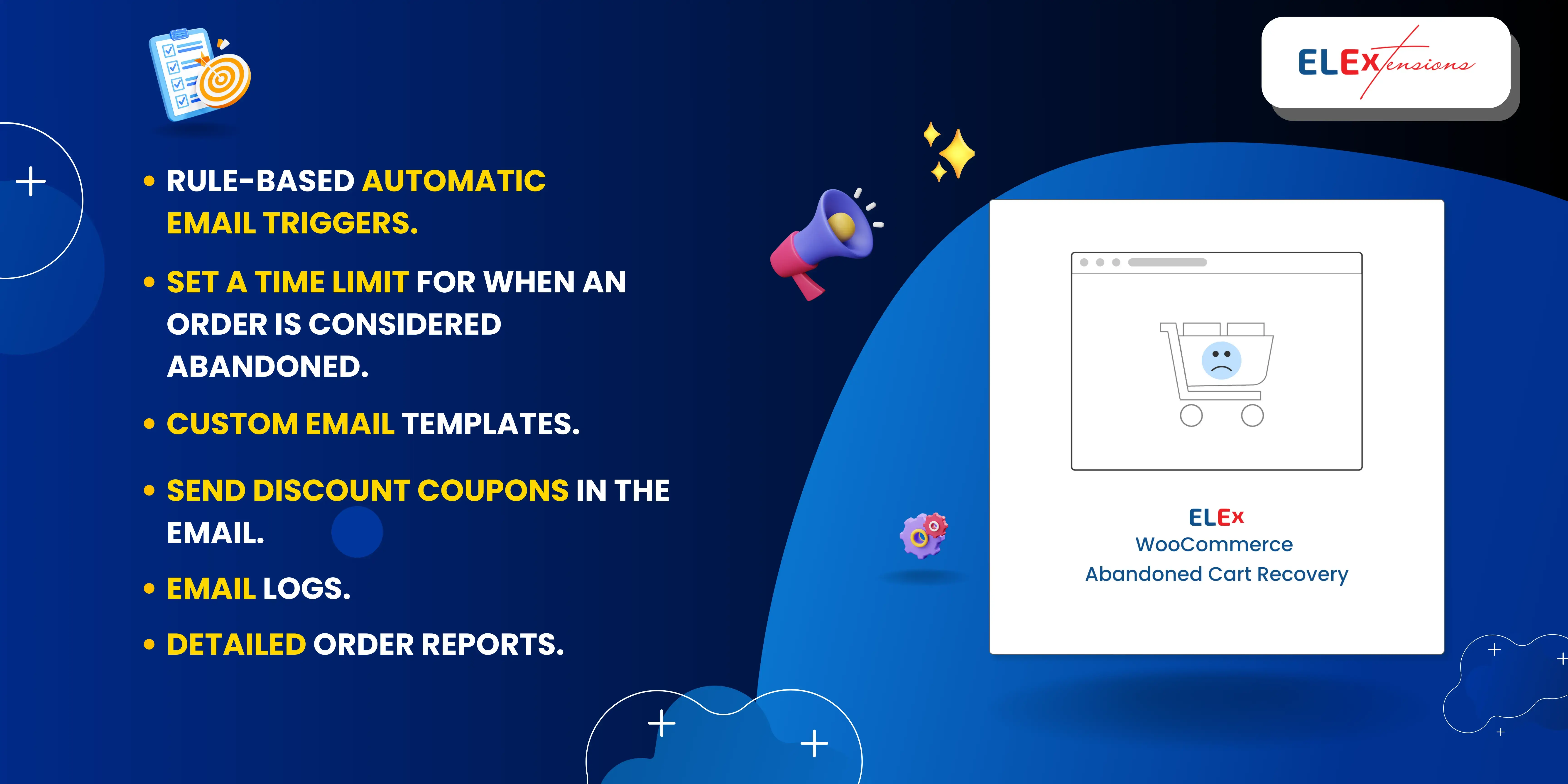
Tackle cart abandonment effectively with the ELEX WooCommerce Abandoned Cart Recovery Plugin. Recover lost sales by sending automated, customizable email reminders at intervals to prompt customers to complete their abandoned orders.
This highly flexible tool requires minimal configuration, enabling you to create dynamic, smart discount coupons that incentivize customers to complete their purchases. Tailor trigger rules for targeted emails to ensure a personalized approach to abandoned cart recovery.
The plugin provides clear abandoned cart lists, detailed logs, and comprehensive reports.
With the ability to restrict specific email addresses, IP addresses, and domains, it's a powerful solution for turning potential losses into successful sales.
Simple Strategies to Combat Cart Abandonment
Follow these simple strategies to handle the cart abandonment issue:
In this section:
- Customize emails
- Offer discounts
- Add a guest checkout option
1. Customize emails
In the vast sea of promotional emails, standing out is essential. Customizing emails is like tailoring a suit – it fits perfectly and feels personal.
By suggesting products that align with their interests and sending gentle reminders about their abandoned cart, businesses can rekindle the shopping spark.
To make your cart recovery emails convert better, focus on:
- Personalization: Use the shopper’s name, show the exact items left behind, and include a clear product image.
- Timing: Send a first reminder within a few hours, then a follow-up within 24 hours, and a final message within 48–72 hours.
- A single goal: Keep the email focused on one CTA like “Return to your cart,” rather than multiple links competing for attention.
- Trust builders: Add support info, delivery timelines, easy returns, and secure checkout cues to reduce hesitation.
- Mobile-first formatting: Short subject lines, quick-loading images, and a CTA button that’s easy to tap.
Dive deeper into the nuances of eCommerce email marketing to truly harness its potential. Check out the best ways to excel in eCommerce email marketing.
2. Offer discounts
Discounts can be the final nudge that turns “maybe later” into “checkout now.” The key is to use them strategically—not as a default response to every abandoned cart.
Here are a few discount tactics that work well for cart recovery:
- Tiered incentives: Start with a gentle offer (like free shipping) and only escalate to a percentage discount if the shopper still doesn’t convert.
- Minimum thresholds: Encourage larger orders by offering discounts only over a certain cart value (e.g., “10% off orders over $75”).
- Time limits (ethical urgency): Pair discounts with an honest expiration window to create momentum and reduce procrastination.
- Segmented offers: Offer stronger incentives to high-intent shoppers (high cart value, returning visitors) and lighter incentives to low-intent traffic.
- Avoid training behavior: If every shopper learns they’ll get a discount by abandoning their cart, cart abandonment can increase. Use discounts for select segments or as a second/third touch.
If you want to add urgency without immediately discounting, a Countdown Timer can help create a clear “decision window” for buyers. (And if you use POWR, the Countdown Timer by POWR is built for exactly that.)
3. Add a guest checkout option
For many shoppers, being forced to create an account is a conversion killer — especially on mobile. Guest checkout reduces friction and removes one of the most common “I’ll do this later” triggers.
To make guest checkout actually reduce abandonment:
- Make it the default path: Don’t hide it behind a tiny link. Put “Checkout as guest” clearly on the page.
- Offer account creation after purchase: Once the order is placed, invite them to create an account to track their orders faster.
- Use social login as a shortcut: Options like Google/Apple login can reduce steps without forcing full registration.
- Minimize form fields: Ask only for what’s needed to fulfill the order (shipping, payment, and contact).
- Preserve cart/session data: If they leave and return, the cart should still be there — especially if they came from an email reminder.
Guest checkout also supports better cart recovery campaigns because you can still capture an email address during checkout, even if the shopper doesn’t register.
Conclusion
Cart abandonment is normal — but it’s not something you have to accept as a permanent revenue leak.
The most effective recovery approach is a combination of friction reduction (like guest checkout), smart follow-up (personalized email/SMS sequences), and conversion nudges (like ethical urgency and targeted incentives).
Pair those strategies with the right plugins, and you’ll recover more carts while improving the overall shopping experience.
If you want to go further, consider building a full recovery system that includes email, SMS, and on-site tools—and link it to lead capture so you’re not starting from scratch each time a shopper leaves.
FAQ
1. What’s a good cart abandonment email sequence?
A common sequence is:
- Email 1: 1–3 hours after abandonment (simple reminder + cart link)
- Email 2: 12–24 hours after (address objections like shipping/returns, add social proof)
- Email 3: 48–72 hours after (optional incentive or urgency-based reminder)
2. Should I always offer discounts to recover carts?
Not always. If every abandoned cart gets a discount, shoppers can learn to abandon on purpose. Use discounts selectively (high-value carts, returning visitors, second/third follow-ups) and consider alternatives like free shipping or urgency tools first.
3. Why does guest checkout reduce abandonment?
Because it removes a major friction point: forced account creation. Many shoppers don’t want to commit, especially on mobile. Guest checkout speeds up purchasing and reduces “I’ll do it later” drop-offs.
4. What’s the easiest quick win to reduce cart abandonment?
Make checkout faster:
- Enable guest checkout
- Reduce fields
- Offer multiple payment options
- Clearly show shipping costs early
Then follow up with personalized reminders for anyone who still leaves.
