

People upload 3.7 million videos to YouTube every day, making it incredibly difficult to stand out, especially if you manage a relatively new channel.
Creating more YouTube Shorts is one way to go viral and grab viewers' attention.
Shorts get more views and engagement, as they can’t exceed 60 seconds. You can reel people in with Shorts, convince them to subscribe to your channel, and then get them to watch longer videos.
However, you won’t automatically generate views and engagement just by publishing Shorts. If that were true, every single YouTube short would be successful.
You need to center your videos on the right ideas people want to watch to get maximum engagement and views. Let’s go through my 6 video ideas below to help you get this right and create great YouTube Shorts.
6 YouTube Shorts Ideas
- Share Helpful Tips
- Create Before-and-After Videos
- Repurpose Long-Form Content
- Share UGC Reviews
- Create Trailers for Longer Videos
- Repost From TikTok and Instagram Reels
But first, it would be silly of me not to take this opportunity to promote the POWR YouTube channel, wouldn't it? 😁
1. Share Helpful Tips
YouTube isn’t exactly a social network. It does offer “Likes,” " Subscribe, " and “Comments,” which are similar to social networks, but it is more of a search engine.
People conduct 3 billion searches on YouTube every month. And do you know what most people are searching for? Helpful advice – answers to their most pressing questions. Just like they do on Google.
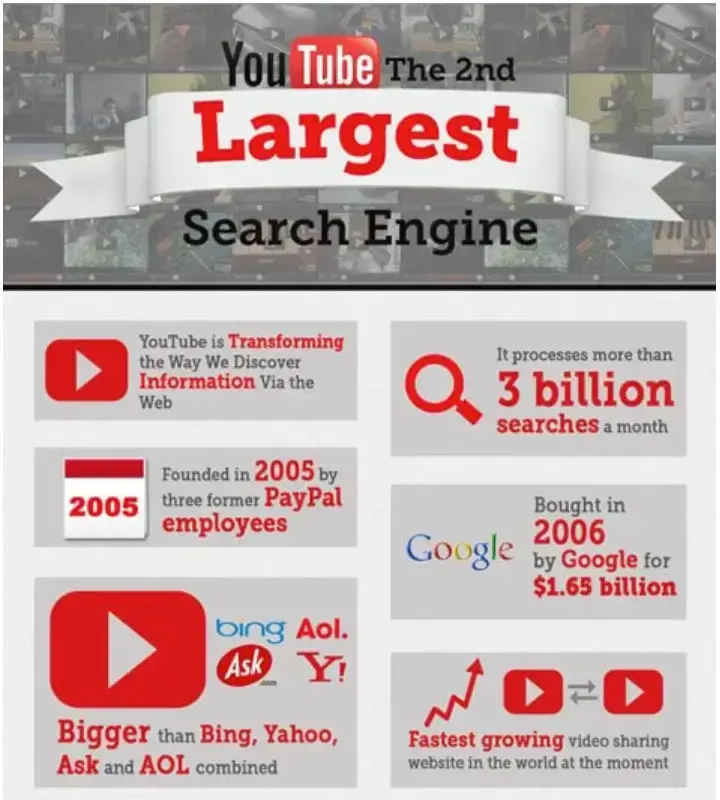
But not everyone wants to watch long-form videos to get answers. Many prefer short ones to get quick answers.
This is why you should create YouTube Shorts that offer a single tip that addresses that problem briefly in an easy-to-consume manner.
For example, check out this video from @stagegulchgoldens. It’s a 15-second video that gets straight to the point and shows you how to teach your dog to sit.
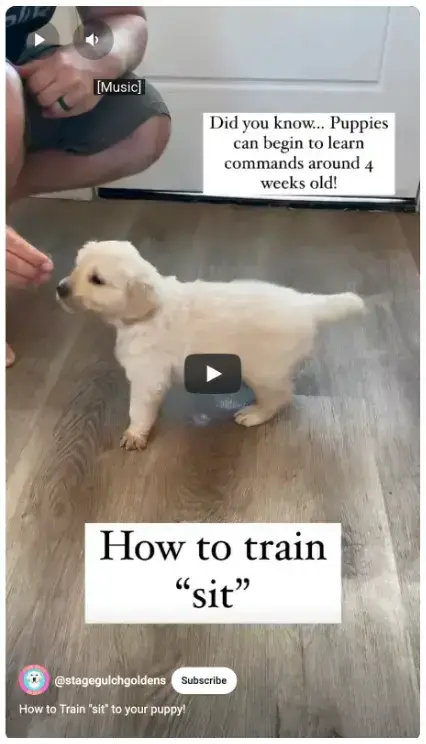
They don’t waste time fluffing up the video with unnecessary content. Also, no one speaks on the video. They explain everything with overlay text.
However, I recommend you do both—add voice narration and a text overlay. People who prefer listening will listen to the audio, while those who don’t will follow along with subtitles or overlay text.
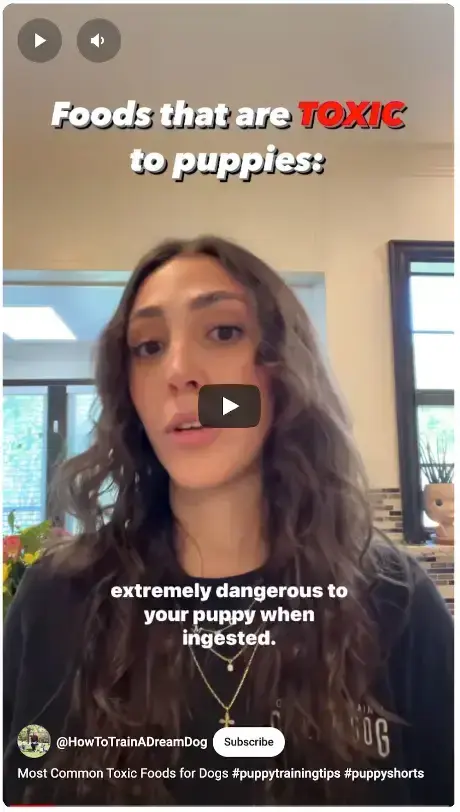
An excellent example of a video that does both is this one from @HowToTrainADreamDog. In it, the creator talks to the camera, with captions, about toxic foods for dogs.
You must conduct keyword research to drive maximum views and engagement for helpful videos like these.
Start with thorough keyword research to see what questions your target audience is asking on YouTube.
You can use Ahrefs’ YouTube keyword research tool to find these opportunities.
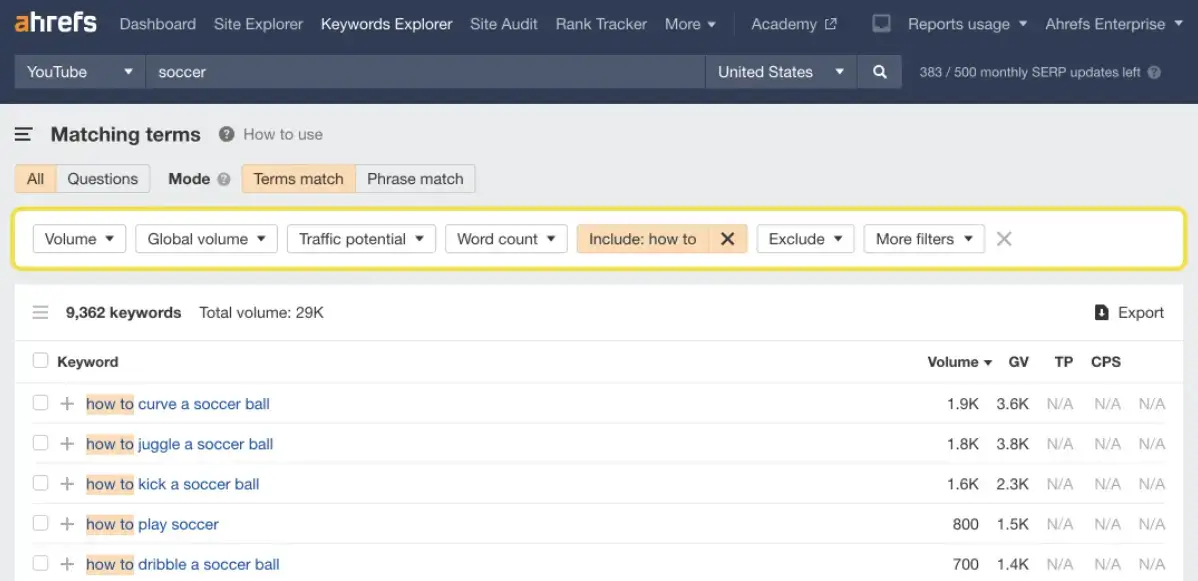
Just type in the keywords you want to target, and it will suggest keywords along with their search volumes and show the questions people are interested in.
After you have the keywords you want to target, look at your competitors’ YouTube accounts to see which video styles and topic angles get the most views.
You can then experiment with similar keywords and video styles.
2. Create Before-and-After Videos
One video format that consistently goes viral is the before-and-after format. I have seen these types of videos in various niches, such as weight loss, home improvement, fashion, and gardening.
Most of them are simple videos like this one from @our_home_style. It shows before-and-after clips of how they landscaped their backyard without spending thousands of pounds.
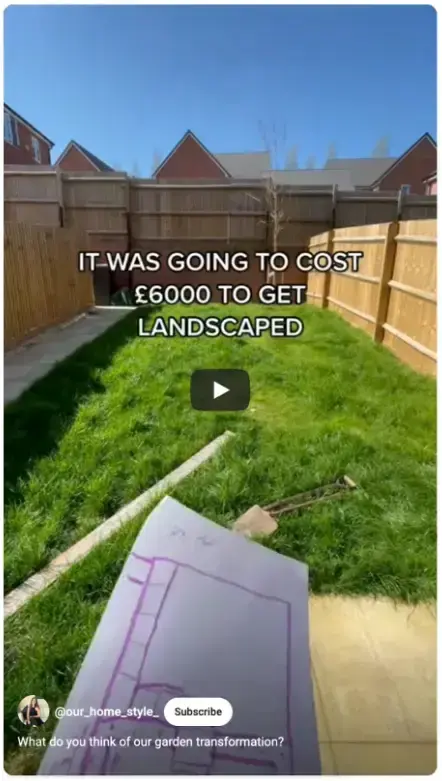
If you want to stand out and get more views than the other people creating before-and-after videos, you need to get creative, like in this video from @tatish.ko.
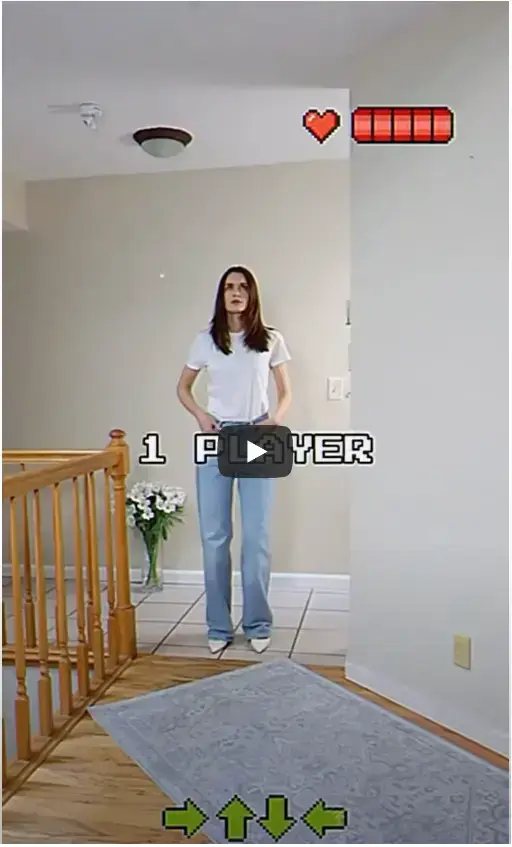
She mashed up Tetris by trying on different outfits to create an attention-grabbing video.
It might seem like something too advanced for anyone but top video editors like Zach King to put together, but anyone can make them with Videoleap by Lightricks, as Takish did.
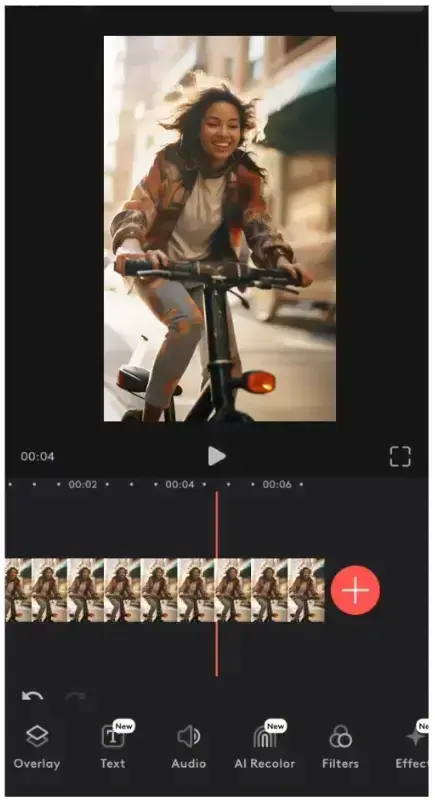
The app comes with templates, splicing tools, text titles, stickers, AI filters, video background removers, and many other features that make it easy to create professional-quality videos like the above.
It can also automatically generate captions for your Shorts, so you don’t have to spend hours manually adding them.
3. Repurpose Long-Form Content
If creating short and longer videos simultaneously is too overwhelming and time-consuming, you can simply repurpose your long-form videos.
Go through your analytics and see which long-form videos have generated the most views lately. Then, dive deeper into each video's analytics.
You can use these KPIs to determine which videos performed best and which parts of the videos people enjoyed most.
You can then use a simple video editing tool to cut out parts that people enjoyed watching most. For some ideas, check out Rich Roll’s Shorts. He mainly publishes short-form video content.
The source materials here are entire podcast episodes that are over an hour long (many are more than 2 hours).
He also makes clips from his long-form videos and publishes them as Shorts.
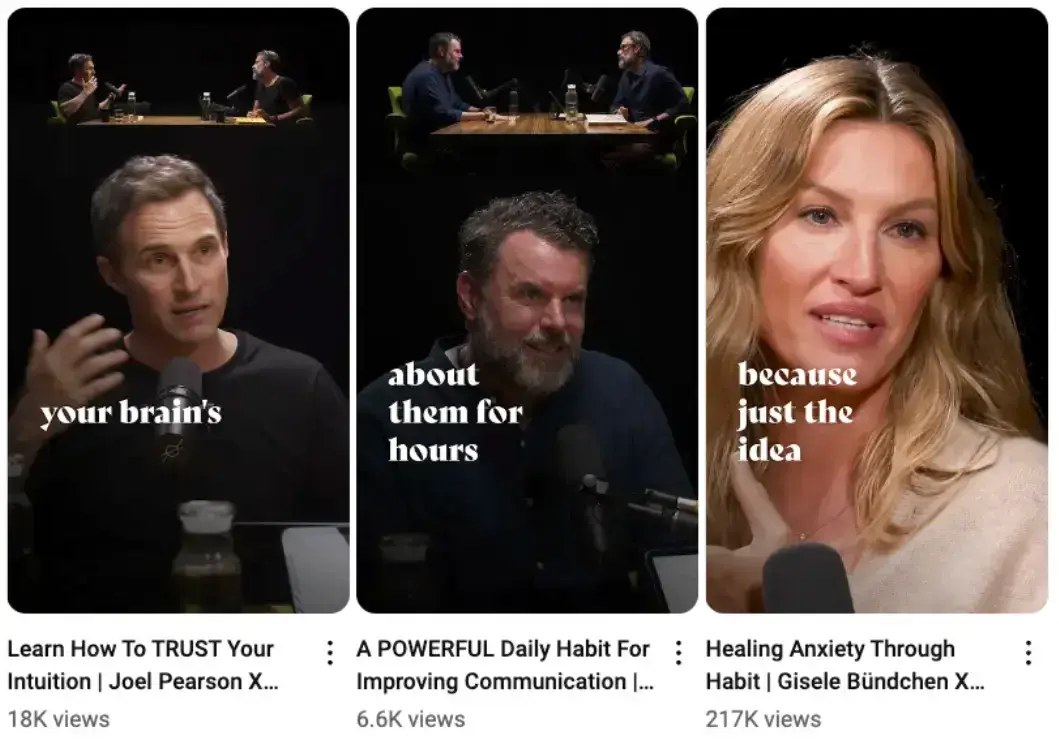
He also overlays text on the thumbnail to encourage more people to click through.
Many people who watch these short clips will become curious about the entire podcast episode and check it out.
4. Share UGC Reviews
Posting UGC, especially product reviews from everyday users, has two main benefits…
- It shows your potential customers that your products work exactly as you advertise, and that many people like them.
- It gives customers their 15 minutes of fame.
These two things, in turn, incentivize more customers to create video reviews of your products in hopes that you will feature them on your channel.
So, always look for UGC content on the web. You can use a monitoring tool like StoryClash to see if people mention your products anywhere online. It also allows you to track competitor mentions.
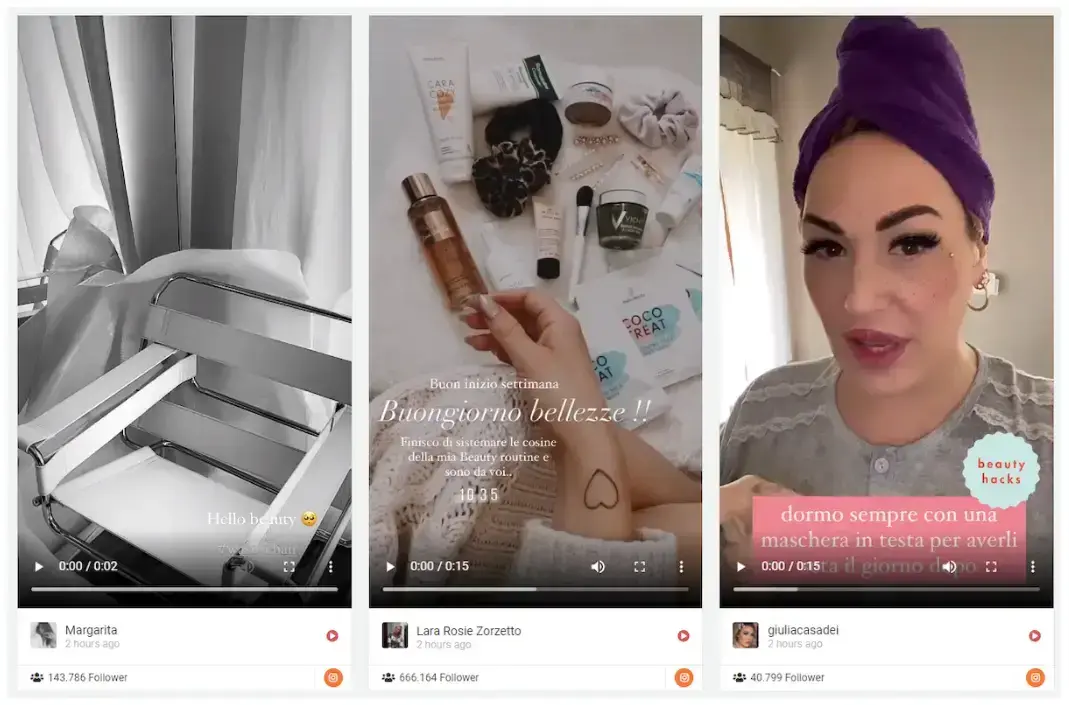
You could also ask customers to use a specific hashtag to be featured on your channel if you don’t have the budget for a tool like this.
5. Create Trailers for Longer Videos
A few days before you publish your longer video, publish a Short that goes over some of the valuable talking points that your longer video will include and say when you’ll release it.
Those initial views will tell the YouTube algorithm that people like your video, so that it will show it to more people, and you will have a higher chance of going viral.
I came across the short below in my feed from @TylerOliviera, in which he talks about a squatter he knows. He talks about him for a bit, and at the end of the video, he asks you to check out the full video to watch the rest.
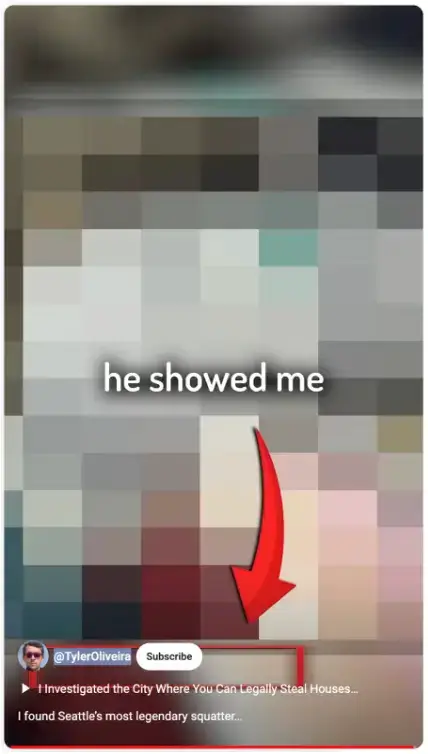
This YouTube Short has 6.1 million views and has driven thousands of other views to the main video.
6. Repost From TikTok and Instagram Reels
Do you already post content to TikTok and Instagram reels? Then you must have a lot of material to post again as YouTube Shorts. It’s a great way to see which content works well on Shorts.
Start by posting your most popular TikTok and Instagram Reels as YouTube Shorts, then post some of your less popular videos.
It will help you gather a lot of data to create more engaging YouTube Shorts.
Create and Post Those YouTube Shorts!
Experiment with these ideas to get some of your first Shorts out. After that, you should brainstorm and determine what works best for you.
As many top YouTubers like Mr. Beast recommend, YouTube is all about experimenting, measuring the data with analytics, and scaling what works.
You could also experiment with ideas that are working for your competition, as they have been through their rounds of experimentation.
FAQs: YouTube Shorts Ideas
1. What makes a good YouTube Short?
Good YouTube Shorts are engaging, concise, and often cater to trending topics or niches. Keep it visually appealing with fast-paced editing.
2. How do you make a YouTube Short?
To make a YouTube Short, simply record a video under 60 seconds using your phone, then upload it directly through the YouTube app. Add relevant keywords, such as "video ideas for YouTube Shorts", to boost visibility.
3. When is the best time to post a YouTube Short on Saturday?
The best time to post on Saturday is typically between 10 AM and 1 PM to maximize engagement.
4. What are some YouTube Shorts ideas for beginners?
Beginners can start with easy ideas like sharing life hacks, quick tutorials, or doing product reviews.
5. What are the best YouTube Shorts niches?
Popular niches include tech, beauty, food, fitness, and DIY. These categories are more likely to resonate with a broad audience.
6. How to start a YouTube Shorts channel?
Focus on a consistent niche, regularly upload engaging content, and optimize for SEO by using shorts ideas for YouTube.
7. What are funny YouTube Shorts ideas?
Try creating quick comedy skits or showing off funny moments with pets or friends.
8. Can I go viral with YouTube Shorts?
Yes, by capitalizing on trending topics and using engaging titles like viral YouTube ideas or best YouTube Shorts ideas.
9. How often should I post YouTube Shorts?
For steady growth, aim to post 2-3 times a week, preferably during high-traffic hours, such as late mornings or early afternoons.
10. Do I need special equipment to make YouTube Shorts?
No, you can start with just a smartphone, though good lighting and sound will enhance the quality.

Author Bio
Hey, it's Mick, and I'm the Growth Marketing Manager at POWR. My marketing career spans two decades, primarily in growth marketing in the healthcare space, with stints in broadcast television, advertising and copy editing.
I've been creating video content on YouTube for nearly 15 years, and YouTube Shorts is a big part of our marketing strategy at POWR.
I attended the College of Journalism at the University of Louisiana at Monroe, and I am a storyteller at my core. My wife, Elizabeth, my son, Gavin, and my pup, Jolene, currently call Lafayette, Louisiana, home.
Follow POWR on YouTube.