
’Tis the season to boost your online presence and sleigh the competition! Imagine your eCommerce website as Santa's workshop, and your goal is to fill those digital stockings with organic search traffic.

The holiday season is a crucial time for eCommerce businesses, as consumers are out spending money on gifts and other items. Now is the time to build your Black Friday marketing campaigns, and stand out amid your competition.
In this article, we've put together five tips that will help increase your organic search traffic and have your website singing carols of success.
Shortcuts:
- Evaluate Current Website Load Time
- Analyze Trends From Last Year
- Find & Use Relevant Holiday Keywords
- Create Holiday-Specific Landing Pages
- Update Product Descriptions

Evaluate Current Website Load Time
Evaluating your website's load time is important for ensuring a good user experience and SEO performance. There are several tools and methods you can use to assess your website's load time:
- Online Speed Testing Tools
- Google PageSpeed Insights: This tool from Google not only provides load time data but also offers suggestions for improving your website's performance.
- GTmetrix: GTmetrix offers detailed reports on your website's performance, including load time, page size, and recommendations for optimization.
- Pingdom: Pingdom provides insights into various aspects of your website's performance, including load time and performance grades.
- Web Browsers
- Most web browsers, such as Google Chrome and Mozilla Firefox, have built-in developer tools that allow you to assess your website's performance.
In Chrome, for example, you can pressF12orCtrl+Shift+I(Windows/Linux) orCmd+Option+I(Mac) to open the DevTools. Then, go to the "Network" tab and reload your webpage to see load time data.
- Most web browsers, such as Google Chrome and Mozilla Firefox, have built-in developer tools that allow you to assess your website's performance.
Keep in mind that various factors — including hosting, website design, content, and third-party scripts — can affect load times, so it may require a combination of techniques to optimize it effectively.
Regularly monitoring your website's performance and addressing any issues that arise is crucial for maintaining a fast and responsive site.

Analyze Trends From Last Year
The holiday season is a critical time for sales, and a sudden drop in traffic can significantly impact the bottom line.
Fortunately, there's an easy way to get a sense of where your holiday traffic will come from: simply look back at last year's Search Terms report in Google Search Console.
By following these steps, you can access and review the search terms that led users to your website during the previous year using Google Search Console's performance report.
This information can be valuable for optimizing your website's content and SEO strategy for the future.

Find and Use Relevant Holiday Keywords
If you want your holiday shopping season to be merry and bright, you must start with a solid keyword plan. Keyword research is a crucial part of any successful SEO strategy leveraging different SEO tools, which is vital during the holidays.
Shoppers are looking for bargains and unique gifts, so you need to make sure you're targeting the right keywords.
Remember, during the holiday season, it's not that simple to show your online store on the first page of search results. That's why you need to pick your keywords carefully.
Don’t go after overly competitive terms that you’ll never be able to rank for effectively. Instead, focus on long-tail keywords specific to your product or service.
By targeting a more narrow audience, you'll have a better chance of getting your website in front of potential customers.
After reviewing your performance report on Google Search Console from last year to see which keywords shoppers used to find you, look into other historical data from past years to see if there are any trends.
Lastly, target a mix of high-volume and long-tail keywords and include relevant seasonal terms.
With some planning, you can ensure that your website is visible to shoppers looking for what you have to offer.
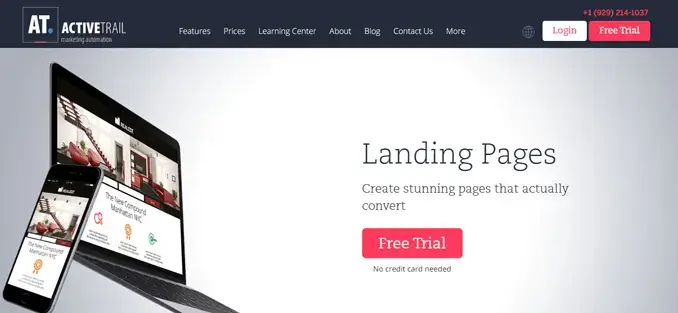
Create Holiday-Specific Landing Pages
The holidays are a busy time for everyone, including your customers. If you want to capture their attention (and their organic search traffic), you need to create landing pages that are both engaging and informative.
The best landing pages are designed with the user in mind, providing everything they need to know about your products or services in an easy-to-navigate format.
They should also be visually appealing, with high-quality images and videos that showcase your products in their best light.
Finally, your landing pages should be periodically updated with fresh content, keeping them relevant for search engines and users alike.
By following these tips, you can ensure that your eCommerce site is ready for the holiday rush.
Update Product Descriptions
As any eCommerce expert knows, product descriptions can significantly impact conversion rates. And with the holiday season coming up, it's even more important to spruce up your copy to stand out from the competition and gain more organic traffic.
You can also focus on the benefits of your products rather than just the features. One way to do this is to use more emotional words in your descriptions — words like “cozy,” “festive,” and “jolly” can create a sense of warmth and excitement that will resonate with holiday shoppers.
For example, rather than saying, “our hiking boots are waterproof and have great traction,” try something like, “our hiking boots will keep you dry and comfortable no matter what the weather is like.”
Using more emotive language in your product descriptions can make a lasting impression on holiday shoppers and boost your conversion rates.

How To Find Search Terms in Google Search Console
- Access Google Search Console: https://search.google.com/search-console/
- Select Your Property (Website): If you have multiple properties (websites) added to GSC, select the one you want to view from the property selector in the upper-left corner.
- Navigate to the Performance Report: In the left-hand sidebar, click on “Performance.”
- Set Date Range: Choose the date range that corresponds to the previous year.
- View Search Queries: Scroll down to “Search results” or “Queries” to see what brought users to your site.
- Filter by Date: To narrow the data to the previous year, adjust the range again to that year.
- Export Data (Optional): Click “Export” to download the search query data in CSV format.
Wrap Up
As the holiday season approaches, remember that your eCommerce website is your very own North Pole — filled with digital treasures waiting to be discovered by eager shoppers.
So, don't let your website be the Grinch that steals your success. Instead, follow these tips, watch your website shine like Rudolph's nose in the night sky, and sleigh the competition with joy and delight.
Wishing you a prosperous and merry holiday season filled with abundant organic search traffic and cheerful customers! 🦌🎉🛍️

Author Bio
Alan S Lui is a seasoned executive and the Global Head of Shangri-La Circle, the 11-million-member loyalty program of Shangri-La Group, Asia's leading hospitality brand.
He was previously CMO of Fusion Bank, a digital bank based in Hong Kong, and COO of Asia Miles, a 12-million-member mileage program of Cathay Pacific Airways.
He shares his views on marketing, operations, and investment trends on his blog iamalanlui.com. Connect with him on LinkedIn.
 Mick Essex