

My first year as a professional was 1999. It’s fair to say that a LOT has changed over the last 25 years, but one thing remains the same.
There’s an acronym for everything, and no one can agree on which ones are the most important. This will be my take on it.
In this crash course of business acronyms, I’ll include:
- What the acronyms stand for
- Why they matter to grow your business
- How they apply to you specifically
I’ll even include useful formulas and examples to reduce some of the noise and confusion.
At POWR, we aim to provide easy-to-use, customizable, free solutions for small businesses to achieve your business goals. But we also just want you to have the information you need too.
So, let’s dive in!
In this article:
- SEO
- CMS
- SSL
- API
- UX/UI
- HTML
- DNS
- CDN
- ROI
- ROAS
- CAC
- LTV
- ARPU
- MRR
- CRO
- AOV
- COGS
- SKU
- CRM
1. SEO
Search Engine Optimization (SEO) refers to improving your website’s visibility on search engines like Google, and next year is gonna be a doozy of new SEO trends to watch!
It involves optimizing various elements of your website—like keywords, content, images, and backlinks—to ensure it ranks higher in search engine results pages (SERPs). The goal is to drive more organic (unpaid) traffic to your website.
For example, if you run a local bakery, optimizing your website with terms like “best bakery in [your city]” can help people in your area find you online.
By focusing on SEO, you can:
- Increase your website traffic without paying for ads.
- Build trust with customers, as higher rankings often indicate credibility.
- Gain long-term benefits since good SEO practices can keep bringing traffic over time.
How it applies to you: According to BrightEdge, 68% of online experiences begin with a search engine, and SEO drives 1000%+ more traffic than organic social media.
Start small by creating high-quality content with relevant keywords, ensuring your website loads quickly, and making it mobile-friendly.
Free tools like Ubersuggest can help you take actionable steps to improve your site’s ranking without needing advanced technical knowledge.
2. CMS
A Content Management System (CMS) is software that helps you create, manage, and modify your website without writing code.
Platforms like WordPress and Shopify are popular examples of CMS tools.
They make it easy for business owners like you to upload content, update product listings, and customize your site with pre-designed templates.
Why it matters: Using a CMS saves you time and effort, allowing you to focus on growing your business rather than getting bogged down in technical details.
It also helps you maintain a consistent and professional-looking website without hiring a developer.
How it applies to you: If you’re using Shopify or WordPress, apps like POWR can help you add features to your site without any coding skills.
Look for CMS platforms that offer drag-and-drop builders, easy integrations, and scalability as your business grows.
3. SSL
SSL (Secure Sockets Layer) is a security protocol that encrypts the connection between a user’s browser and your website.
When your website has an SSL certificate, it shows a padlock icon in the address bar and uses "https" instead of "http."
Why it matters: An SSL certificate ensures that sensitive information—like payment details or passwords—is secure. Customers are more likely to trust and shop on an SSL site. It also improves your SEO rankings, as Google favors secure sites in search results.
How it applies to you: Many web hosting providers include free SSL certificates with their plans, so there’s no reason not to secure your site. A secure site builds customer trust and protects your business from potential threats.
4. API
APIs (Application Programming Interfaces) allow different software programs to communicate with each other. For example, you can use the PayPal REST API to integrate their payment gateway into your site.
Why it matters: APIs make your business operations more efficient by enabling quick and easy integrations between tools and platforms.
For instance, using an API to connect your eCommerce store with a shipping service automates order fulfillment, saving time and reducing errors.
How it applies to you: APIs are your friend for streamlining processes like payments, inventory management, or customer support.
Platforms like Zapier allow you to connect multiple apps and automate workflows without coding. And, yep, you guessed it, POWR Forms integrate with Zapier 😉
5. UX/UI

UX (User Experience) and UI (User Interface) are about how your website looks and feels to visitors.
UX ensures the site is easy to navigate and meets your customers’ needs, while UI focuses on visual elements like buttons and layout.
Why it matters: A well-designed UI/UX keeps visitors on your site longer and encourages them to take action, like purchasing or signing up for your newsletter.
Poor design can frustrate users and lead them to leave your site quickly, impacting your conversions and revenue.
How it applies to you: Investing in UI/UX design doesn’t have to be expensive. Tools like Canva and Figma can help you create visually appealing elements, while user feedback and analytics tools like Hotjar can show you where visitors might be getting stuck.
6. HTML
HTML (Hypertext Markup Language) is the standard coding language used to create the structure of a webpage. It makes your content appear as headers, paragraphs, and images on the screen.
Why it matters: Even though most website platforms handle HTML for you, having a basic understanding can be helpful for troubleshooting and making minor edits.
How it applies to you: You don’t need to become a coding expert, but knowing how to adjust things like text formatting or image alignment using HTML can save you time and money.
7. DNS
DNS (Domain Name System) is like the phonebook of the internet. It translates domain names (like yourwebsite.com) into IP addresses that computers use to locate your site.
Why it matters: If your DNS settings aren’t configured correctly, visitors may be unable to access your site. It also impacts your email delivery and website speed, so having a reliable DNS setup is crucial.
How it applies to you: Your web host or domain provider usually handles DNS setup for you, but it’s worth understanding the basics.
Knowing how DNS works can make the process smoother if you ever need to migrate your site or troubleshoot connectivity issues.
8. CDN
A Content Delivery Network (CDN) is a network of servers distributed globally. It helps deliver your website content faster to users by storing copies of your site on multiple servers.
Why it matters: Slow-loading websites drive visitors away and hurt your SEO rankings. A CDN improves loading times by serving content from the server closest to the user, reducing latency, and improving the overall user experience.
How it applies to you: If your site is slow, a CDN can speed it up, improving the user experience and potentially boosting your SEO—services like Cloudflare offer free and paid CDN solutions.
9. ROI
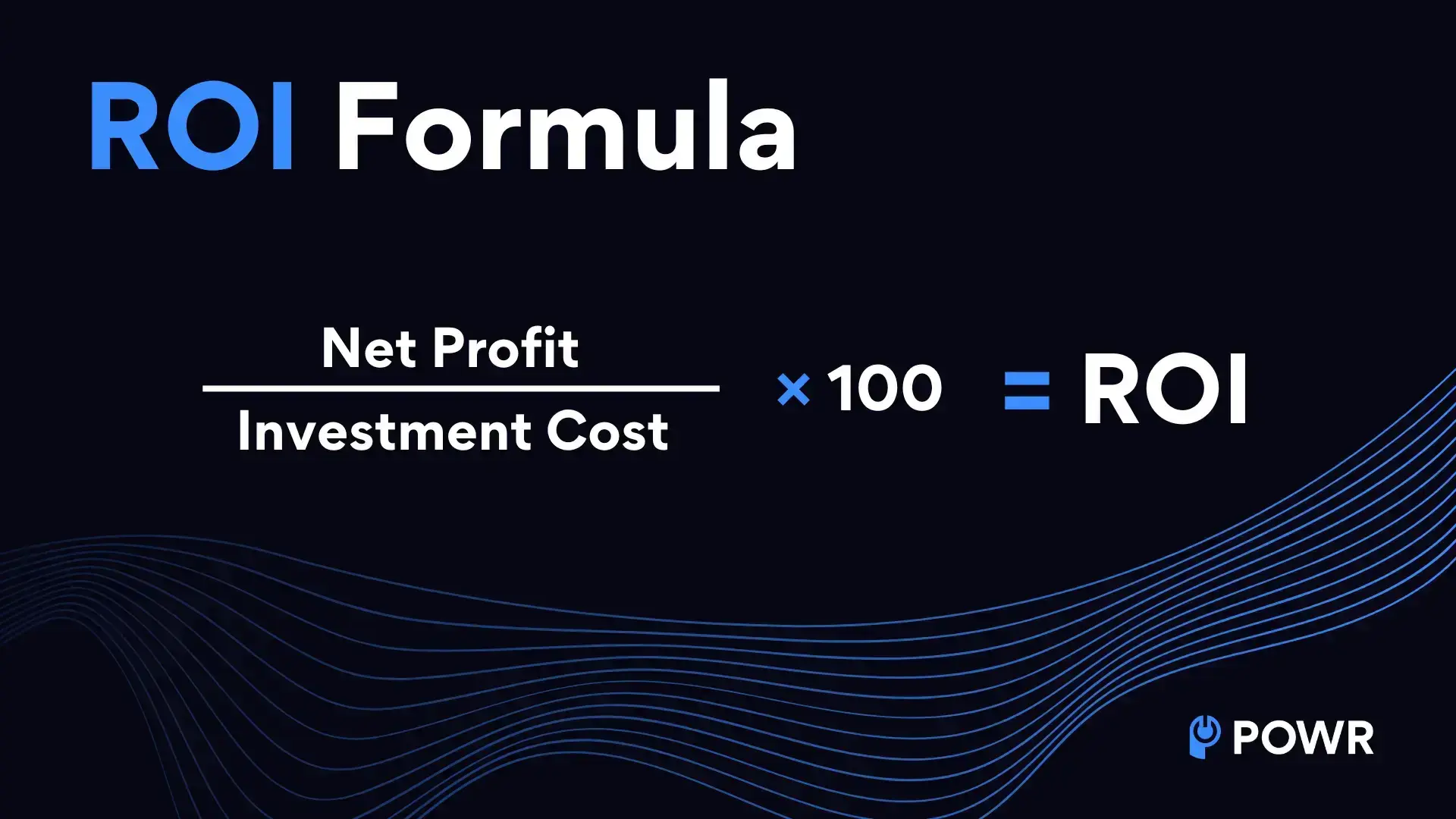
ROI, or Return on Investment, measures the profitability of an investment relative to its cost.
It’s one of the most straightforward metrics to determine whether your marketing, product development or advertising efforts are paying off.
Formula: ROI = (Net Profit / Investment Cost) × 100
Example: Let’s say you spend $1,000 on a social media ad campaign, and it generates $3,000 in sales. The net profit is $2,000 ($3,000 - $1,000). Using the formula: ROI = ($2,000 / $1,000) × 100 = 200%
Why it matters: ROI helps you make informed decisions about where to allocate your resources. A positive ROI indicates that your investment yields returns, while a negative ROI means losing money.
How it applies to you: Whether launching a new product, running an ad campaign, or investing in tools like email marketing software, calculating ROI can help you identify what’s working and what’s not.
Start tracking the costs and returns of your investments to maximize profitability and minimize waste.
10. ROAS
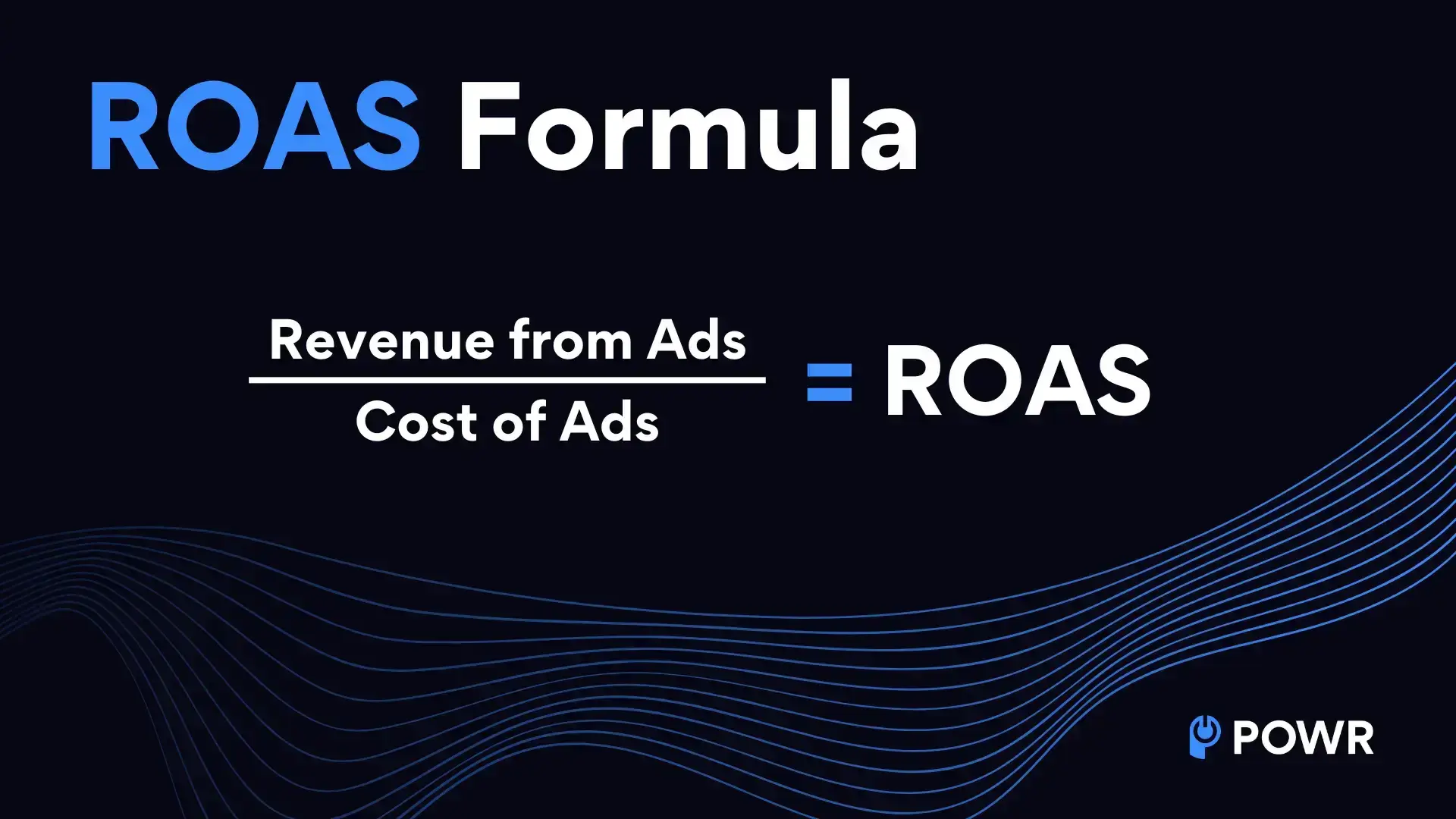
ROAS, or Return on Ad Spend, is a metric that tells you how much revenue you generate for every dollar spent on advertising. It’s a more specific ROI version focused solely on ad performance.
Formula: ROAS = (Revenue from Ads / Cost of Ads)
Example: Imagine spending $500 on Google Ads and earning $2,000 in sales directly attributed to those ads.
Why it matters:
ROAS helps you evaluate the effectiveness of your advertising campaigns. A high ROAS means your ads are working well, while a low ROAS might signal the need to adjust your targeting, creative, or budget.
How it applies to you: Use ROAS to optimize your ad spend by identifying which campaigns or platforms drive the best results.
Tools like Google Ads Manager and Facebook Ads Manager provide built-in ROAS tracking to make analysis easier.
11. CAC
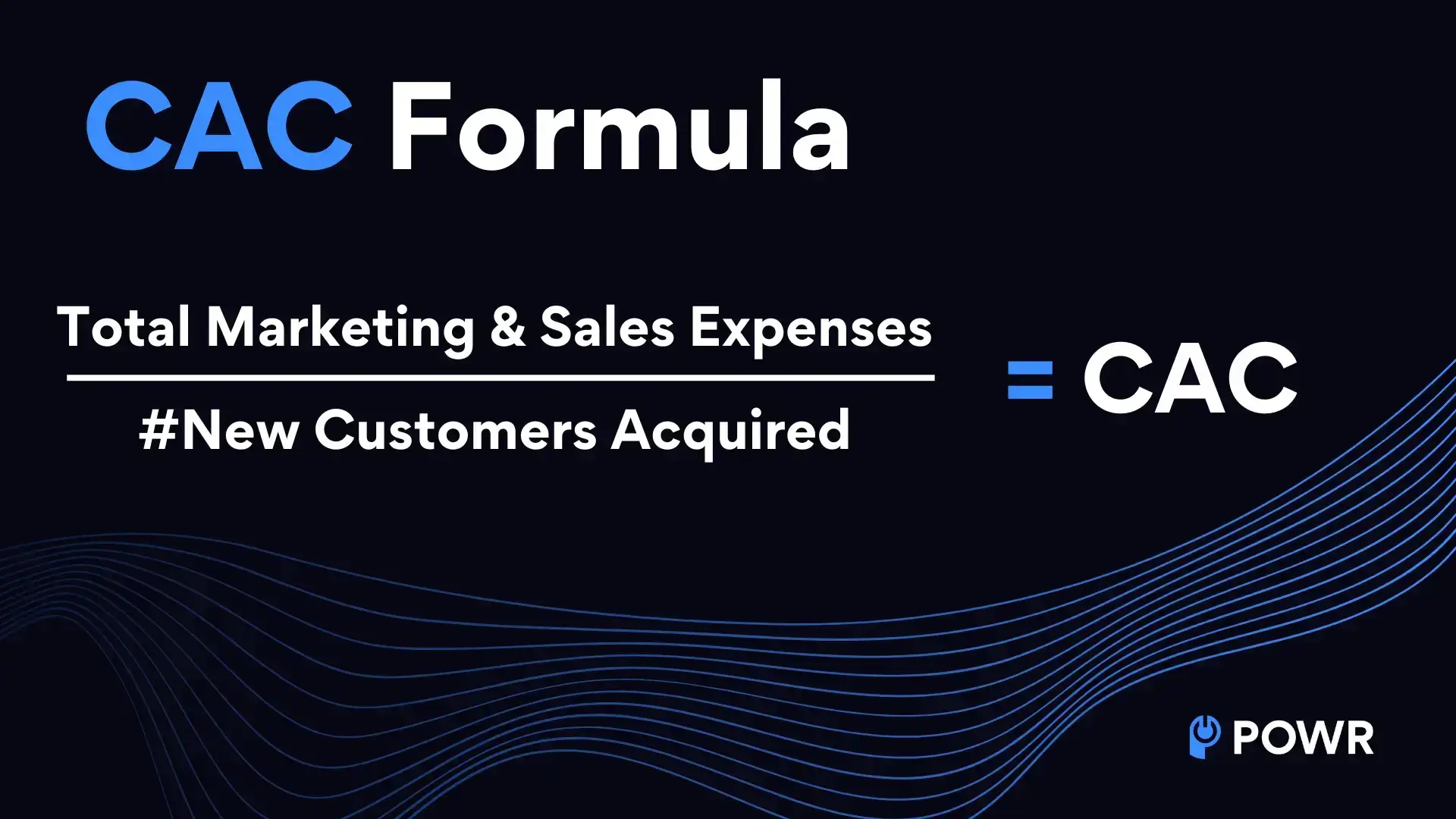
CAC measures how much it costs to acquire a new customer. This includes all sales and marketing expenses related to customer acquisition.
Formula: CAC = (Total Marketing and Sales Expenses / # of New Customers)
Example: If you spend $1,200 on marketing in a month and gain 40 new customers, the formula would look like this: CAC = ($1,200 / 40) = $30. This means it costs you $30 to acquire each new customer.
Why it matters: Knowing your CAC helps you assess whether your customer acquisition efforts are sustainable. If your CAC is higher than the revenue generated by a new customer, you may need to reevaluate your strategy.
How it applies to you: Track your CAC regularly to ensure your marketing and sales efforts are cost-effective. If your CAC is too high, consider experimenting with less expensive marketing channels, such as social media or email campaigns.
12. LTV
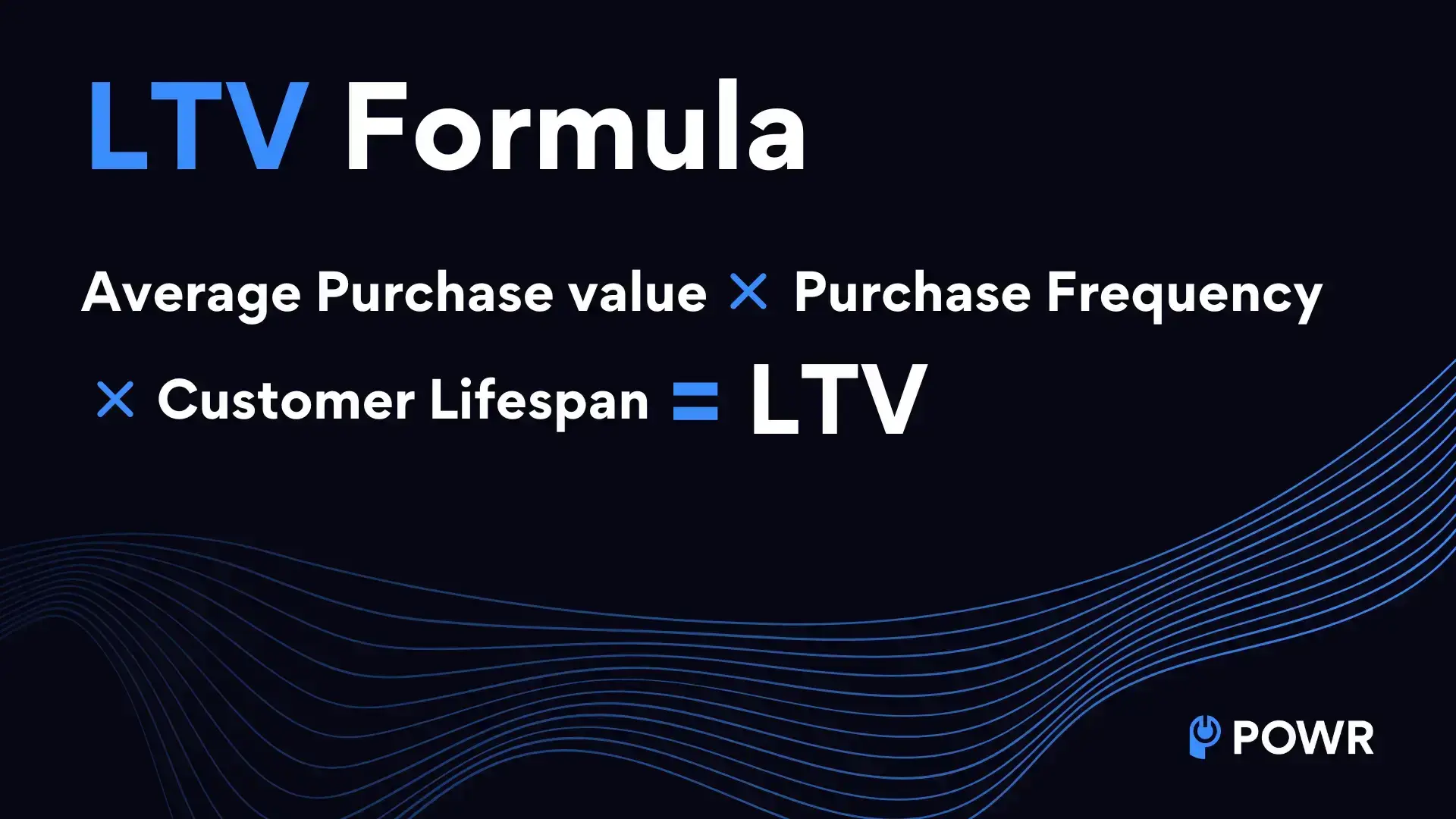
LTV, or Lifetime Value, represents the total revenue a customer is expected to generate for your business over their lifetime.
Formula: LTV = (Average Purchase Value × Purchase Frequency × Customer Lifespan)
Example: If your average customer spends $50 per purchase, makes 4 purchases per year, and remains a customer for 3 years: LTV = ($50 × 4 × 3) = $600
Why it matters: Understanding LTV helps determine how much you can spend on customer acquisition and retention.
A high LTV indicates loyal customers who contribute significantly to your revenue.
How it applies to you: Focus on strategies that increase LTV, such as upselling, cross-selling, and loyalty programs. Tracking LTV alongside CAC can help ensure your customer acquisition efforts are profitable.
13. ARPU
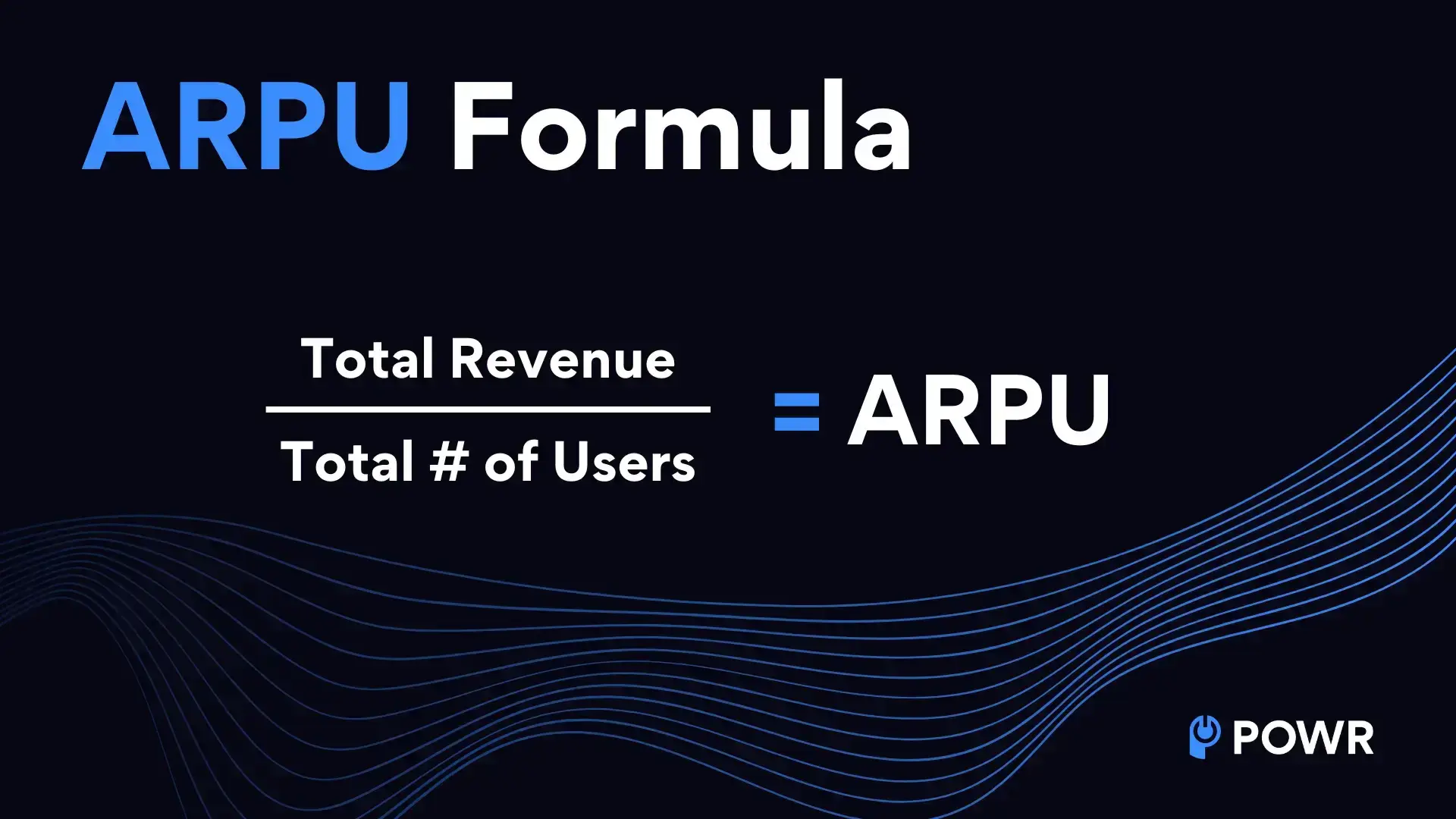
ARPU, or Average Revenue Per User, measures the average revenue generated per user over a specific time period.
Formula: ARPU = (Total Revenue / Total Number of Users)
Example: If your business earns $10,000 in revenue from 500 customers in a month: ARPU = ($10,000 / 500) = $20
Why it matters: ARPU helps you understand how much value each customer brings to your business. Monitoring this metric over time can reveal trends and guide pricing or marketing strategies.
How it applies to you: Use ARPU to evaluate the success of pricing changes, product bundles, or premium offerings.
14. MRR
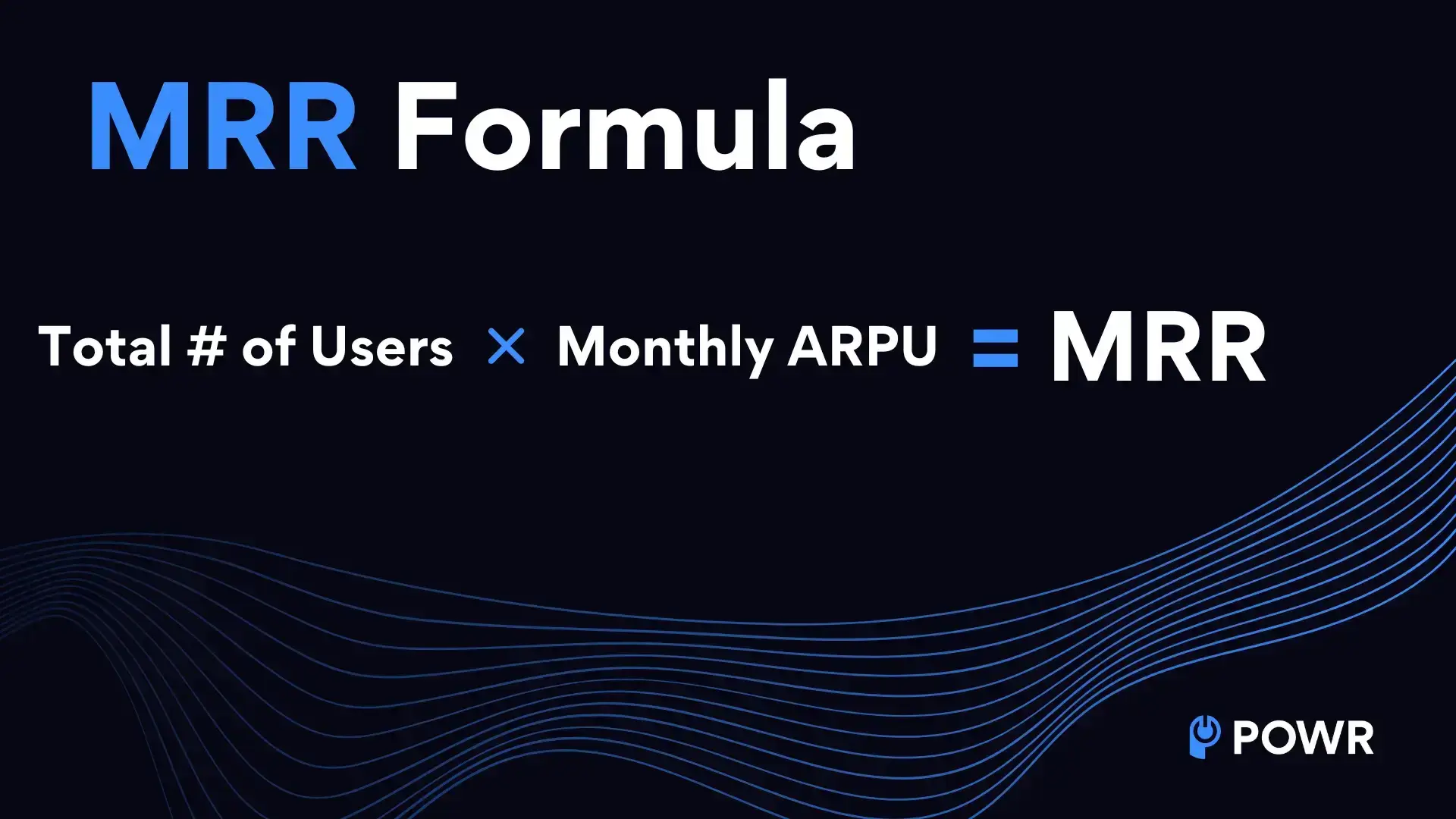
Monthly Recurring Revenue (MRR) represents the predictable revenue your business earns each month from subscription-based services.
Formula: MRR = (Total # of Customers x Total Monthly ARPU)
Example: If you have 100 subscribers, averaging $50 per month in revenue: MRR = (100 × $50) = $5,000
Why it matters: MRR provides a clear picture of your business’s financial health and growth trajectory. It’s especially important for SaaS and subscription-based businesses.
How it applies to you: Focus on increasing MRR by reducing churn, upselling current customers, or attracting new subscribers.
15. CRO
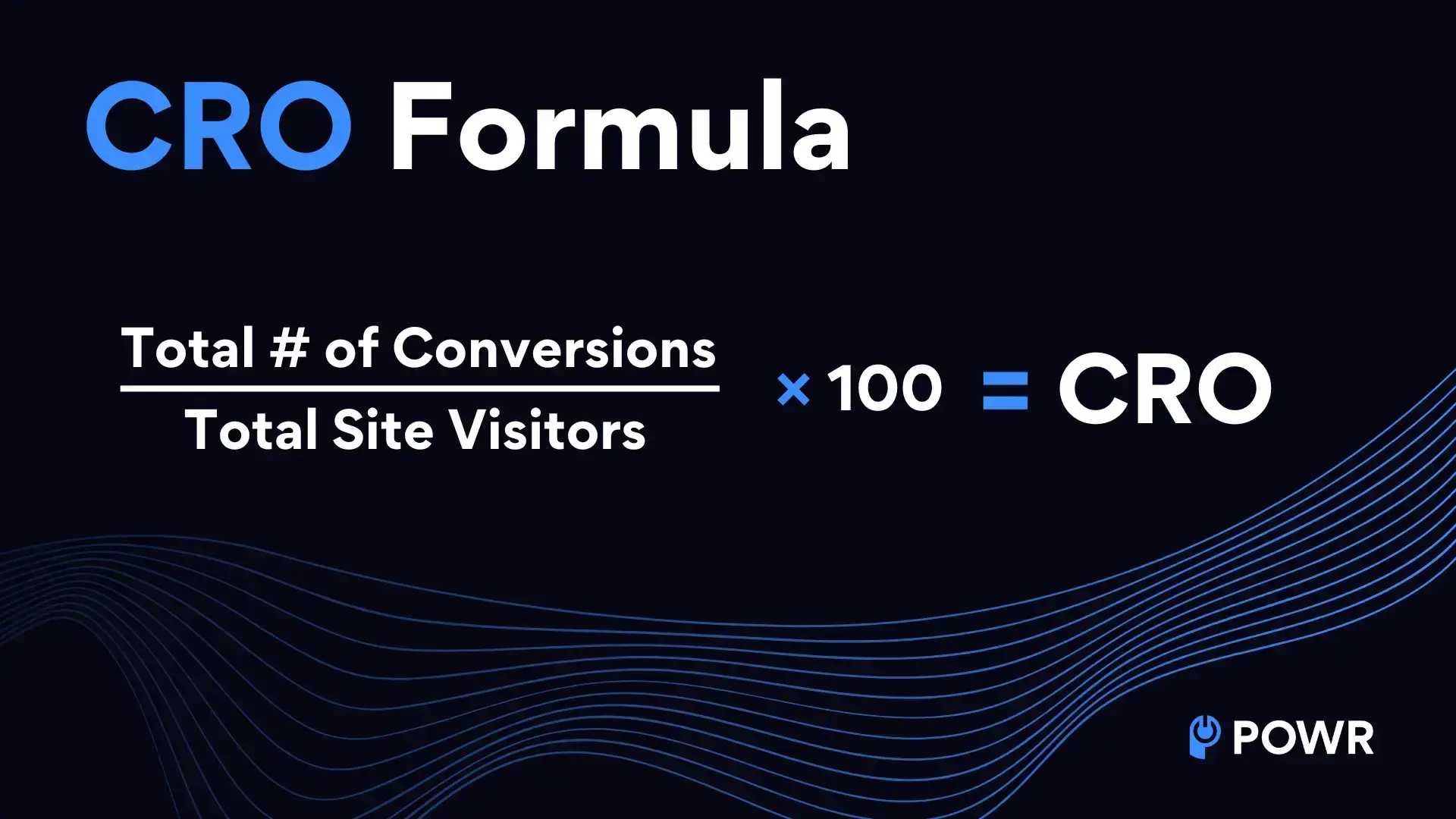
CRO, or Conversion Rate Optimization, involves improving your website to increase the percentage of visitors who take desired actions, such as purchasing or signing up for a newsletter.
Formula: Conversion Rate = (Conversions / Total Visitors) × 100
Example: If 1,000 people visit your website and 50 make a purchase, your conversion rate is: Conversion Rate = (50 / 1,000) × 100 = 5%
Why it matters: Optimizing your conversion rate can significantly increase revenue without driving more traffic to your site.
How it applies to you: Experiment with changes like improving your call-to-action buttons, simplifying checkout processes, behavioral segmentation, or offering limited-time discounts to encourage conversions.
16. AOV
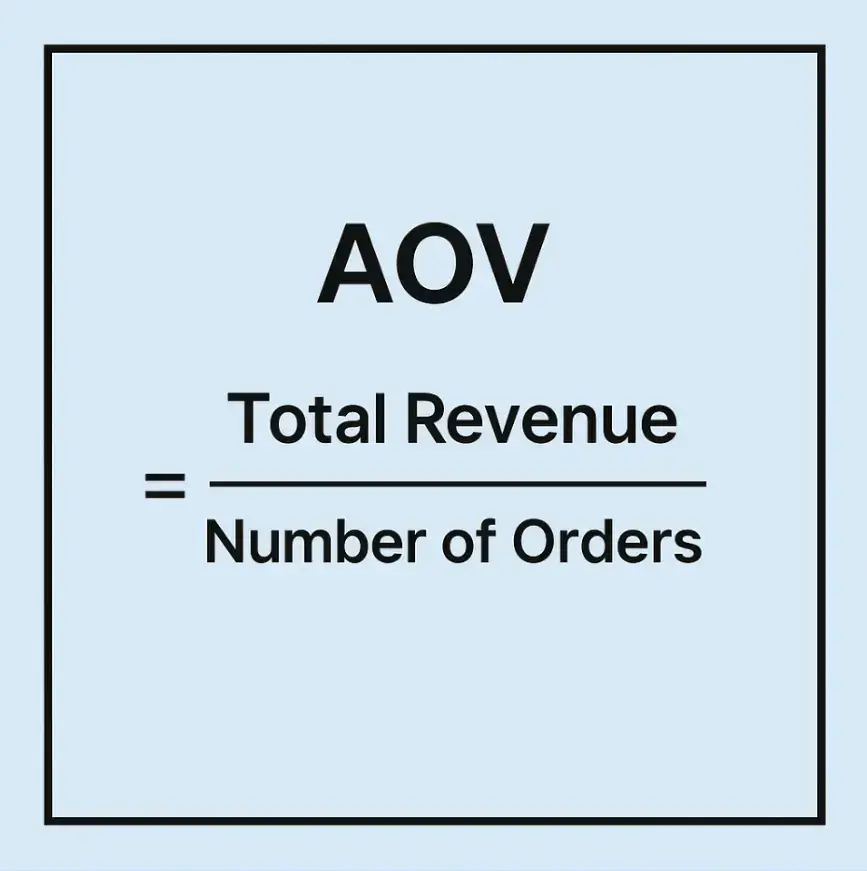
AOV, or Average Order Value, represents the average amount a customer spends per transaction on your website. It’s also sometimes referred to as ACV or Average Customer Value.
Formula: AOV = (Total Revenue / Number of Orders)
Example: If your store generated $10,000 in revenue from 200 orders, your AOV would be: AOV = ($10,000 / 200) = $50
Why it matters: Tracking AOV helps you understand customer spending habits and identify opportunities to increase the value of each transaction through strategies like upselling or bundling.
How it applies to you: Implement tactics like offering free shipping for orders over a certain amount or suggesting related products during checkout to boost your AOV.
17. COGS
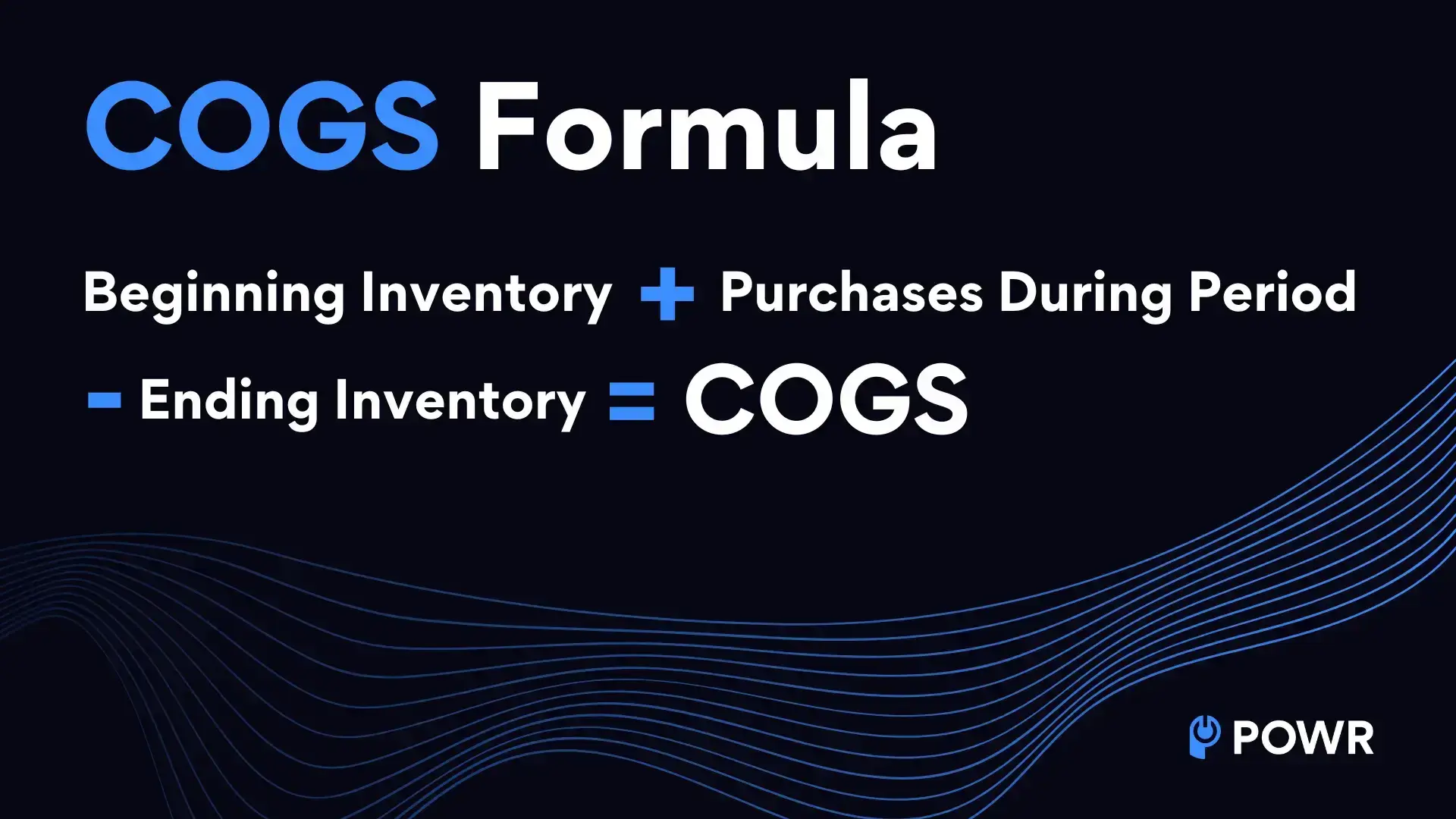
COGS, or Cost of Goods Sold, refers to the direct costs of producing or purchasing your products.
Formula: COGS = (Beginning Inventory + Purchases During the Period - Ending Inventory)
Example: If you start the month with $5,000 in inventory, purchase $2,000 worth of products, and have $3,000 left at the end of the month, your COGS would be: COGS = ($5,000 + $2,000 - $3,000) = $4,000
Why it matters: COGS is essential for calculating gross profit and understanding the profitability of your products.
How it applies to you: Regularly calculate and track your COGS to ensure your pricing strategy covers your costs and generates a healthy profit margin.
18. SKU
A Stock Keeping Unit (SKU) is a unique code assigned to each product or variation of a product in your inventory. It helps you organize, track, and manage your stock effectively.
Example: If you sell t-shirts in three sizes (S, M, L) and three colors (red, blue, black), each variation—such as a medium red t-shirt—gets its own SKU, like "TSH-RED-M."
Why it matters: SKUs streamline inventory management, making identifying and locating specific products easier. They also help prevent errors when tracking sales or replenishing stock.
How it applies to you: Use SKUs to simplify your inventory system. Many eCommerce platforms, like Shopify and BigCommerce, allow you to generate and manage SKUs automatically.
This ensures you can easily keep track of your products, even as your catalog grows.
19. CRM
Customer Relationship Management (CRM) refers to the strategies and tools used to manage your interactions with current and potential customers.
A CRM system helps you store customer data, track interactions, and analyze customer behaviors to improve relationships and drive sales.
Example:
If a customer purchases on your website, your CRM system can automatically update their contact record, track the sale, and schedule a follow-up email to thank them or offer related products.
Why it matters: A CRM system helps you stay organized, personalize customer interactions, and build stronger relationships, which can lead to higher retention and increased revenue.
Plus, businesses that use a CRM see an average ROI of $8.71 for every dollar spent, according to Nucleus Research.
How it applies to you: Consider using a CRM tool like HubSpot or Salesforce to streamline customer management processes.
Small businesses can absolutely benefit from CRMs by automating emails, tracking leads, and gaining insights into customer trends.
FAQs
1. What is the difference between ROI and ROAS?
ROI measures the overall profitability of an investment by comparing net profit to total cost, while ROAS focuses specifically on how much revenue you generate from advertising spend. ROI gives a broader business view, and ROAS is more useful for evaluating ad campaign performance.
2. Which business acronym should small business owners understand first?
A great place to start is with SEO, ROI, CAC, and CRM. These four help you understand how customers find you, whether your efforts are profitable, how much it costs to win new customers, and how to manage customer relationships effectively.
3. Why does SSL matter for a small business website?
SSL protects the connection between your website and its visitors by encrypting sensitive data like passwords and payment details. It also helps build customer trust and can improve your visibility in search engines, since secure websites are generally favored.
4. How do CAC and LTV work together?
CAC tells you how much it costs to acquire a customer, while LTV tells you how much value that customer brings over time. When LTV is much higher than CAC, your business is in a healthier position because customer acquisition is profitable.
5. Do I need to know technical acronyms like API, DNS, and CDN if I am not a developer?
Not in deep detail, but understanding the basics is very helpful. These terms affect how your website connects with tools, how your domain works, and how fast your site loads. Even a simple working knowledge can help you make better decisions and communicate more clearly with developers or service providers.
