
Building an online store used to require technical skills, a developer, and weeks of work—but that’s no longer the case.
With modern no-code tools, you can create, design, and launch a fully functional e-commerce website in as little as 1–3 days without hiring a developer.
In this article:
- Key Features to Look for in a No-Code E-commerce Builder
- Step-by-Step Guide to Building an E-commerce Website Without Coding
- How to Optimize Your E-commerce Website for Conversions
- Common Mistakes to Avoid When Building an E-commerce Website
This guide walks you through building your e-commerce site step by step, from choosing the right website builder and selecting a high-converting template to adding products, setting up payments, and optimizing your store for performance.
You’ll also learn actionable strategies to increase conversions, improve user experience, and avoid common mistakes that beginners often make.
Whether you're starting from scratch or testing a new product idea, this article will help you launch faster, reduce costs, and scale confidently.

Why Build an E-commerce Website Without Coding?
Many entrepreneurs have turned out to be fond of no-code websites because of their ease of use, particularly for novices and non-technical founders.
- Accessibility: The intuitive design tools will help the user go through each and every step, and therefore will make it easy and memorable for the user.
- Speed: Even a classic approach to developing a site may require weeks or even months, but with a no-code platform, you can build your e-commerce business in a few hours or days.
- Cost-efficiency: On one hand, outsourcing to a developer or agency may be costly, whereas a website builder is much cheaper, as it provides built-in features and templates.
Key Features to Look for in a No-Code E-commerce Builder
When choosing the appropriate website builder, it is necessary to pay attention on these essentials:
Mobile-Responsive Design
Most online shoppers use smartphones. A mobile-friendly website ensures your store looks great and functions smoothly on any device, improving customer experience and conversion rates.
Secure Checkout and Payment Integration
Shoppers are unlikely to complete a purchase on a website that feels unsafe. Make sure your builder supports trusted payment gateways like Stripe or PayPal, SSL certificates, and secure checkout pages.
Fast Loading Speed and Performance
Website speed and overall performance are equally important. As Google emphasizes, fast-loading websites and a strong user experience, measured by Core Web Vitals, are important factors in search rankings and overall site performance.
Step-by-Step Guide to Building an E-commerce Website Without Coding
Choose the Right Website Builder
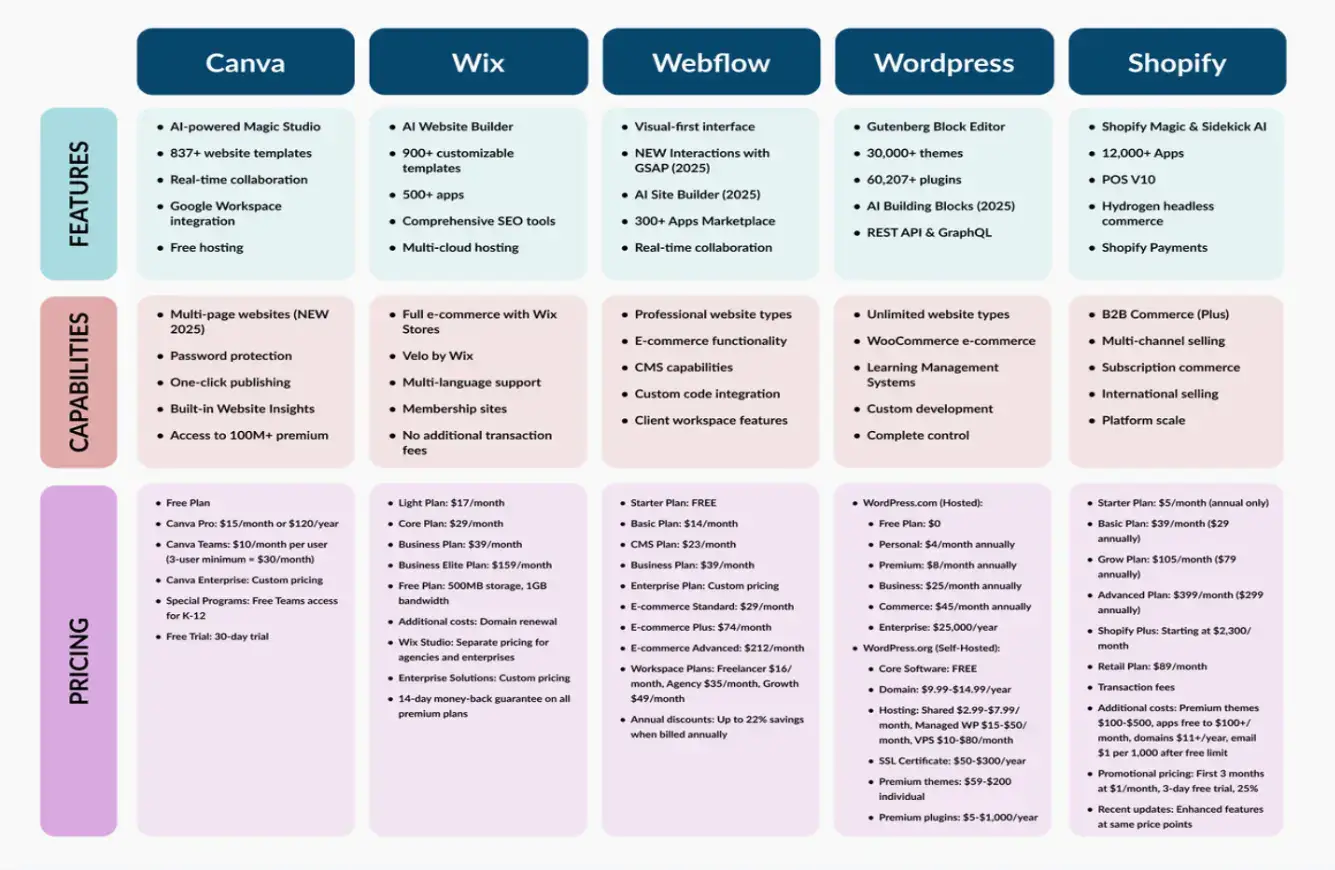
The first step is to choose a platform that fits your business. Ease of use, scalability, and built-in e-commerce capacities are the features to be considered when making a comparison.
Platforms like the no-code offering of Canva are unique for their ease of use and flexibility, making them ideal for small businesses and independent creators.
Step 2: Select a High-Converting Template
A proper design layout helps create a great first impression and instil trust among your visitors.
Concentrate on clean, attractive, and intuitive designs that make navigation easy and effectively highlight your products. Use consistent colors, readable fonts, and high-quality images to reflect your brand identity.
Include clear calls to action (CTAs) such as “Buy Now” or “Add to Cart” to guide users through the shopping process. Organize products into categories and feature bestsellers or trending items to make browsing effortless.
A visually appealing and user-friendly design not only boosts credibility but also encourages longer visits and higher conversion rates.
Best Practices for E-commerce Design:
- Simplify your design: According to Neil Patel, simplifying your website and removing unnecessary elements can significantly improve user experience and performance. Prioritize clear navigation and reduce visual clutter.
- Avoid heavy visual features: According to Shopify performance expert Alexander Lam, “heavy visual websites don't convert visitors… and they slow your site down,” referring to sliders, carousels, and other heavy elements that can hurt site speed and conversions.
- Use intuitive navigation: Shopify also recommends a clear visual hierarchy and simple menus to help users find products quickly.
A well-designed, user-friendly layout increases credibility, encourages longer browsing, and improves conversion rates.

Step 3: Customize Your Store Design
Your template should reflect your brand’s personality. Make adjustments to colors, fonts, and visuals to maintain consistency across the website.
Essential Pages Every E-commerce Website Needs:
- Home: Showcase your brand and top products
- Shop: Categorize and display your inventory
- About: Share your brand story and mission
- Contact: Provide easy ways to reach customer support
Step 4: Add E-commerce Functionality
The second thing is to establish the fundamental e-commerce features of your store. Add new product items and their description, price, and modification, which can be size or color.
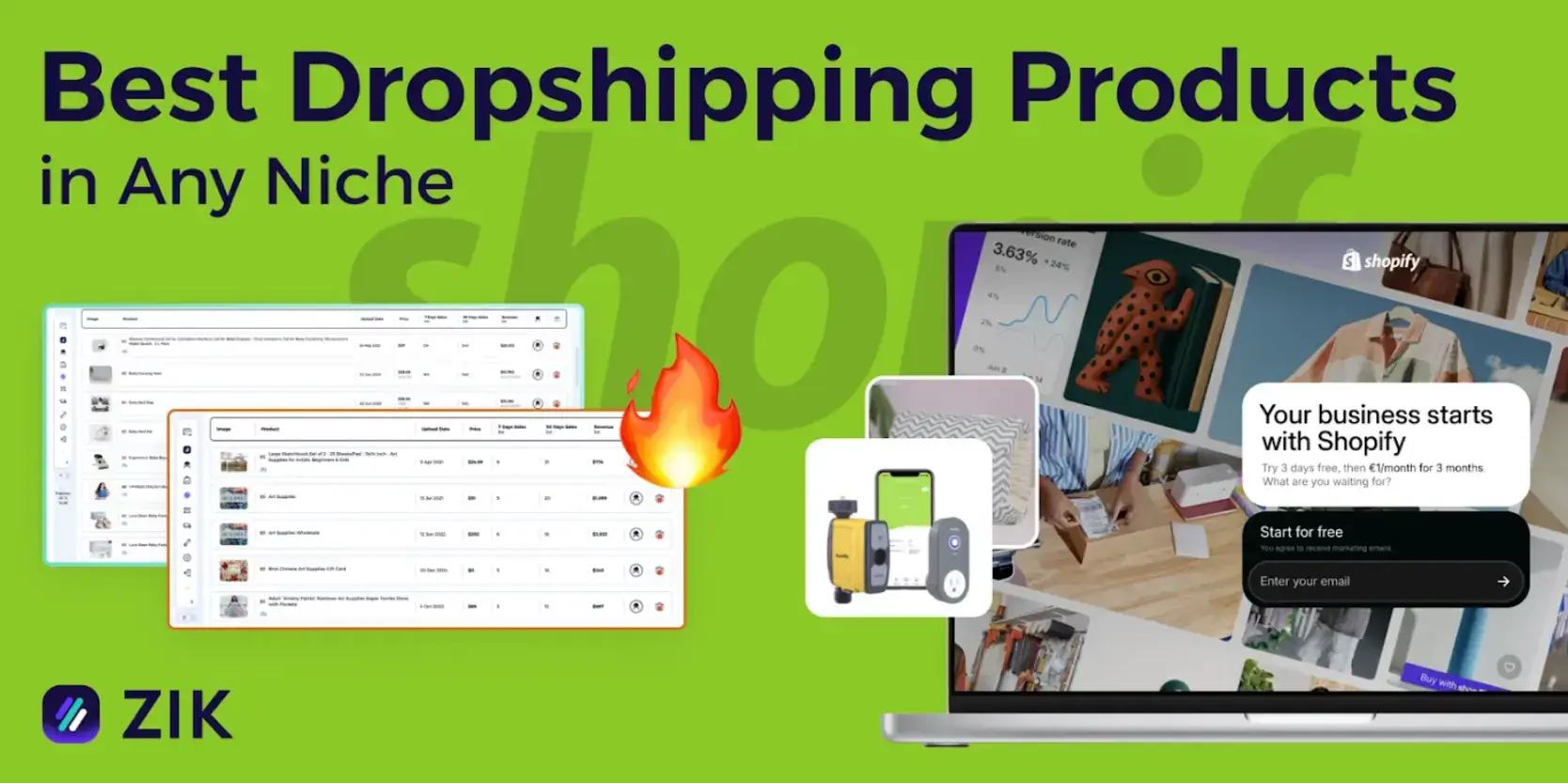
If you're still deciding what to sell, exploring trending dropshipping products can help you discover items with strong demand, seasonal potential, or niche appeal while minimizing inventory risk.
Plan your pricing strategy carefully, taking into account profit margins, competitor pricing, and shipping costs.
Don’t forget to enable inventory management, customer reviews, and promotional tools to enhance the conversion rate of your online store.
How to Optimize Your E-commerce Website for Conversions
Building your store is only half the job. To generate revenue, your website must convert visitors into customers. Even small improvements in conversion rate can significantly impact your overall sales.
Use Clear Calls to Action (CTAs)
Your visitors should never wonder what to do next. Every page should guide them toward a clear action.
Use prominent and action-driven CTAs such as “Buy Now,” “Add to Cart,” or “Get Started.” Place them strategically throughout your site, especially on product pages and above the fold.
Optimize Product Pages for Conversions
Product pages are where purchase decisions happen, so they need to be clear, persuasive, and trustworthy.
Include:
- High-quality images from multiple angles
- Clear and benefit-focused product descriptions
- Transparent pricing and shipping details
- Easy-to-find add-to-cart buttons
The goal is to remove friction and answer any potential questions before they arise.
Build Trust with Reviews and Social Proof
Customers are more likely to buy when they see that others have had a positive experience.
Add customer reviews, ratings, and testimonials to your product pages. Display trust badges, secure payment icons, and any guarantees (like money-back policies) to reinforce credibility.
Improve Site Speed and Mobile Experience
A slow or poorly optimized website can drive visitors away before they even see your products.
Ensure your site loads quickly and works seamlessly on mobile devices. Compress images, avoid unnecessary plugins, and choose a performance-optimized template.
Google also considers page speed and mobile usability as ranking factors, so improving these areas benefits both SEO and conversions.
Common Mistakes to Avoid When Building an E-commerce Website
While no-code tools make it easier than ever to launch an online store, beginners often make avoidable mistakes that can hurt performance and sales.
Overcomplicating the Design
It’s tempting to add animations, sliders, and flashy elements, but too many features can overwhelm users and slow down your site.
A clean, simple design with clear navigation will always perform better than a cluttered one.
Ignoring Mobile Optimization
Most online shoppers browse and buy from their phones. If your website isn’t mobile-friendly, you risk losing a large portion of your audience.
Always preview your site on different devices and ensure buttons, text, and images display correctly.
Not Setting Up Payments Properly
A complicated or untrustworthy checkout process can lead to abandoned carts.
Make sure your payment system is easy to use, secure, and supports popular options like credit cards, PayPal, or Stripe.
Skipping Product Research
Launching a store without validating your product idea is a common mistake.
Before adding products, research demand, competition, and pricing. Tools like Google Trends or exploring trending dropshipping products can help you identify opportunities.
Rushing the Launch Without Testing
Many beginners launch their site without fully testing it, leading to broken links, missing images, or confusing navigation.
Before going live, review every page, test all links, and go through the full purchase process as a customer.
Conclusion
With no-code platforms, even those with little to no technical background can bring their ideas to life. These tools provide ready-made templates, drag-and-drop editors, and built-in e-commerce functionalities that simplify the process.
Entrepreneurs can focus on their products, branding, and marketing rather than worrying about coding or server management; however, if you find your store needing complex custom features later on, consulting with a Shopify Plus Partner can help you scale effectively.
Overall, no-code solutions empower anyone to launch a professional online store quickly and efficiently.
Frequently Asked Questions (FAQs)
1. Do I really not need any coding skills to build an e-commerce website?
Not at all. Modern no-code platforms are designed for beginners, so you can build your store using drag-and-drop tools, ready-made templates, and built-in features, no programming required.
2. How long does it usually take to launch a no-code online store?
It depends on how prepared your content and products are, but many users can launch a basic store within a day or two. If you’re customizing heavily, it might take a bit longer.
3. What kind of products should I sell if I’m just starting?
A good starting point is to look at trending or high-demand items. Many beginners explore dropshipping products since they don’t require upfront inventory and are easier to test in the market.
4. How do I make my online store look professional?
Focus on clean design, consistent branding, and high-quality product images. Start with a well-designed template and customize it to match your brand identity.
5. What’s the biggest mistake beginners make with no-code e-commerce sites?
One common mistake is rushing the setup without planning. Take time to research your products, define your audience, and organize your store structure before launching.

Author Bio
Zaira Torres is a passionate blogger and writer who creates engaging, informative content across lifestyle, business, and digital trends. With a keen eye for detail and a love for storytelling, she crafts articles that connect with readers and deliver real value.