

BFCM prep isn't just inventory and shipping. Your storefront needs to be ready too. In POWR's 2025 BFCM merchant data, stores that kept their on-site tools running through the full holiday season got dramatically better results than stores that only ran them for a few days.
This Shopify BFCM checklist rounds up 10 things you can do to prepare your Shopify store for BFCM, so the setup work you do now doesn't go to waste once the traffic actually shows up. Where a deeper how-to exists for an item, we've linked to it — this post is the fast, at-a-glance version.
1. Connect your list to POWR Email
Every email your popup and contact form capture needs somewhere to go — install POWR Email from the Shopify App Store and connect that list before BFCM starts.
Capturing emails only pays off if you can actually send something to them. Once your list is synced, you can build and schedule the campaigns from your BFCM calendar right from POWR Email, without exporting anywhere else or setting up a separate tool.
For the full setup walkthrough, see How to Send Your First BFCM Campaign with POWR Email: A No-Code Setup Guide.
With POWR Email ready to receive your list, the next step is actually building one — starting with an email popup on your Shopify store.
2. Add an email popup
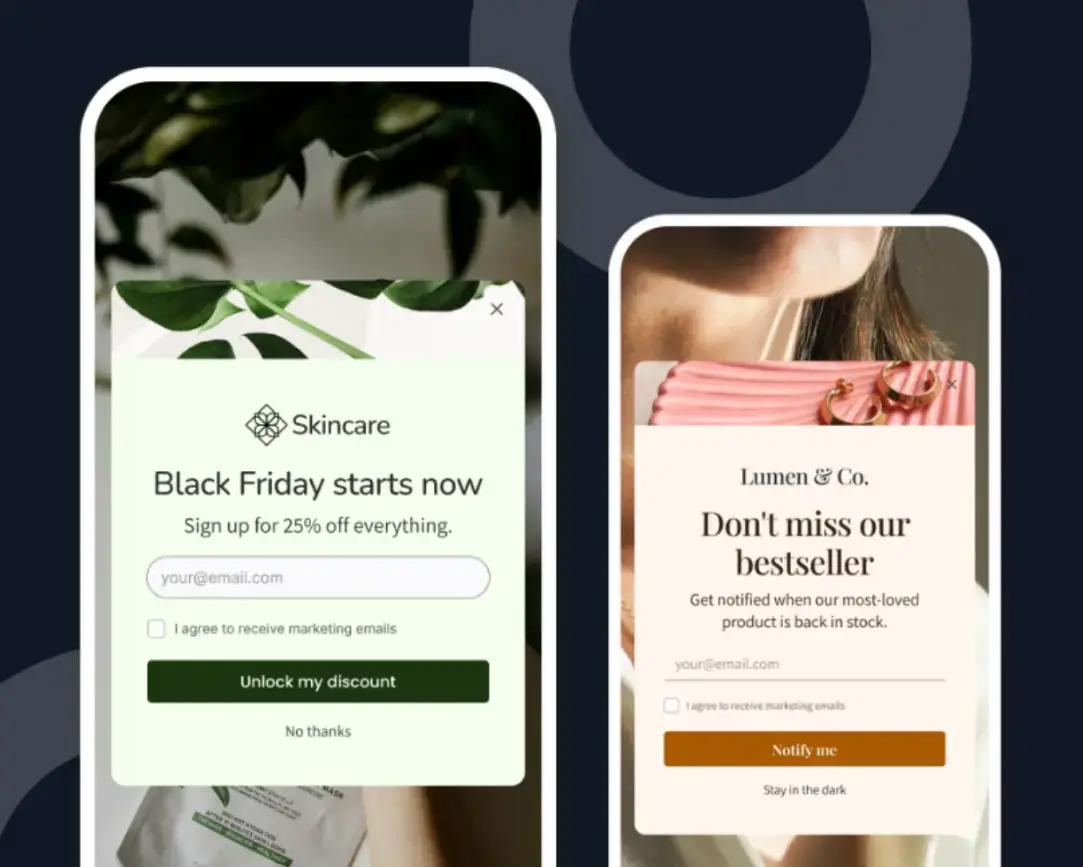
Add an email popup to your Shopify store so you're capturing visitor emails well before BFCM hits, not scrambling to start once the traffic shows up.
Without one, a first-time visitor who isn't ready to buy today has no way to be brought back later. A popup turns that anonymous browser into part of a list you can actually market to before, during, and after the sale.
Per our 2025 BFCM data, merchants who kept their popup live all season were 16x more likely to capture responses. Specifically, 38% of those who ran the popup on their site for 30–33 days collected at least one response, compared to 2% of those who ran it for just 1–3 days before BFCM. Merchants who ran it all season also saw a median of 1,188 popup views, against a median of 4 for those who only ran it for a few days.
For the full setup walkthrough, see How to Grow Your Email List on Shopify Before BFCM.
Once your popup is live and collecting emails, the next thing to get in place is a countdown timer, a small addition that works especially well with the urgency-driven sends later in your BFCM calendar.
3. Set up a countdown timer
Set up a countdown timer on your BFCM landing page or homepage, a visible clock that reminds shoppers the deals disappear the moment it hits zero.
The countdown timer creates urgency that pushes hesitant shoppers to act, especially during the sale's final hours. It helps drive conversions 4x, speed up the buyer journey, and reduce drop-off and bounce by 22%.
See this article for more on pairing a countdown timer with your BFCM email sends, along with the full BFCM email marketing plan for your store this holiday season.
Once shoppers feel the urgency, the next thing to reinforce is trust. That's where product reviews come in.
4. Enable product reviews
Install a reviews widget on your product pages before BFCM traffic arrives, giving shoppers proof that other people already trust what they're buying.
Encourage existing customers to share their genuine reviews of your products, as social proof reduces hesitation for new visitors who don't already trust your brand during high-traffic BFCM days.
Read this article to learn how to use product reviews with the Early Access and Small Business Saturday sends in your BFCM email marketing.
Trust is one thing — but sometimes shoppers still have a question only a real person can answer. Live chat picks up right where reviews leave off.
5. Add live chat
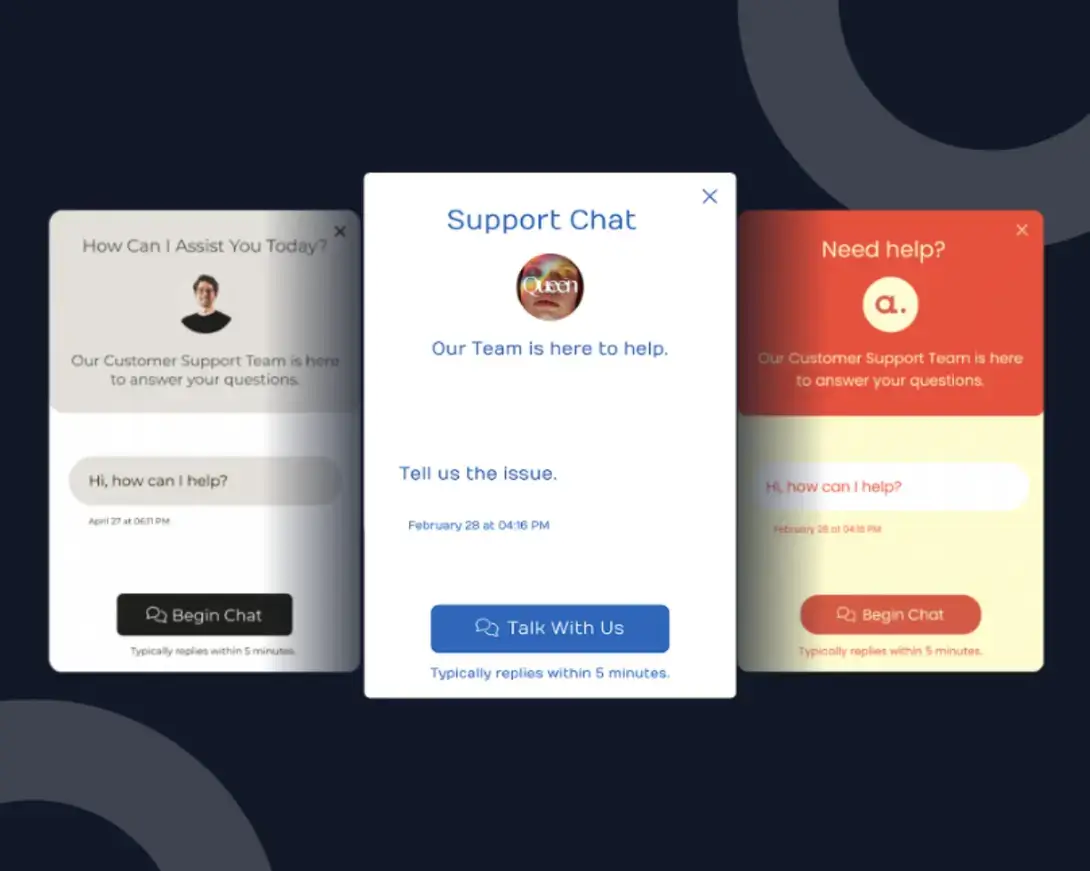
Add live chat to your storefront: real-time answers for the last-minute questions that would otherwise stall a purchase.
If your product pages and reviews still leave questions unanswered (about sizing, shipping deadlines, or stock), live chat gives shoppers a fast way to get an answer instead of quietly closing the tab.
Chat handles the people who reach out, but plenty of shoppers leave without saying a word. That's what an exit-intent popup is built to catch.
6. Add an exit-intent popup
When a shopper moves to close the tab, an exit-intent popup steps in with one last reason to stay. It catches the visitors who browsed but were about to leave without buying.
You can convince them to stay with a free shipping offer or a last-minute discount that they can use on your BFCM-priced products. This popup would be especially relevant on your store, as it recovers traffic that the other tools on this list worked to bring in.
See how this fits into the Post-Sale Follow-Up phase of your BFCM email calendar.
Exit-intent catches shoppers right as they're about to leave. A contact form catches the ones who have a question before they even get that far.
7. Add a contact form
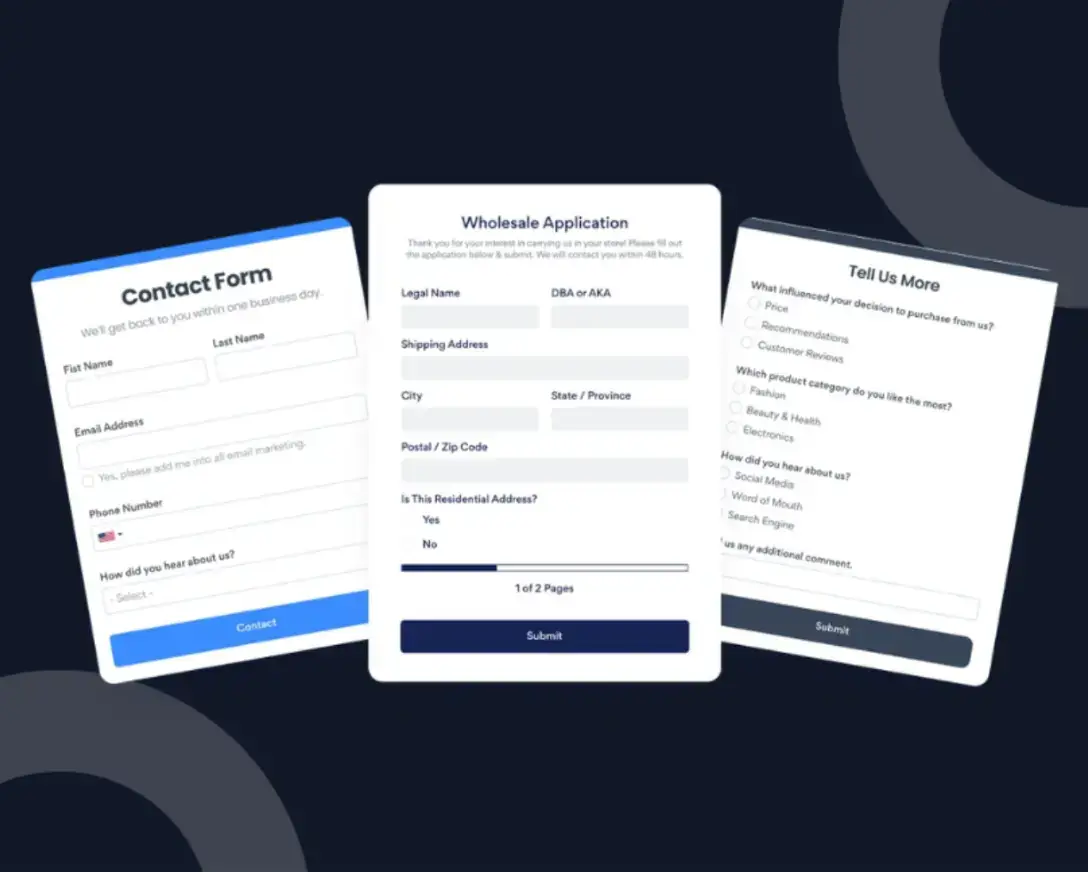
Not every shopper wants to hunt down your email address for a quick question—give them a contact form instead.
It's a great tool to have on your website during BFCM, especially because live chat and inboxes are already stretched thin that time of year. A clean contact form invites potential customers to submit their question on the spot and gets them one step closer to completing their order once they have their answer.
Our 2025 BFCM data shows that merchants who ran a form on their website all season (30–33 days) were 4.6x more likely to collect at least one submission than merchants who only ran it for 1–3 days — 91% vs. 20%.
Merchants who ran it all season also saw a median of 467 form views and 24 submissions collected, compared to a median of 2 views and 2 submissions for those who only ran it briefly.
For the full setup walkthrough, see How to Add a Contact Form to Your Shopify Store (And Actually Make It Work).
With a way for shoppers to reach you and a plan for what to send them, the last piece of your Black Friday Shopify checklist is making sure those sends actually go out on schedule. That's what mapping out your BFCM email calendar is for.
8. Map out your BFCM email calendar
Before BFCM arrives, map out exactly which emails you'll send and when. Don’t decide on the fly during the busiest week of your year.
Without a plan, BFCM emails tend to get rushed, delayed, or skipped entirely once the season actually hits and everything else demands your attention. Knowing what to send from the Teaser phase all the way through your post-sale follow-ups means you're executing a strategy instead of scrambling to catch up.
See the full BFCM Email Marketing Calendar for the complete day-by-day breakdown, mapped to this year's actual dates.
Once your calendar is planned out, you still need somewhere to actually send those emails from. That's where connecting your list to POWR Email comes in.
9. Add a social feed
A social feed keeps your storefront looking active — pull in real Instagram posts or customer photos instead of leaving your homepage banner static all season.
Visitors browsing during BFCM are sizing you up fast, and a feed of real customer photos gives them two things a static page can't: proof your store is active right now and social proof that other people are already buying and happy with what they got. For a shopper who's on the fence, that can be the nudge that turns browsing into an order.
Even with your storefront looking active and trustworthy, some shoppers will still stall out with a question your product page doesn't answer — and during BFCM, you don't have three days to reply by email before they buy from someone else.
10. Add an FAQ
If a shopper can't find your shipping cutoffs or return policy in the next ten seconds, an FAQ widget on your product and checkout pages answers it for them before they bounce.
Put it on your highest-traffic pages — product pages and checkout — to head off the questions first-time visitors ask most: what your return window is, when they'll get their order, how a promo code works. Left unanswered, those are the questions that send a shopper to a competitor instead of your checkout.
If you already run an FAQ on your store year-round, this is as simple as adding a few season-specific answers on top of it: extended holiday return windows, shipping deadlines to guarantee delivery by December 25, and how sales or discount codes stack.
Two of these are backed by real numbers: stores that ran a popup all season were 16x more likely to capture at least one response than stores that only ran it for a few days, and stores that ran a contact form all season were 4.6x more likely to do the same.
The other eight items are proven best practices rather than a tested stat, but the same logic holds across the board — the earlier these tools are live on your store, the more of the BFCM traffic spike they actually catch.
That covers all 10 items on your Shopify holiday sale checklist — from the popup capturing emails weeks before Black Friday to the FAQ answering last-minute questions at checkout, your storefront now has a plan for every stage of the BFCM rush.
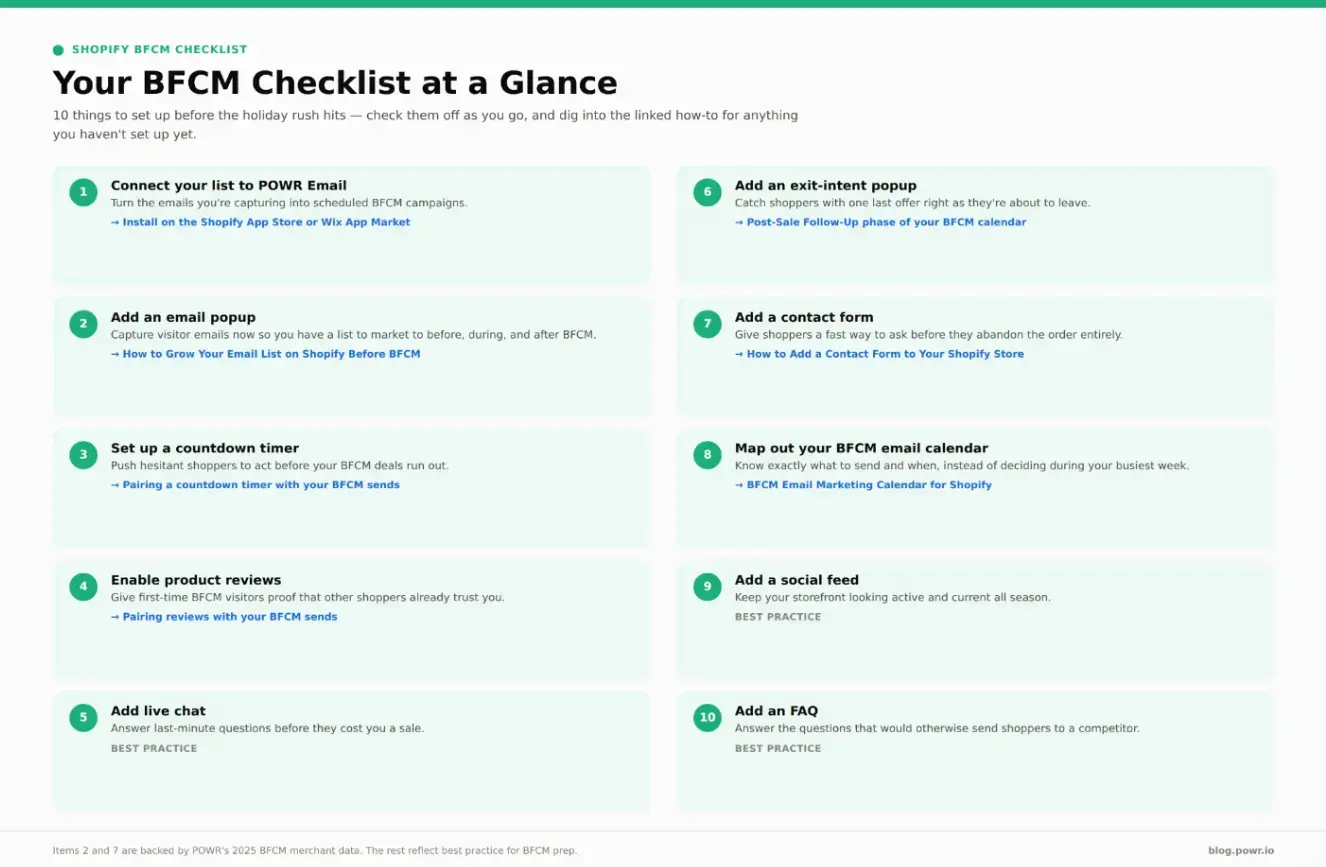
Here's the full list at a glance, so you can check off each one as you set it up.
Conclusion
Inventory and shipping get most of the attention when merchants plan for BFCM, but the tools that touch your actual shoppers — the popup capturing their email, the countdown timer nudging them to buy, the FAQ answering their last question before checkout — matter just as much.
And whichever platform you sell on, POWR has you covered: every tool on this list, from POWR Email to popups, is available for both Shopify and Wix, so this same BFCM setup works no matter where your store lives.
Work through this Shopify BFCM checklist now, while you still have time to test and adjust, so your store is fully prepared for BFCM the moment the traffic arrives instead of scrambling to catch up mid-rush.